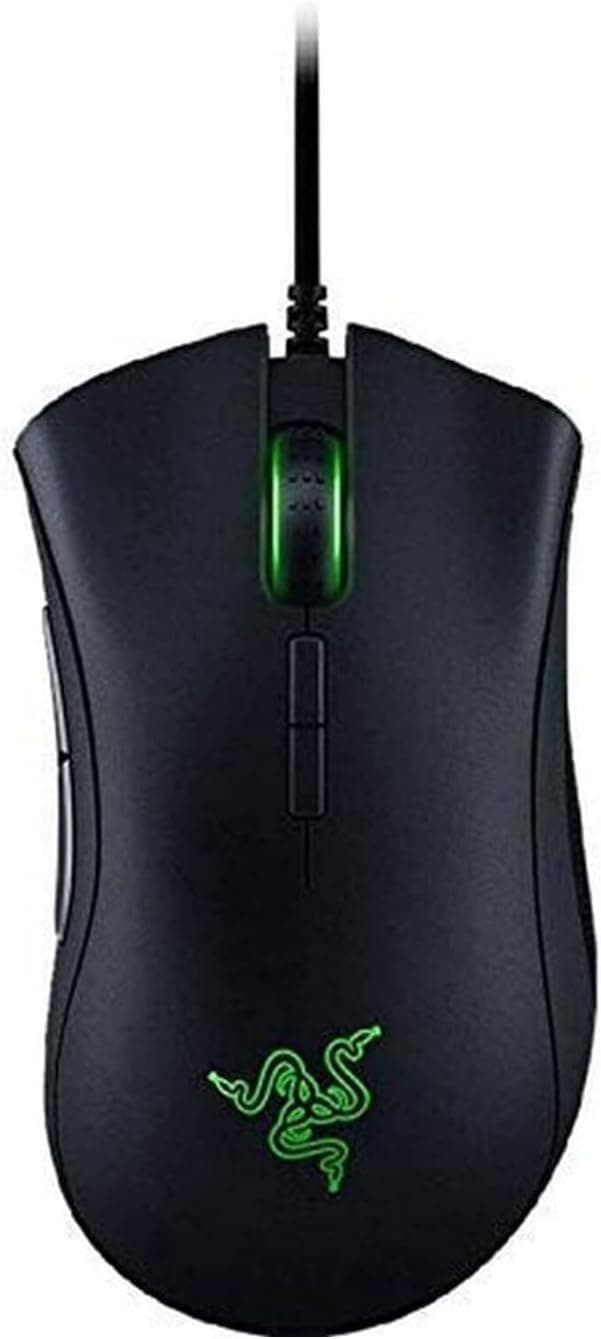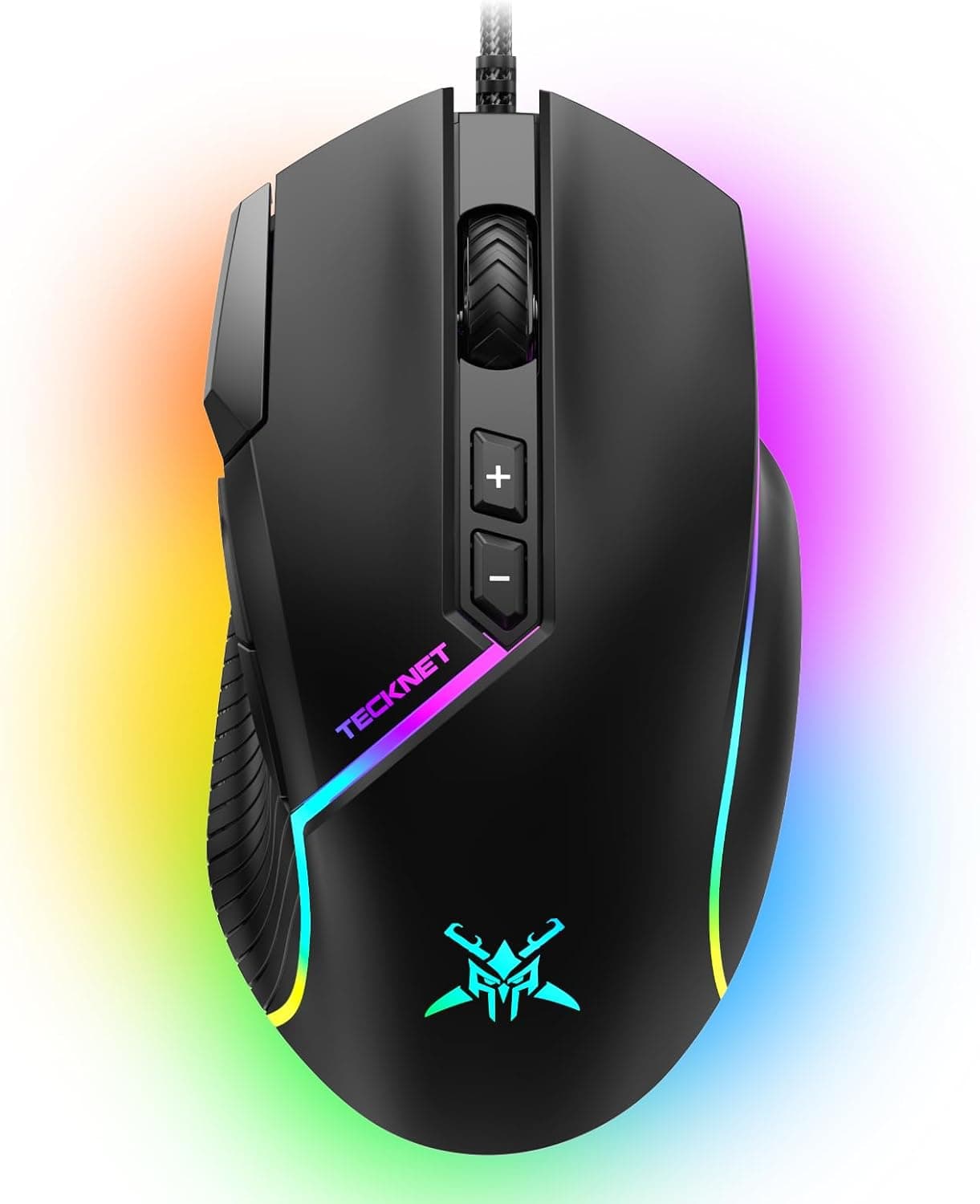
The TECKNET Wired Gaming Mouse (12800 DPI, 8 buttons, 13 RGB modes) is an entry-level pick aimed at first-time buyers and people who want a cheap, dependable second mouse. The short version: the 12800 DPI figure is not a reason to buy, because most players actually use 400-1600 DPI.
The real reason is that you get eight buttons, software remapping, and RGB for a low price. Competitive FPS players chasing sub-60g wireless shells should look elsewhere.
Overview
This is a wired USB optical mouse with a maximum sensor resolution of 12800 DPI, eight programmable buttons, and thirteen RGB backlight patterns. Bundled software handles button remapping, DPI stages, and lighting, which is a fairly complete feature set for the price bracket.
As of August 2026, the Amazon.co.jp listing shows 46 reviews at 4.7 out of 5 stars, a 94% positive score.
Forty-six reviews is a small sample compared with mainstream models that carry thousands, so treat it as a rough signal rather than proof of long-term reliability. What it does suggest is that dead-on-arrival units and immediate failures are not the dominant story.
Put simply, this product competes on features per yen, not on raw performance. Buy it with that framing and it holds up well.
Buy it expecting flagship sensor behaviour or a featherweight shell and you will be disappointed.
How to Read the 12800 DPI Number
DPI is the most commonly misread spec on a gaming mouse. It describes how far the cursor travels per inch of hand movement - speed, not accuracy.
The table below shows typical usage ranges in general; these are not measured values for this specific product.
| Use case | Common DPI range | Notes |
|---|---|---|
| FPS, low sensitivity | 400-800 | Assumes a large mousepad |
| FPS/TPS, mid sensitivity | 800-1600 | The most common band |
| MOBA / MMO | 1000-2000 | Heavy UI interaction tolerates higher |
| 4K desktop work | 1600-3200 | More screen area, higher DPI helps |
So 12800 DPI means only that there is headroom you will not use. Comparing budget mice by peak DPI is the single most common mistake in this segment.
The argument for this mouse is eight buttons plus software support at a low price, not the ceiling on its sensor.
Compatibility Guide
Connection is wired USB-A. Per the manufacturer's compatibility notes, it works with Windows PCs and laptops that have a USB-A port, may work on some consoles, and its software customization is Windows-only.
Basic cursor movement, left/right click, and the scroll wheel are plug-and-play with no driver install.
Three things trip people up:
- No USB-A port. Many thin laptops and Mac notebooks are USB-C only, so you will need an adapter or hub. Bus-powered hubs usually work, but an underpowered hub can cause flickering lighting or intermittent detection. Plugging directly into the machine is safer.
- macOS and Linux. Cursor and clicks generally work, but since the configuration software targets Windows, assume you cannot remap side buttons or edit DPI stages. On macOS you would need an OS-level or third-party mapping tool.
- Game consoles. The manufacturer only says it may work on some consoles. Support varies by console and by title, so do not buy this primarily for console use.
Cable length and body weight are not included in the supplied specifications. If you have a deep desk or care about exact weight, check the product page before ordering.
A mouse bungee is worth pairing with any budget wired mouse - it removes most of the cable drag that people blame on the mouse itself.
Product Info
The published specifications are: 12800 maximum DPI, 8 buttons, 13 RGB backlight modes, wired USB connection, optical sensor. The exact sensor model, maximum tracking speed (IPS), and acceleration limits are not provided, so this article will not guess at them.
If you want to compare sensors by number, choose a model that publishes its sensor part.
The listed price was JPY 5,800 on Amazon.co.jp, captured on 30 August 2026.
Prices move constantly with stock and sales, so confirm the current figure on the product page. Note that the international price field in the source data also shows the same JPY 5,800 value, which looks like the Japanese listing copied across; buyers outside Japan should check their local storefront separately.
Accessories are typically the mouse, a manual, and instructions for downloading the software, and warranties in this class are commonly around one year. These vary by batch and seller, so verify on the listing rather than assuming.
How It Compares
The budget wired category includes staples like the Logitech G203 LIGHTSYNC, chosen for sensor and software polish, and a step up you will find models such as the ASUS TUF Gaming M3 Gen II with a 59g shell and IP56 dust and water resistance. If shape matters more than anything, asymmetric palm-grip designs like the BenQ ZOWIE EC1-C exist too.
Against that field, this mouse's relative strength is button count. Most entry wired mice ship with six buttons, so if your use case needs more than two side buttons - MMO skill binds, editing shortcuts, browser navigation plus extras - the eight-button layout is a genuine practical edge.
Its weaknesses are weight and the fact that an unpublished sensor part makes objective comparison hard.
The decision is clean: buy this if you want buttons on a budget; buy a mainstream brand if you want low weight and a known sensor. Wanting both usually means spending one tier higher.
Setup Advice
The first thing to do is trim the DPI stages to values you actually use. Budget mice often ship set to a high DPI, and that is where the "cursor feels twitchy, I can't aim" impression comes from.
Limit the stages to something like 800 and 1600 and delete the rest; you also stop mis-pressing the DPI button into an unusable setting mid-game.
Thirteen lighting modes are available, but if flickering colour in your peripheral vision bothers you during play, a static colour or lights-off is a perfectly reasonable end state. Lighting can be a buying reason without being something you leave running.
For side buttons, bind actions you do not hold down - crouch, melee, ping - for games, and copy/paste or browser-back for productivity. Those give the clearest payoff.
Best Use Cases
- First gaming mouse. You get DPI switching, side buttons, and configuration software - the core gaming-mouse vocabulary - at minimal cost. Learning which of those you actually need before spending more is a sensible path.
- A second mouse for a spare PC or travel bag. Wired means no charging and no pairing. The more expensive your main wireless mouse is, the more useful a knockabout backup becomes.
- Workloads that need buttons. MMOs, video editing, CAD, and heavy browser work all benefit from having shortcuts under your thumb.
- RGB desk builds. Thirteen patterns give you room to match the rest of your setup.
It is not the right pick for competitive FPS players, anyone used to 50-60g shells, or people who refuse to deal with a cable.
Things to Check Before Buying
1. Do not buy the DPI number. Real usage sits around 400-1600.
A higher ceiling does not translate into a felt difference, and "26000 DPI must be better" is the same error in the other direction.
2. Weight and cable stiffness are where budget mice differ most. No weight figure is provided for this model.
Coming from a lightweight mouse, it may feel heavy, and a stiff cable can drag. If weight matters, buy something that publishes a number like 59g or 68g.
3. The review sample is small. 4.7 stars across 46 reviews is good, but it does not carry the same confidence as thousands of reviews.
Durability problems - switch chatter, cable strain at the base - surface over months or years, and a newer product with few reviews simply has not been tested by time yet.
4. Assume no configuration outside Windows. "It works" and "it can be configured" are different claims.
If remapping is your reason for buying, plan on a Windows machine.
5. Listing metadata can disagree with the actual product. Amazon listings sometimes carry values pulled from other items in the price, manufacturer, or model-number fields.
Even here, the international price field shows a JPY value, which does not line up. Before ordering, confirm the product against the images and title, and confirm the price at checkout rather than in the description.
6. Check warranty and the return window. When the seller and the fulfiller differ, the process for defects can change.
In this price class people usually replace rather than repair, so at minimum know how long you have to return it.
Frequently Asked Questions
Q. Do I need 12800 DPI? A.
Almost certainly not. FPS play lives around 400-1600, and even 4K desktop work is comfortable at 1600-3200.
A high ceiling does no harm, but it should not decide your purchase.
Q. Does it work without installing the software? A.
Yes for basics - cursor movement, clicks, and the scroll wheel are plug-and-play. Software is needed for button remapping, DPI stage editing, and detailed lighting control.
Q. Will it work on a Mac? A.
Basic input generally works, but since the software targets Windows, side-button and DPI customization is not supported. On macOS you would need an OS-level or third-party remapping tool.
Q. Can I use it on PS5 or Xbox? A.
The manufacturer only states that it may work on some consoles, which is not a guarantee. Support depends heavily on the console and the specific game, so do not make console use the reason you buy it.
Q. Wired or wireless? A.
Wired means no charging and a lower price; the tradeoff is cable management. Modern higher-end wireless is fast enough for almost everyone, so if you dislike cables there is no need to force yourself onto a wired mouse.
The case for this one is "cheap with lots of buttons," not "wired so it is faster."
Q. How long will it last? A.
There is no way to state that with confidence. Budget mice typically fail through switch chatter or cable wear, and usage intensity dominates.
If you plan to keep it a long time, check the warranty terms and return window before ordering.
Product Disclosure (Amazon)
- Manufacturer: TeckNet
- Seller: Japan General Retailer
- Fulfilled by: Amazon
- ASIN: B0F8HB654Q
- Note: This article covers a manufacturer-made product based on Amazon listing details.