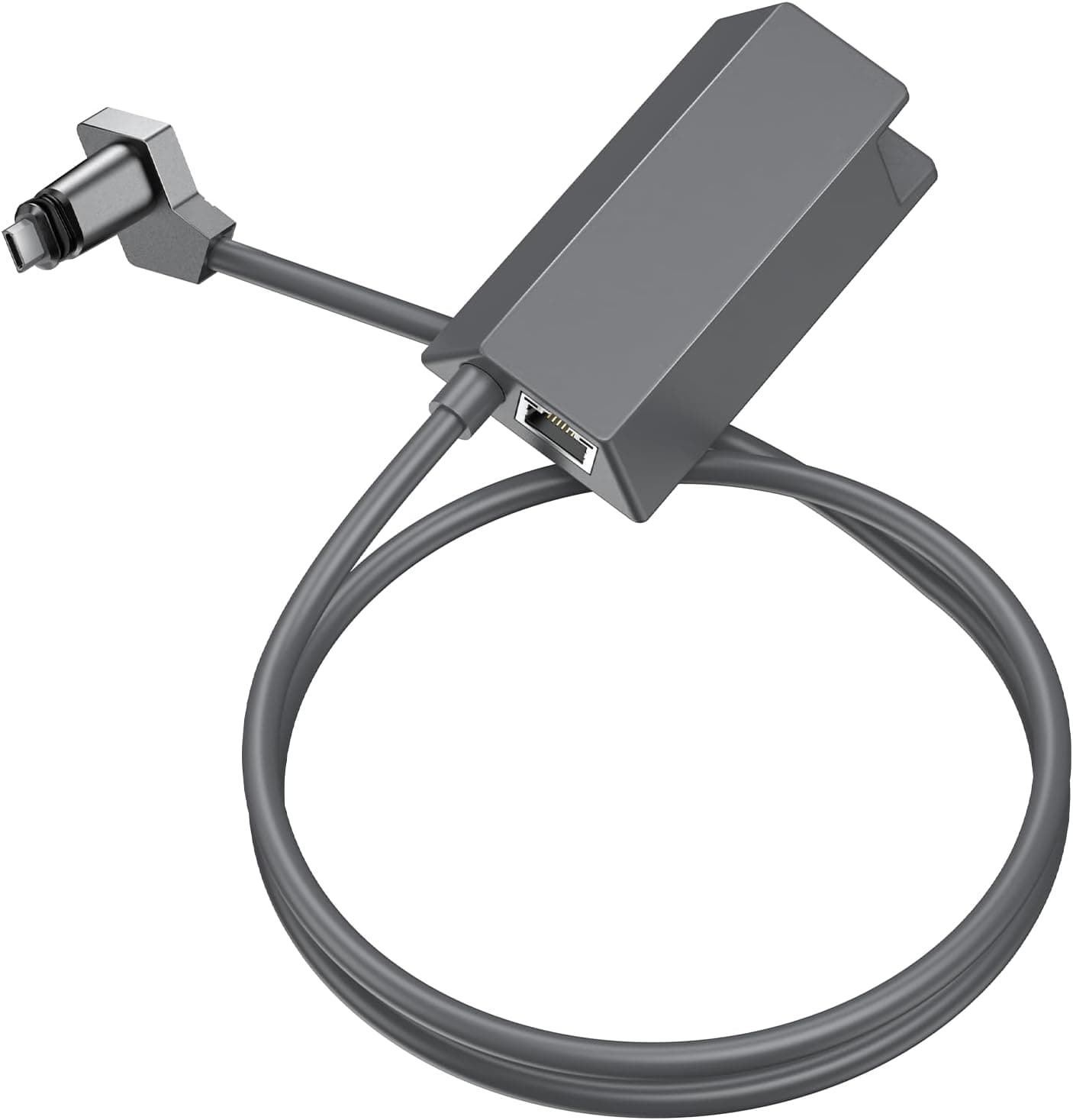
The TECHOWL Starlink Ethernet Adapter is a third-party accessory that converts the proprietary Starlink Gen 2 plug into a standard RJ45 female port. This article goes past the spec sheet to the questions that actually matter: will it work with your kit, and what are you giving up?
Overview
This product does exactly one thing: it turns the Gen 2 dish's proprietary connector into a jack that accepts an ordinary LAN cable. The router bundled with the Gen 2 (rectangular dish) kit has no standard wired port, so an adapter like this is what lets you run a cable to your own router or switch.
The data link is 1000BASE-T Gigabit Ethernet, rated at 1000 Mbps.
It suits one specific person: someone already running Starlink Gen 2 who wants wired stability instead of Wi-Fi. Outside that, it has essentially no use.
Do not confuse it with a general-purpose USB Ethernet adapter — the roles are completely different.
| Item | Value | How to read it |
|---|---|---|
| Connector | Starlink Gen 2 plug → RJ45 female | Physically will not fit other generations |
| Protocol | Gigabit Ethernet (1000BASE-T) | The satellite link is the real ceiling |
| Transfer rate | 1000 Mbps | A spec ceiling, not a measured speed |
| Construction | Bare copper conductors + foil shield | Not CCA — a genuine plus |
| Items included | 1 | LAN cable sold separately |
The one number worth flagging is "1000 Mbps." That is the adapter's link ceiling, not your Starlink throughput.
Real satellite speeds swing with site, time of day, and congestion, and consumer plans rarely approach gigabit. So this adapter will not make your connection faster.
What it buys you is less jitter, not more speed.
Compatibility Guide
The rule is simple: Starlink Gen 2 kits only. The manufacturer's own compatibility note states it is not compatible with other generations or other satellite services.
This is decided by connector shape, so no setting or converter works around it. Confirm your kit generation before ordering.
- Gen 1 (round dish): not supported — different connector.
- Gen 3 / latest kits: not supported; those routers handle wired ports differently.
- Other satellite ISPs: not supported.
- RJ45 side: any device with an Ethernet port — PCs, hubs, switches, routers. No drivers or software needed.
Since the RJ45 side is 1000BASE-T, Cat5e or better is sufficient on paper. Cat6/6A will not raise your throughput, but shielded or outdoor-rated cable is worth it for long or exterior runs.
Note that no LAN cable is included (item count: 1), so buy one at the same time if you don't have a spare.
The usual install mistake is placement. On Gen 2 the adapter sits inline between the dish cable and the router, so you need a few centimetres of slack around the router.
If your router is jammed against a wall or behind furniture, the bend radius may not allow a clean insertion. Check the listing diagram for exactly which side the adapter goes on before you start.
Product Info
The brand is TECHOWL. Hardware interface is Ethernet (RJ45), the data link protocol is Gigabit Ethernet (1000BASE-T), and construction uses bare copper conductors with an insulating aluminium foil shield to reduce interference.
Cheap converters often use CCA (copper-clad aluminium), so stating bare copper is a fair point in its favour.
The price was ¥5,849 as captured on 1 June 2026. Prices move often and can drop during sales, so always check the current figure on the listing before buying.
The marketplace entry (eBay search) showed no fixed price at capture time — it is a "see listing" result. The price band positions this as the budget alternative to the official accessory, and for what it does, that is a reasonable range.
Reviews stand at 7 ratings, 4.1 out of 5 (82%) as of 1 June 2026.
The score is fine, but seven reviews is a very small sample. A 4.1 here means little more than "a handful of people liked it." One bad rating would move that average substantially, so treat it as provisional — it tells you almost nothing about long-term durability or unit-to-unit variance.
Alternatives Compared
There are three realistic paths. First, the official Starlink Ethernet Adapter: the reassurance of first-party hardware and a single support channel.
Second, a third-party converter like this one: cheaper, but you absorb the risk of quality variance and patchy stock. Third, bypassing the Starlink router entirely and putting your own router in charge — the most flexible option, but it assumes networking know-how.
The deciding factor is how much it hurts when the link goes down. If this is your primary work-from-home connection or a business line, paying more for first-party support is a rational call.
For a holiday home, an RV, or a backup line where "fix it tomorrow" is acceptable, a third-party adapter is plenty.
What the Improvement Actually Feels Like
Going wired changes variance, not average speed. Over Wi-Fi, microwaves, channel contention with neighbouring APs, and wall attenuation cause momentary stalls; a wired segment removes all of them.
If your video calls drop only your audio, or your remote desktop cursor jumps, and the cause was in-home Wi-Fi, wiring up fixes it dramatically.
If the latency originates in the satellite hop, however, this adapter changes nothing. Satellite internet carries inherent delay and brief wobble at satellite handovers that no in-home device can remove.
The honest test is to compare identical ping runs over Wi-Fi and over the wired link. If they match, your bottleneck is upstream, not indoors.
Things to Check Before Buying
1. It will not make you faster. 1000 Mbps is the adapter's ceiling. Do not read "Gigabit" as a speed upgrade; the goal is stability.
2. The wrong generation makes it useless. Gen 2 only — Gen 1 and Gen 3 will not physically connect.
Given the hassle of returns, verify this first.
3. No PoE, no switching. This is a passive converter, not a hub or switch.
To wire several devices, you still need a switch downstream of the RJ45.
4. Only 7 reviews back it. Replacement handling for a DOA unit is hard to predict, so buy where returns are protected and power-test it the day it arrives.
5. Listing metadata can disagree with reality. Even in the source data for this article, the price entry was labelled "Amazon US" while the amount was in yen and the link pointed to the Japanese store; the seller and shipper are a third party.
Amazon listings sometimes carry incorrect manufacturer, model, or generation fields. Verify with the product photos, the title, and a clear shot of the connector that it matches your kit — don't rely on the text spec fields alone.
6. Assume no weatherproofing. The data gives no IP rating.
If you place it at an outdoor junction, plan for an enclosure or self-amalgamating tape.
Best Use Cases
If you run Starlink Gen 2 and are chasing intermittent Wi-Fi hiccups, this is a cheap, effective fix. That means remote workers on daily video calls or remote desktop, competitive gamers who hate packet loss, and anyone consolidating always-on devices like a NAS or security cameras onto wired links.
It also suits people who want their own router in charge so they can run mesh Wi-Fi or custom network settings. No tools and no drivers are required, so it is approachable even if networking isn't your field.
Skip it if your Wi-Fi already behaves, if the dish and your gear are too far apart for a practical cable run, or if your main goal is more speed — that expectation will not be met.
FAQ
Q. Will this speed up my Starlink connection? A.
No. Throughput is set by the satellite link.
What improves is instability caused by the in-home Wi-Fi segment.
Q. Does it work with Gen 1 or Gen 3 kits? A.
No. It is exclusively for Starlink Gen 2 and not compatible with other generations or satellite services.
Q. Is a LAN cable included?
A. No — item count is 1, the adapter only. Supply your own Cat5e or better cable.
Q. Can I connect multiple devices? A.
The adapter provides a single RJ45 port. For multiple devices, add a switch or a router with wired ports downstream.
Q. Any drivers or configuration needed? A.
None. It is a physical connector conversion and works on plug-in.
If the link doesn't come up, reboot the router and dish first.
Q. What does it cost?
A. ¥5,849 as captured on 1 June 2026. Prices vary, so confirm on the listing before purchase.
Product Disclosure (Amazon)
- Manufacturer: TECHOWL
- Brand: Techowl
- Seller: ORİVANA
- Fulfilled by: ORİVANA
- ASIN: B0FNVHWFYF
- Note: This article covers a manufacturer-made product based on Amazon listing details.