This article covers StarTech.com M.2 NVMe.
Overview
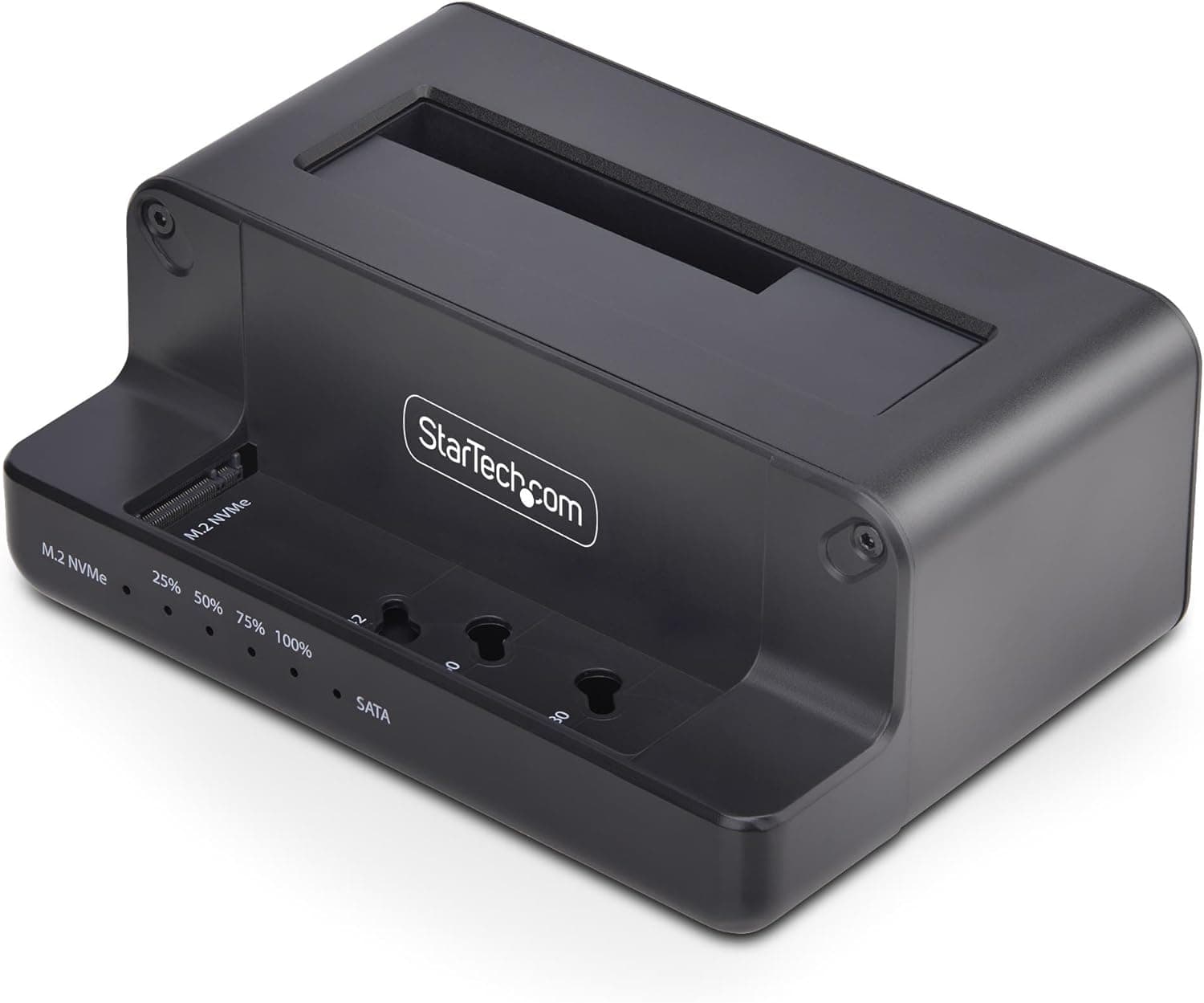
The StarTech.com N2-M2-SSD-DUPLICATOR is a standalone dual-bay duplicator that lets you clone drives between M.2 NVMe SSDs and 2.5/3.5-inch SATA SSDs or HDDs without connecting to a PC. It supports sector-by-sector copying at speeds up to 27 GB/min, making it suitable for OS migration, backup, and mass deployment scenarios. In addition to offline duplication, the unit functions as a USB 10Gbps (USB 3.2 Gen 2) external dock. You can connect it to a computer to access or transfer data from M.2 NVMe and SATA drives without installing them internally. The top-loading design improves passive cooling and keeps the footprint small (135×100×55mm).
Connectivity & Compatibility
The N2-M2-SSD-DUPLICATOR includes one M.2 NVMe slot (supports 2242, 2260, and 2280 lengths) and one top-loading SATA bay that accommodates both 2.5-inch and 3.5-inch SATA drives. The SATA interface runs at up to 6 Gbps, while the M.2 NVMe slot operates at PCIe Gen3 x2 (up to 7.8 Gbps). No drivers or software are required for drive recognition. For host PC connectivity, there is a single USB-C port supporting USB 3.2 Gen 2 (up to 10 Gbps). This allows the dock to be used as an external enclosure for either drive type. The device also supports 4Kn sector sizes, and the destination drive must be equal to or larger than the source drive in capacity.
Product Info
Released in early 2025, the N2-M2-SSD-DUPLICATOR is positioned as a mid-range tool for both home users and IT professionals. Its retail price in Japan is around ¥11,500, competitive for a dual-interface duplicator. The package includes a USB-C cable, AC adapter, and quick-start guide. A standard 2-year warranty is provided by StarTech.com. The unit is widely available through online retailers such as . Build quality is typical for StarTech—solid plastic housing with visible LED indicators for power, drive activity, and copy progress.
Best Use Cases
- PC enthusiasts upgrading to NVMe If you want to migrate your OS from a SATA SSD or HDD to a faster M.2 NVMe drive, this duplicator lets you do it offline without booting into Windows or using cloning software. The process is straightforward: insert source and destination, press start. 2. IT administrators deploying multiple systems For cloning a golden image onto several drives, the standalone operation saves time—no need to hook up a PC for each clone. The support for various file systems (Windows, Linux, macOS) ensures broad compatibility. 3. Regular backup from NVMe to SATA You can easily back up your primary NVMe SSD to a cheaper SATA HDD or SSD for archival purposes. The duplication is bit-for-bit, so you get an exact replica. 4. Note: The duplicate direction is bidirectional (NVMe→SATA or SATA→NVMe), but only one source and one destination at a time. Also, ensure the destination drive has at least the same capacity as the source to avoid errors.
Product Disclosure (Amazon)
- Manufacturer: StarTech.com(スターテック)
- Seller: Startech Japan KK
- Fulfilled by: Amazon
- ASIN: B0DPJ6NGD3
- Note: This article covers a manufacturer-made product based on Amazon listing details.