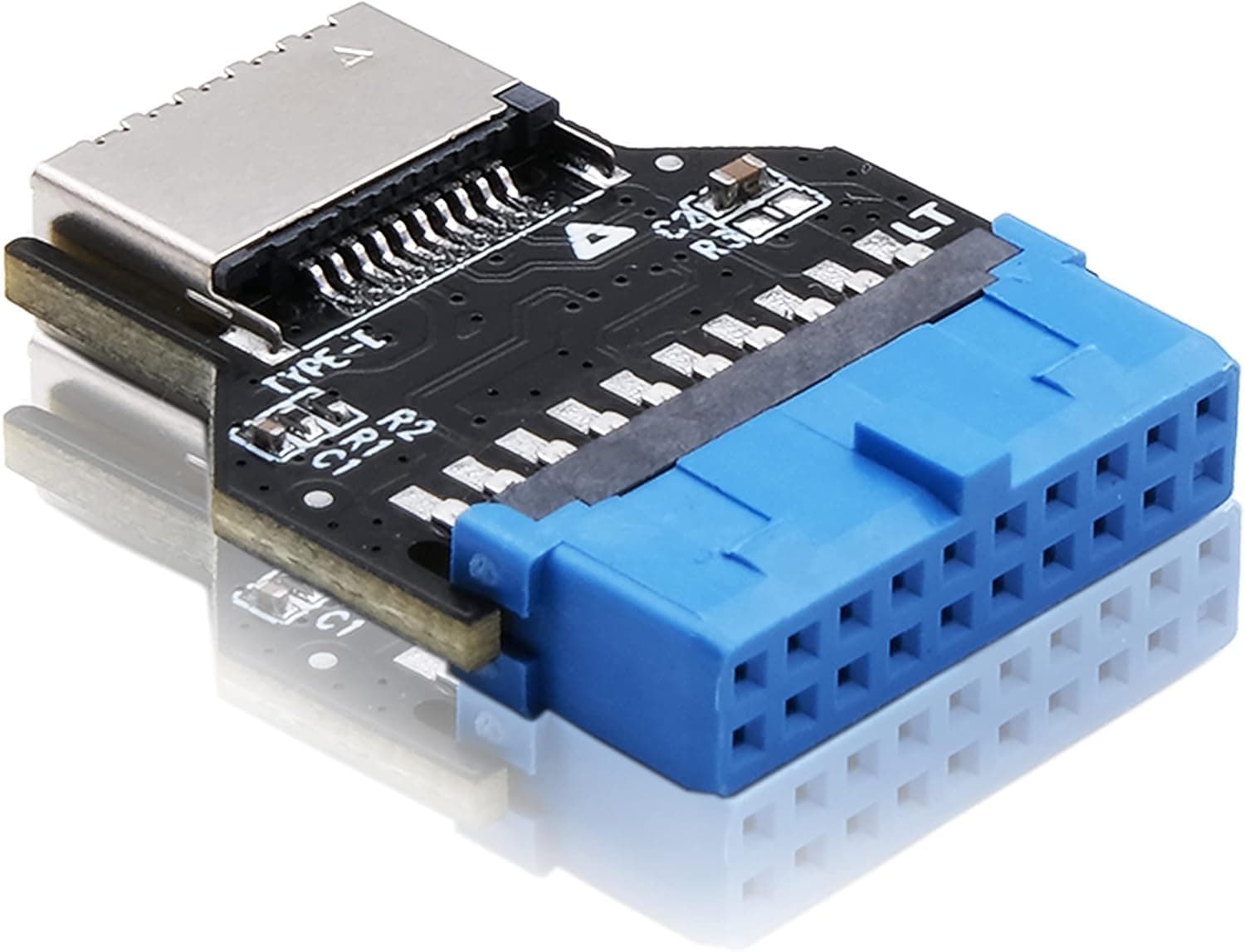
This article covers EZDIY-FAB USB3.0 19ピン-Type-E変換拡張カード USB3.1.
Overview
The EZDIY-FAB USB3.0 19-Pin to Type-E Conversion Card is a small adapter that lets you add a USB-C front panel port to an older motherboard that lacks a native Type-E header. It converts the standard USB 3.0 19-pin internal header into a Type-E 20-pin connector, enabling compatibility with modern PC cases that feature USB-C front ports. Data transfer speed is capped at USB 3.0's 5Gbps, which is sufficient for most peripherals, flash drives, and external SSDs that don't require Gen2 speeds. The card requires no drivers and is plug-and-play on both Windows and Linux. Its 180-degree connector design helps avoid clearance issues with nearby components like graphics cards or CPU coolers.
Connectivity & Compatibility
This card plugs directly into a motherboard's USB 3.0 19-pin internal header (typically blue). The output is a Type-E 20-pin female connector, which matches the standard cable found on most PC cases with a front USB-C port. It is compatible with any motherboard that has at least one USB 3.0 19-pin header, regardless of brand (ASUS, MSI, Gigabyte, etc.) or chipset (Intel, AMD). Note that this is not a PCIe expansion card; it is a header adapter that sits inside the case. Ensure there is physical space around the motherboard header area to accommodate the card's PCB. The compact design fits most standard ATX and micro-ATX cases.
Product Info
The EZDIY-FAB USB3.0 19-Pin to Type-E Conversion Card is available on for around ¥1,359 (as of August 2026). It is positioned as an entry-level to mid-range accessory, offering a cost-effective way to upgrade older systems with USB-C front panel connectivity. Warranty is handled by the seller (EASYDIY JP) and falls under 's standard 30-day return policy. The package includes only the card itself; no cables or brackets are included.
Best Use Cases
- Users with a USB-C case but an older motherboard: If you bought a new case with a USB-C front port but your motherboard doesn't have a Type-E header, this card bridges the gap without replacing the whole board. - Budget-conscious PC builders: At under ¥1,500, it's a much cheaper alternative to upgrading to a newer motherboard just for USB-C. - Users wanting neater cable management: The 180-degree connector design reduces cable strain and makes routing easier, especially in tight cases. This card is not ideal for users who require USB 3.1 Gen2 (10Gbps) or higher speeds. For tasks like large file transfers to external SSDs, consider a PCIe USB-C card instead.
Things to Consider
- Speed is limited to 5Gbps. Do not expect 10Gbps or 20Gbps performance. - The card occupies one USB 3.0 19-pin header. If your motherboard already uses that header for front USB-A ports, you may need to free it up by using a hub or sacrificing those ports. - Always power off the system and disconnect the PSU before installation. Improper connection can damage the motherboard or the card. - The card is not a PCIe device; it does not require a slot. It simply plugs into the header and sits inside the case. ## FAQ
Q: Will this card provide USB 3.1 Gen2 (10Gbps) speeds? A: No. The source is USB 3.0 (5Gbps), so the output is limited to 5Gbps. To get 10Gbps, you need a motherboard with a native Type-E header or a PCIe USB-C card. Q: Which PC cases are compatible? A: Any case with a front USB-C cable that uses a Type-E 20-pin connector. Most modern cases with USB-C use this standard. Q: Can I use this with other EZDIY-FAB products? A: Yes, it works with their USB 3.1 cables and front panel hubs (e.g., B07ZH3QB2V, B07ZH9Y5DP), but speed will be limited to 5Gbps.
Product Disclosure (Amazon)
- Manufacturer: EZDIY-FAB
- Seller: EASYDIY JP
- Fulfilled by: Amazon
- ASIN: B0B5D5GZX9
- Note: This article covers a manufacturer-made product based on Amazon listing details.