This article looks at the StarTech.com PEX4S553 four-port serial expansion card — what it actually fits, and where you have to compromise.
Overview
The PEX4S553 is a PCI Express x1 card that adds four RS-232C serial ports to a desktop PC. The short version: it exists for people who must keep COM-port hardware alive on current machines, not for expanding general-purpose peripherals.
Each port is served by a 16550-compatible UART with 128-byte FIFO buffers on both transmit and receive. Deeper FIFOs mean the CPU is not interrupted byte by byte, so data is less likely to be dropped while other work runs in the background — which is why this design suits long-running data loggers and controllers that poll on a fixed cycle.
The maximum rate is 128 Kbps, and that ceiling defines the product more than anything else.
The Amazon.co.jp listing carries 148 reviews at 4.5 out of 5 (90% positive, captured 4 June 2026).
That is a modest count, as you would expect from a niche part, but it is a solid sample for an industrial-oriented card and the score is consistent.
Compatibility Guide
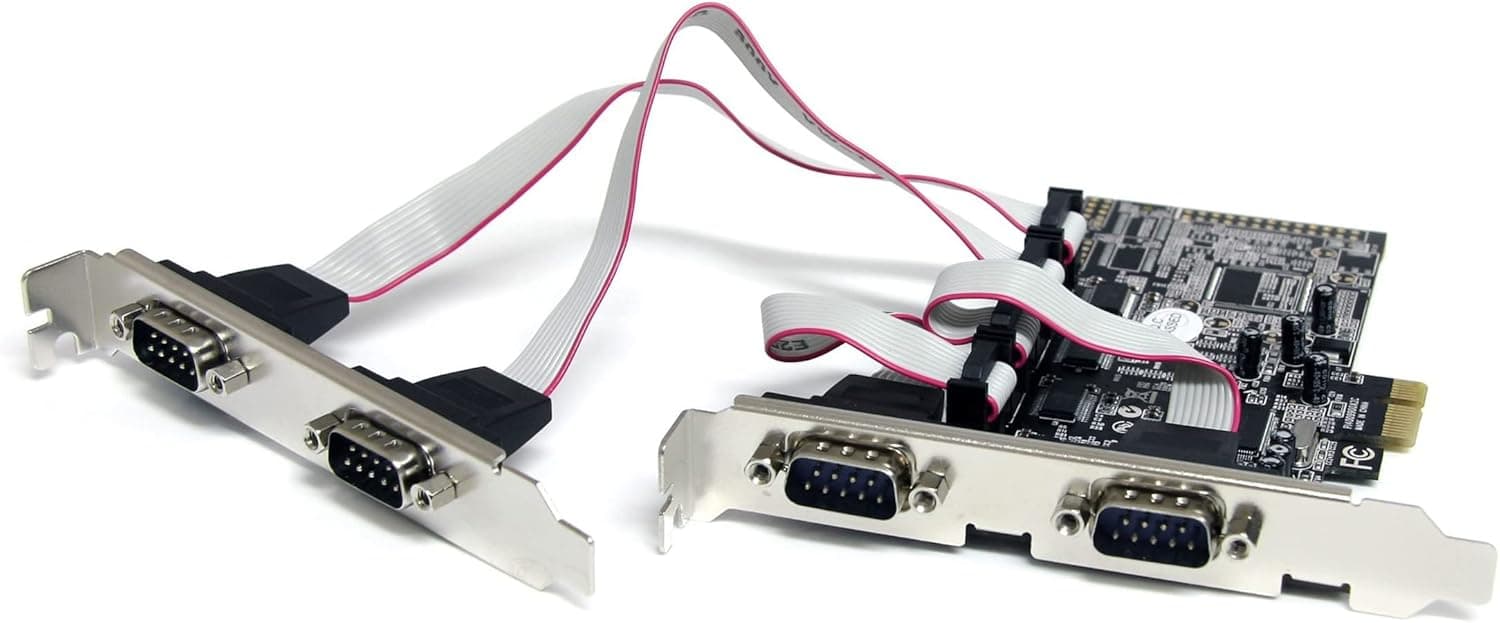
The physical interface is PCI Express x1 (Rev. 1.1 compliant).
PCIe is forward-compatible in lane count, so an x1 card drops into x4, x8, or x16 slots as well. If a GPU occupies your x16 slot, any spare x1 or x4 slot works fine.
On the other hand, compact boards often have only a single x1 slot, and thick GPU coolers frequently overhang the neighbouring slot — open the case and check for a genuinely free, physically clear slot before you buy.
The full-height bracket ships pre-installed and a low-profile bracket is included. In a normal ATX or microATX tower it goes in straight out of the box; in a slim desktop or a rack chassis you swap the bracket first.
That swap is a two-screw job, but have a screwdriver and a way to retrieve a dropped screw ready.
Supported operating systems are Windows 10/11, Linux, and macOS. PCIe serial cards are usually covered by in-box drivers, so most systems will enumerate the ports automatically.
If yours does not, or if you need to pin the COM numbering, download the official driver from the manufacturer's support page (search by model number — links cannot be printed here).
Power comes entirely from the slot; there is no auxiliary connector and draw is negligible, so PSU headroom is not a concern.
Product Info
| Item | Value |
|---|---|
| Number of ports | 4 |
| Max data transfer rate | 128 Kbps |
| Interface | PCI Express x1 (Rev. 1.1) |
| UART | 16550-compatible / 128-byte FIFO (TX and RX) |
| Standard | RS-232C |
| Brackets | Full-height + low-profile |
Two numbers in that table matter most in practice: four ports and 128 Kbps. Consolidating four links onto one slot keeps both your desk and your device tree tidier than four USB dongles hanging off a hub.
But the 128 Kbps ceiling, while fine for the common RS-232 rates (9,600, 19,200, 115,200 bps), will not reach anything faster. If you need 921.6 kbps class throughput, look at the maker's 16950-UART models instead.
Pricing was ¥7,981 including tax on Amazon as captured on 4 June 2026 — roughly ¥2,000 per port, not far off the cost of four reputable USB-to-serial adapters. Prices move with sales and stock, so always confirm the current figure on the product page.
The eBay entry points at a search result rather than a specific listing, so it is not a useful price reference.
Card vs. USB-to-Serial Adapter
"Why not just use a USB dongle?" is a fair question. The deciding factors:
- Count: one or two links, use USB. Three or more permanently attached, the card wins.
- Stable COM numbering: USB adapters can change COM number when moved between ports; a card stays put.
- Physical security: for equipment left running, an internal card cannot be unplugged by accident.
- Portability: if you need it on a laptop or in the field, USB is the only option — this card is desktop-only.
In short: fixed machine, several devices, long-term connections → card. Occasional single device → dongle.
Best Use Cases
First, engineers keeping existing test equipment, CNC controllers, or lab instruments reachable from a modern Windows 11 PC that has no COM header. One card covers four devices, so a multi-instrument polling setup fits in a single slot.
Retail environments consolidating POS peripherals — receipt printers, cash drawers, scanners — are in the same bucket.
Second, embedded developers and network engineers. Console access to routers and switches, or a permanently open debug console on a microcontroller board, becomes much less fiddly when you are not reseating adapters.
Ham radio rig control and retro-computing links fit here too.
If you simply want to attach one old serial printer at home, this card is overkill — a single USB-to-serial cable is cheaper and easier.
Before You Buy
The 128 Kbps ceiling cannot be lifted later. If your device expects 230.4 kbps or 921.6 kbps, this card cannot meet the requirement.
Check the baud range in your equipment's manual first. Most industrial gear is happy at 115,200 bps or below, but high-rate acquisition devices are the exception.
RS-232C only — no RS-422 or RS-485. The DB9 shell looks identical, but the electrical standards are not.
Long multidrop runs in a plant are usually RS-485, so verify this before ordering.
Check the connector arrangement. Four DB9 shells rarely fit on one bracket, so some four-port cards break out via a cable instead.
The maker offers a breakout-cable variant with a B suffix in the model number, and that changes both the space you need and how you route cables. Confirm which configuration you are buying from the product images.
If your card uses a breakout cable, treat that cable as hard to replace and do not lose it.
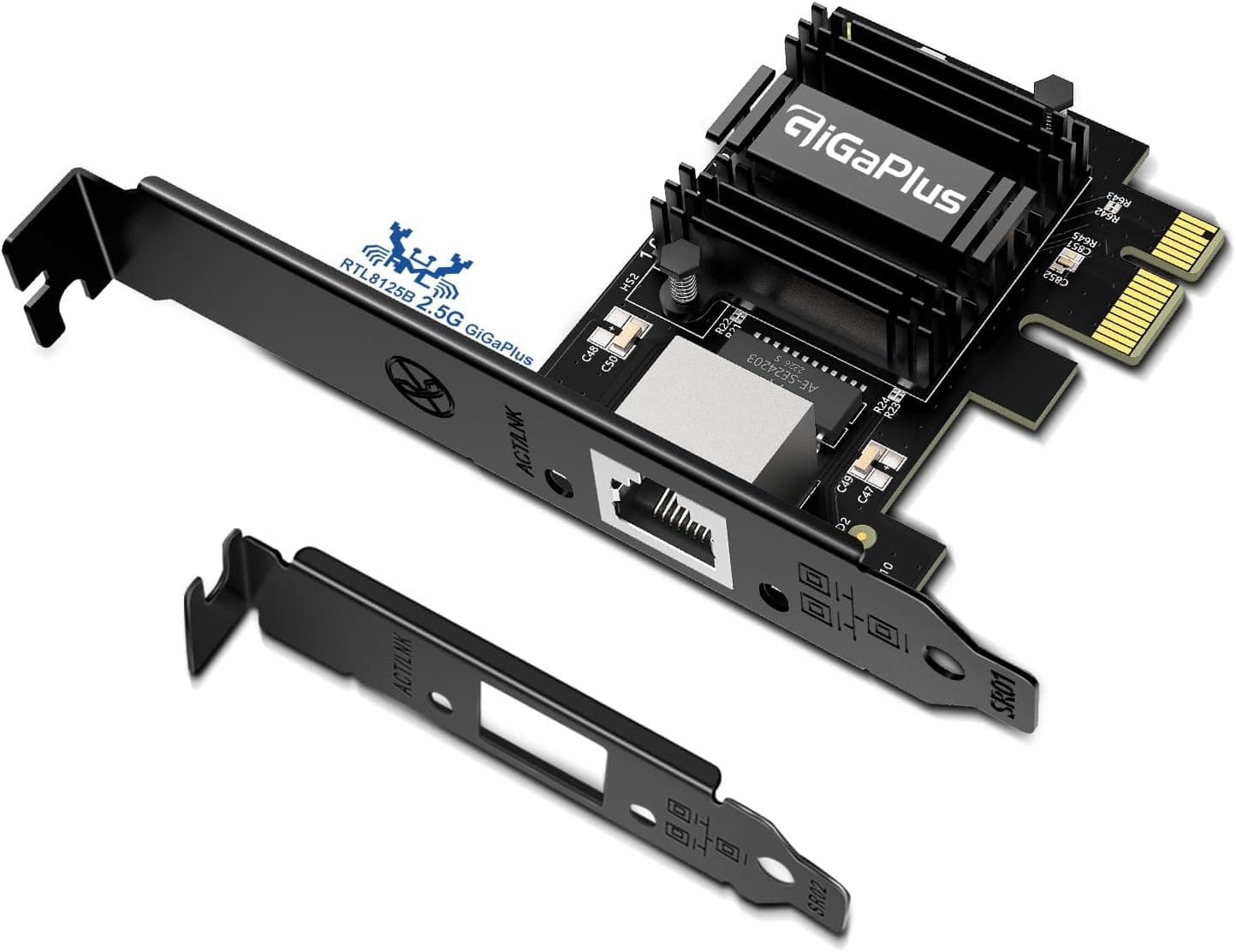
Listing metadata is sometimes inconsistent. On this listing the store label and currency did not line up (a yen price under a US store name).
Auto-generated pages can also show a manufacturer, model number, or ASIN belonging to a different product. Confirm the target product from the images and the model number in the title before ordering — this category is full of sibling models that differ only in port count or UART, and mix-ups do happen.
Legacy software and COM numbering. Some older instrument software only accepts COM1–COM4.
If the card enumerates at COM5 or higher, reassign the number manually in Device Manager. It takes a few minutes, but if you do not know the step exists you will be stuck with ports that Windows sees and your software does not.
Physical clearance. A 2.5- or 3-slot GPU cooler blocking the x1 slot is common.
"Free in the BIOS" and "a card physically fits" are different things — look inside the case first.
FAQ
Q. Will it work in an x16 slot?
A. Yes. PCIe allows a smaller card in a larger slot, so an x1 card runs in x4, x8, or x16.
Q. Is Windows 11 supported? A.
Windows 10/11, Linux, and macOS are listed. Most systems enumerate the ports with in-box drivers; otherwise search the model number and install the official driver from the manufacturer's support page.
Q. Does throughput drop when all four ports are active? A.
Each port has its own 16550-compatible UART with 128-byte FIFOs, so simultaneous use is the design intent. The per-port ceiling stays at 128 Kbps either way.
Q. Can I use it in a low-profile case? A.
Yes — a low-profile bracket is included and replaces the pre-installed full-height one. Keep the bracket you remove in case you change chassis later.
Q. Card or USB-to-serial adapter? A.
Choose the card if you need three or more permanent links, stable COM numbering, or connections that cannot be knocked loose. For one or two occasional links, or laptop use, the adapter is the sensible choice.
Q. What about the warranty? A.
Warranty terms vary by manufacturer and retailer, so check the current details on the product page and the maker's support information before purchasing.