Overview
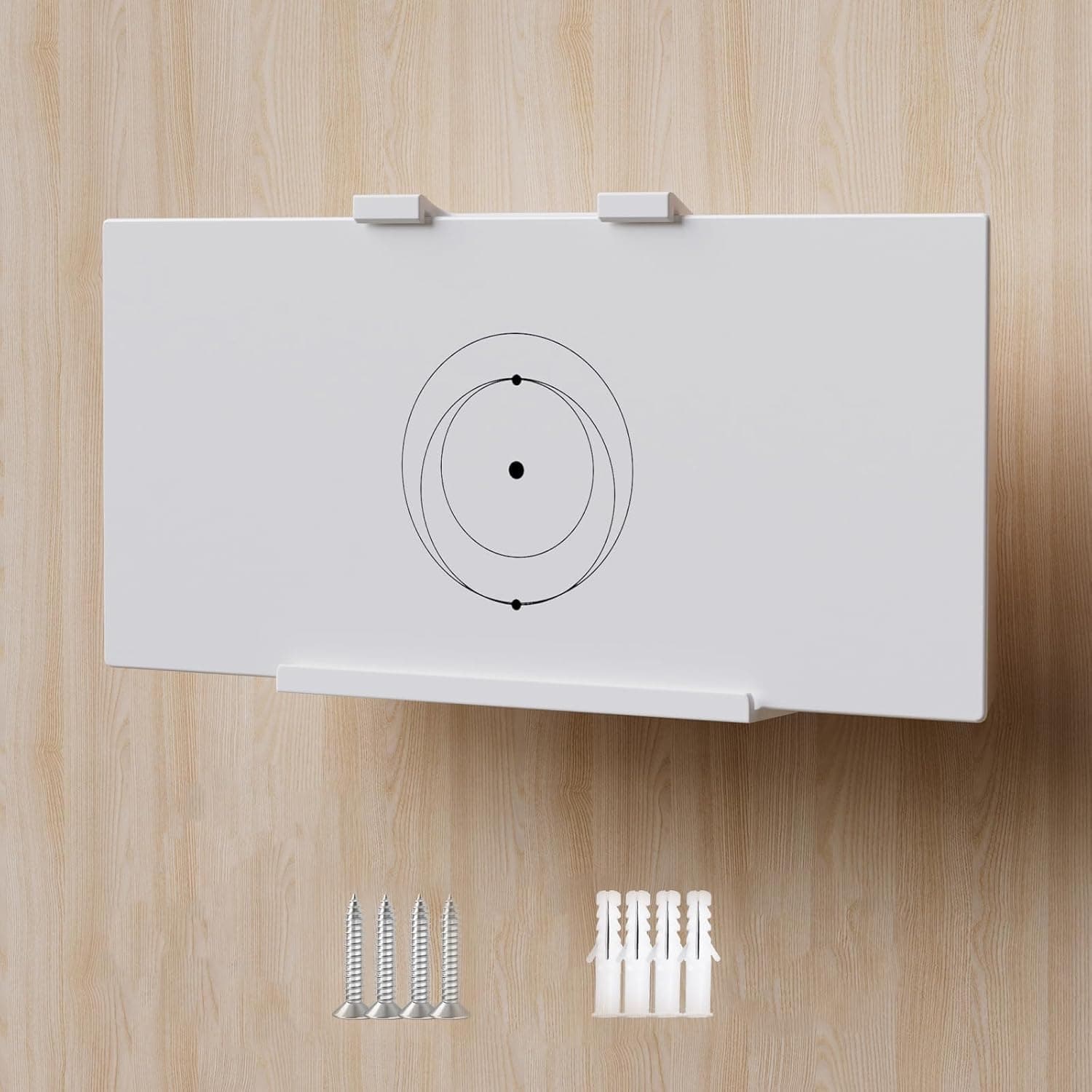
The Starlink Gen 3 Mount is a third-party bracket for fixing the Starlink Standard V3 Mesh Router to a wall or ceiling. It is molded from ABS plastic and holds the router away from the mounting surface so airflow around the chassis is not blocked.
The verdict up front: this is a single-purpose accessory for people who already own a V3 mesh router and want it off the floor. For any other goal, it offers very little.
At the time of capture, the listed price was ¥5,627 on Amazon (captured 23 June 2026) and $29.98 on eBay (captured 3 August 2026).
Both are point-in-time figures that move with sales and exchange rates. Reviews stood at 106 ratings with 4.8 out of 5 stars (96% positive) as of June 2026.
Mount-type products attract harsh reviews when they do not fit or crack, so 4.8 across 106 ratings suggests it does the job for buyers who picked the correct router generation.
One note on the data: this article is filed under the router category, but the product is a bracket, not a router. Adding it will not change your throughput.
What it changes is mounting height and line of sight, which can indirectly help coverage.
Compatibility Guide
There is really only one compatibility rule: it fits the Starlink Standard V3 Mesh Router only. V2 and earlier Starlink routers, and third-party routers, are not supported.
Starlink has changed chassis shapes substantially between generations, so "it's still a Starlink" is not a safe assumption — the retention geometry differs, and forcing it risks a drop.
Check these before buying, roughly in order of how often people get them wrong:
| Item | What to verify |
|---|---|
| Router generation | Confirm you own the V3 mesh router, not V2 or earlier |
| Wall substrate | Drywall only, wood stud, or concrete |
| Tools | Screwdriver or drill — not included |
| Cable routing | Power and Ethernet paths, outlet position |
| Rental terms | Whether screw holes count against your deposit |
Substrate is the most underrated item. Even though the router is light, the assembly cantilevers off the wall, so the screws take both pull-out and shear load.
If you are anchoring into plain drywall, check the anchor's rated load, and use a stud finder to hit timber directly where possible. Ceiling installs are stricter still, because gravity pulls in the exact direction anchors are weakest.
If you are unsure, settle for a high wall position instead of the ceiling.
Choose the position for RF reasons too. A mesh router benefits from line of sight to other nodes and clients, so avoid the back of a TV, the inside of a metal rack, or a wall backing onto plumbing.
The open, heat-friendly design also only pays off when there is air around it — cramming the unit under a shelf defeats the purpose.
Product Info
The published specifications are short: compatible router is the Starlink Standard V3 Mesh Router, material is ABS plastic, and mounting is via screws to a wall or ceiling. The box contains the bracket plus a screw and anchor kit; tools are not included.
The ASIN is B0D2BNS131.
Pricing was ¥5,627 on the Amazon listing as captured on 23 June 2026, and $29.98 on an eBay listing captured on 3 August 2026.
Both are reference values from those capture dates and are not kept in sync with this article, so check the product page for the current price. For a simple plastic bracket that is not cheap, but given it is a purpose-built part for one specific router with limited alternatives, it is not wildly out of line either.
Reviews were 106 ratings at 4.8 of 5 stars (96% positive) as of June 2026.
That sample is not large enough to call the product a proven staple, but it is big enough that a serious design flaw would show up in the low scores. Warranty follows the seller's policy — do not expect first-party support.
This is a third-party accessory, and Starlink's official support will not cover it.
Alternatives and Comparison
There are three realistic alternatives: do nothing, improvise with a generic shelf bracket, or buy a competing V3-compatible mount.
Doing nothing is more sensible than it sounds. The V3 mesh router is designed to stand on its own, and if you have somewhere to put it, nothing is functionally missing.
A mount earns its keep only under a physical constraint — no surface to spare, a need to clear floor space, or a household where the unit keeps getting knocked over. If you only want a tidier look, a cable box or raceway is often cheaper and just as effective.
Improvising with a generic bracket saves money but has no retention geometry, so you end up relying on straps or hook-and-loop tape, which is less stable and looks worse. The value of a purpose-built mount is exactly that retention shape plus the vent-friendly opening.
Against competing V3 mounts, compare material (ABS versus metal), whether ceiling mounting is supported, and whether the bundled anchors suit your wall. Metal is stiffer but heavier, which raises the demand on your substrate.
Before You Buy
The biggest trap is buying this with a V2 or earlier router. Searching for "Starlink mount" mixes generations together in results.
Confirm your unit is the V3 mesh router before you check out; if the generation is wrong, there is no fix short of a return.
Renters should think carefully. Installation assumes screws and anchors, and there is no no-drill option.
This is not a product that hangs on light drywall pins, so if you must restore the wall when you leave, factor repair costs into the decision. If drilling is off the table, skip this product entirely.
Do not expect faster Wi-Fi. Moving the router higher can improve line of sight, but that depends entirely on where you put it.
If mounting pushes the unit behind furniture or into a corner, floor placement may actually perform better.
Tools and substrate are on you. No screwdriver or drill is included.
The most common failure with brackets like this is anchoring into bare drywall, then having the assembly work loose and fall months later. Remember that cable weight and occasional tugs load the mount continuously.
Listing metadata sometimes disagrees with the actual product. Manufacturer, model number, and category fields are occasionally populated from a different item — in this article's own source data the category was recorded as "router" when the product is a bracket.
Verify the item using the product images and title rather than the text fields alone, and note that this is a third-party accessory, not an official Starlink part.
Best Use Cases
You own a V3 mesh router and want it off the floor or desk. Clearing that space alone makes cleaning easier and cuts the odds of stepping on cables.
The gain is largest in small apartments and crowded desk setups.
You care about cable management. Fixing the router high on a wall makes the power and Ethernet runs straighter, which pairs well with raceway or trunking.
You have pets or small children. Putting the router out of reach physically removes the risk of it being knocked over or having cables yanked.
The real damage is usually the dropped connection rather than the hardware, which makes this the highest-value use case.
Skip it if you use a V2 or earlier Starlink router or a third-party router, you rent and cannot drill, or you simply want a tidier look while having plenty of space. In that last case, the cost plus drilling rarely justifies itself over a cable box.
FAQ
Q. Will it fit a Starlink V2 router? A.
No. It is designed exclusively for the V3 mesh router; earlier generations have a different chassis shape, and modifying it invites a drop.
Q. Is this an official Starlink product? A.
No, it is a third-party accessory. Starlink support will not cover it, so issues go through the seller.
Q. Are tools included? A.
Only the bracket and a screw and anchor kit. You supply the screwdriver or drill, plus a bit sized for your wall material.
Q. Can I mount it on a ceiling? A.
Ceiling mounting is supported, but the load pulls straight down on the anchors, so substrate matters much more. If you cannot hit timber or concrete reliably, use a wall instead.
Q. What about heat? A.
The bracket holds the router off the surface so airflow is not blocked, but that assumes open space around it. Avoid tucking it directly under a shelf or into an enclosed nook.
Q. Does mounting improve Wi-Fi speed? A.
The bracket has no radio of its own. Coverage can improve if the new spot has better line of sight, and can get worse if it does not.
Placement is everything.