Overview
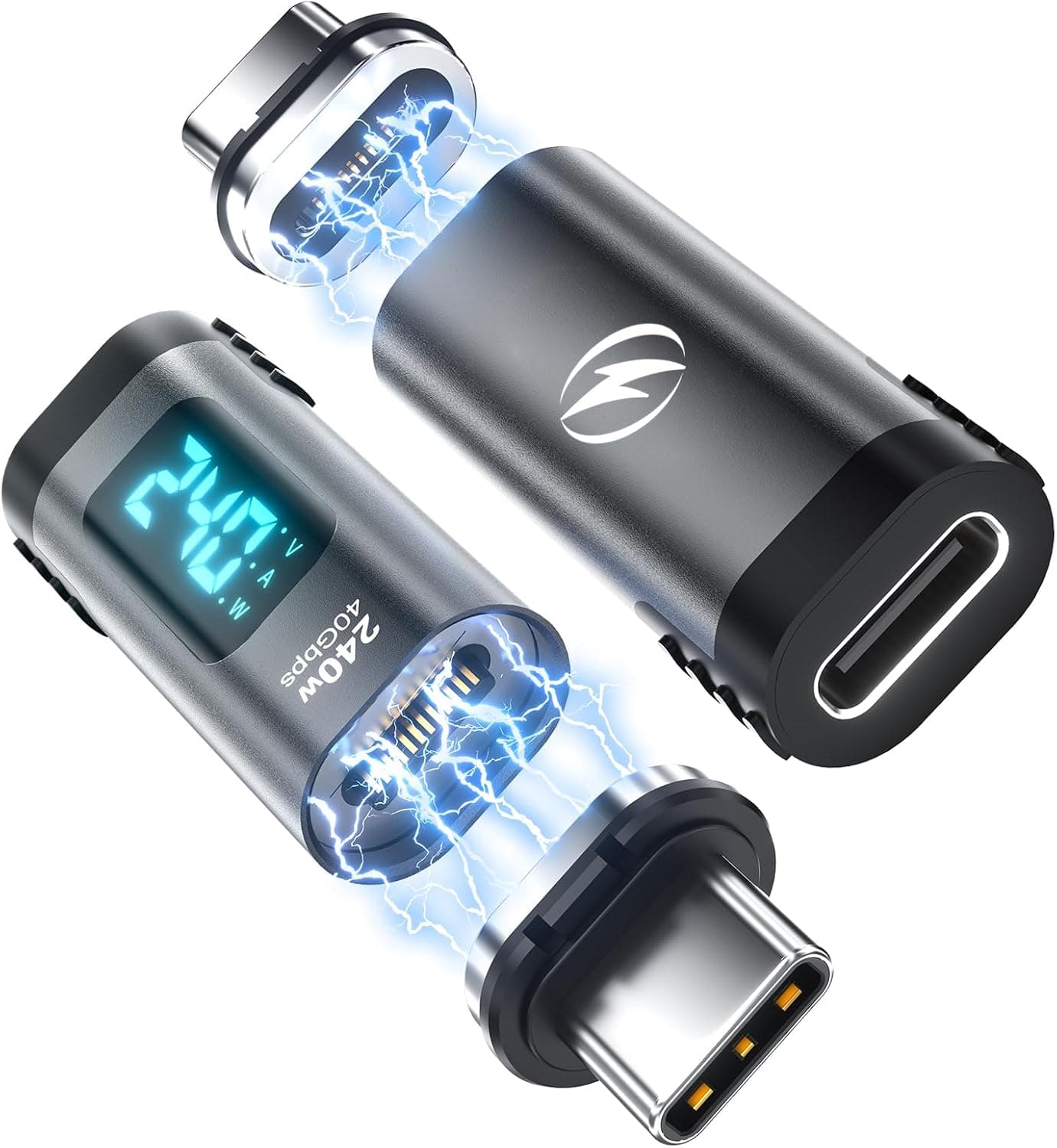
The seynli USB C Magnetic Adapter is a small dongle you leave permanently seated in a USB-C port so that attaching a charging cable becomes a one-handed magnetic snap. The honest framing is this: it is a tool for people who plug and unplug many times a day and want to spare the port on the device itself. It does not make anything faster or more powerful.
The published specs amount to three lines — USB Type-C connector, black finish, and a body measuring 47 × 13 × 8 mm. No wattage rating, no data protocol, no cable spec.
That silence matters, and it comes up repeatedly below. Magnetic pass-through connectors are structurally handicapped on both power delivery and data throughput compared with a direct cable, and without a manufacturer figure there is no way to judge how large that gap is.
So this article focuses on separating what you can reasonably expect from what you should not.
On Amazon.co.jp the listing carries a 4.1-star average from 14 reviews as of June 2026, which works out to roughly 82% positive.
The average is respectable, but the sample size of 14 is the more important number. That is far too few reviews to reveal defect rates or how the magnets hold up after six months.
Read it as "no obvious landmines reported yet," not as proof of quality.
Compatibility Guide
Physically, it fits essentially anything with a USB-C port: Android phones, iPhone 15 and later, iPad Pro, MacBook, Windows laptops, Nintendo Switch. But fitting and working as intended are different things, and there are three places people get caught out.
1. Physical interference around the port. The 47 mm figure is the overall length including the plug, but the 8 mm thickness and 13 mm width are not negligible on a phone in a case.
Rugged cases and thick bumpers often have a deeply recessed USB-C cutout; the shoulder of the adapter hits the case and the plug never fully seats, which causes intermittent contact. If your case's port opening has ever felt tight, measure it before buying.
2. Stands and car mounts. Those 13 mm eat into the space beside the port.
On phones with a speaker or lanyard hole next to the connector, or with car mounts that clamp the lower edge of the device, the adapter can foul the mount arm. If a car is the plan, check whether your mount grips the back or the bottom edge.
3. Electrical compatibility — the real unknown. The specs list neither a wattage rating nor a supported protocol, so treat everything below as unguaranteed.
| Use case | Realistic expectation |
|---|---|
| Phone / tablet charging | Very likely fine in practice |
| 60W–100W PD laptop charging | Rating unpublished. Do not rely on it |
| USB 3.x-class data transfer | Not stated. Assume slow |
| Video out (DisplayPort Alt Mode) | Not stated. Do not count on it |
| Thunderbolt 3 / 4 | Effectively out of scope |
With magnetic contacts, the number and quality of the pins set the ceiling for both power and data. Generally, general-purpose magnetic adapters in this size class are designed around charging and low-speed data; video output and fast transfer fall into the "nice if it happens to work" bucket.
If your plan is to charge a MacBook and drive an external display over one USB-C connection, use a normal cable or a product that explicitly states its supported protocols.
One genuine day-to-day win: the connector is reversible, so orientation never matters. Reaching for a charger in a dark bedroom is noticeably easier than with a bare cable.
Product Info
| Item | Value |
|---|---|
| Connector type | USB Type-C |
| Color | Black |
| Dimensions | 47 × 13 × 8 mm |
| Retailer | Amazon.co.jp |
| Reviews | 4.1 of 5 stars, 14 reviews (as of June 2026) |
A note on price: the captured price figure looks implausibly high for a single small magnetic USB-C adapter and may be a data-collection error — possibly a multi-pack, possibly a different product entirely. For that reason no figure is quoted here.
Prices move constantly while an article's text stays frozen at the moment of capture, so check the product page for the current price and confirm whether you are buying one unit or a set.
Nothing ships in the box but the adapter itself. No drivers or apps are needed; the OS simply sees a normal USB-C connection, so there is no setup step.
Warranty follows the seller's terms, and purchases through Amazon are typically covered by the platform's return policy, though conditions vary by seller.
What Actually Matters in Daily Use
The value of a magnetic adapter shows up in friction removed, not in spec sheets. If you charge five times a day, snapping a cable on replaces more than 1,800 insertion cycles a year.
USB-C connectors are generally rated for something like 10,000 mating cycles, but that is an ideal-conditions figure — in reality, trapped lint and off-axis insertion cause contact problems far sooner. The core idea here is to treat a cheap adapter as the consumable instead of the port on a device you cannot easily repair.
Magnets bring their own quirks. Metal filings and paper clips can cling to exposed contacts, so if you leave the adapter in a phone that lives in a pocket or bag, inspect the contacts periodically.
Holding force also tends to fade with repeated cycles; when the cable starts dropping off under its own weight, it is time to replace it.
Best Use Cases
- Desk users who charge many times a day — connect one-handed, disconnect with a tug, and shift port wear onto the adapter.
- Anyone who has killed a USB-C port before — compared with a repair bill, a consumable adapter is trivially cheap. Preventive permanent installation makes sense.
- In-car charging — easy to attach one-handed while parked. Test for vibration drop-off first (see below).
- Charging without looking — reversibility plus magnetic self-alignment makes dark rooms and lying-down positions painless.
- Devices used by kids or older family members — no insertion force to judge means fewer bent connectors.
Conversely, it is not for people who need it to handle primary laptop charging, external display output, or fast external SSD transfers. Those call for a product with published specifications.
Things to Check Before Buying
1. Power rating and data speed are undisclosed. This is the single most important caveat.
"It's USB-C, so everything passes through" does not hold for adapters like this. Assume high-wattage PD, USB 3.x speeds, and DisplayPort Alt Mode will not work, and treat it as a bonus if they do.
On laptops in particular, throttled delivery can leave you draining the battery while plugged in.
2. Listing data can disagree with the actual product. Manufacturer name, model number, price, and pack quantity on a product page are not always accurate — the captured price for this listing was odd enough that it is omitted here.
When you open the page, verify the product, quantity, and color from the images and title, not just the spec table. "I thought it was one, it was a two-pack" (and the reverse) is common at this price point.
3. Only 14 reviews back the 4.1 rating. A handful of bad reviews would move that average substantially, and long-term durability — magnet strength and contact oxidation after six months — simply is not visible at this sample size.
4. It is designed to stay plugged in. That is the point, but it also means the port stays occupied. On a phone with a single USB-C port, anyone frequently using wired earphones or a USB-C drive will be pulling the adapter out constantly, which defeats the purpose.
5. Drop-off risk in a car. Vibration and hard braking can separate the connection.
That breakaway behavior is a safety feature, not a defect — but losing charge mid-navigation is worth avoiding, so test it on a real drive a few times.
6. Cable compatibility. Magnetic tips and pin layouts are usually proprietary, so there is no guarantee this works with another brand's magnetic cable. If you expect to add cables later, buying another identical set is the safe route.
FAQ
Q. Can it charge a laptop at 60W or 100W? A.
No wattage rating is published, so it cannot be promised. For everyday laptop charging, choose a product that states its power rating.
Q. Will it handle fast external SSD transfers? A.
USB 3.x and Thunderbolt support are not stated.
Assume slow speeds and use a direct cable for large files.
Q. Does DisplayPort Alt Mode video output pass through? A.
There is no mention of Alt Mode support. If video output is the goal, pick an adapter that explicitly advertises it.
Q. Can I leave it in with a case on? A.
The body is 47 × 13 × 8 mm. Thick cases with narrow port cutouts may interfere, so check your case's opening.
Q. How long do the magnets last? A.
No figure is published. Holding force generally weakens with repeated cycles; replace it once the cable falls off on its own.
Q. Will debris stick to the contacts? A.
Exposed magnets can attract metal particles. If the device travels in a pocket or bag, inspect and clean the contacts periodically.