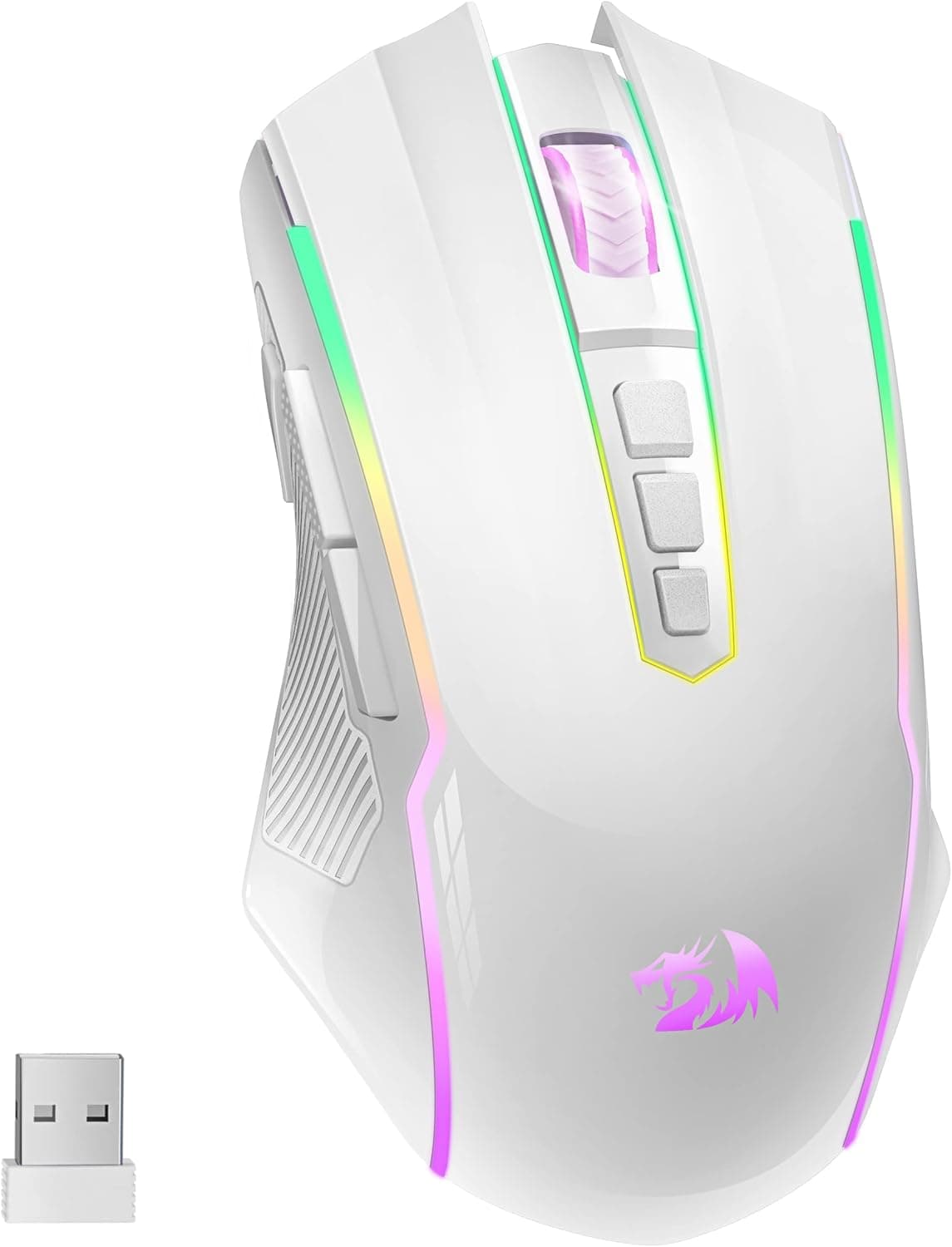
Overview
The Redragon M910-WS RANGER LITE is an entry-to-mid-range gaming mouse with dual 2.4GHz wireless and USB-C wired modes.
To be blunt up front: this is not a competition-grade, ultralight, flagship-sensor mouse. It is a practical way to cut the cable on a small budget.
You get an 8,000 DPI optical sensor, up to 70 hours of battery, customizable RGB backlighting, and a white ergonomic shell — a complete, unsurprising package for a first wireless mouse.
Review data pulled from Amazon.co.jp on 29 May 2026 shows 4.4 out of 5 stars across 748 reviews (88% positive).
For a wireless mouse in this bracket, 4.4 across nearly 750 ratings is a genuinely solid result.
The star distribution was not captured, so read it the usual way: most buyers are happy, with a minority reporting early failures or receiver quirks.
Spec Table
| Item | Value | How to read it |
|---|---|---|
| DPI | 8,000 | Modest on paper, but well above real-world usage |
| Connection | 2.4GHz wireless / USB-C wired | No Bluetooth — the dongle is mandatory |
| Battery life | Up to 70 hours | Best treated as a rated figure with RGB off |
| Sensor | Optical | Model not disclosed |
| OS support | Windows / Mac | Plug-and-play basics; macros need software |
| RGB | Customizable backlight | Turning it off extends runtime |
The most misread number here is DPI. 8,000 is a maximum, not a working value.
Most FPS players sit between 400 and 1,600 DPI and fine-tune with in-game sensitivity, so a rival advertising 26,000 DPI is not three times better. Real differences come from polling rate, tracking accuracy, click response, and weight — not the headline DPI ceiling.
Compatibility Guide
The requirements are simple: wireless mode needs a free USB-A port for the receiver, and wired mode plus charging use USB-C. The practical trap is modern hardware.
Many thin laptops and Apple Silicon MacBooks ship without USB-A at all, so you will need a hub. Hubs generally work, but cheap passive hubs and long cables can make 2.4GHz reception flaky — plug the dongle directly into the machine whenever you can.
Placement matters too. A dongle in a rear port, shielded by a metal case and a desk, can cause cursor stutter.
The standard fixes are moving it to a front port or running a short USB extension so the receiver sits on the desk. Keep it away from Wi-Fi routers and other 2.4GHz dongles, which share the same band.
On both Windows and Mac, movement, clicks and scrolling work without drivers. Macro editing and button remapping require the vendor software, which for Redragon-family products is typically Windows-first.
If you are a Mac user who depends on macros, verify support on the product page before buying. Whether profiles can be stored in onboard memory is not stated in the available data.
Product Info
Pricing needs care. Three captures exist and they disagree sharply: ¥4,099 on Amazon Japan as of 27 Aug 2026, ¥10,694 as of 29 May 2026, and $35.29 on eBay US as of 9 Jul 2026.
The ¥4,099 and $35.29 figures are consistent with an entry-level Redragon wireless mouse; ¥10,694 is far out of line for the same ASIN and likely reflects a different seller, a pre-sale price, or a parallel import.
This article therefore does not treat ¥10,694 as the real market price. Check the live listing before ordering — prices move constantly and articles do not, so every figure above is only a snapshot of its capture date.
In the box: the mouse, a USB-C charging cable, the 2.4GHz receiver, and a quick start guide, with a standard one-year manufacturer warranty.
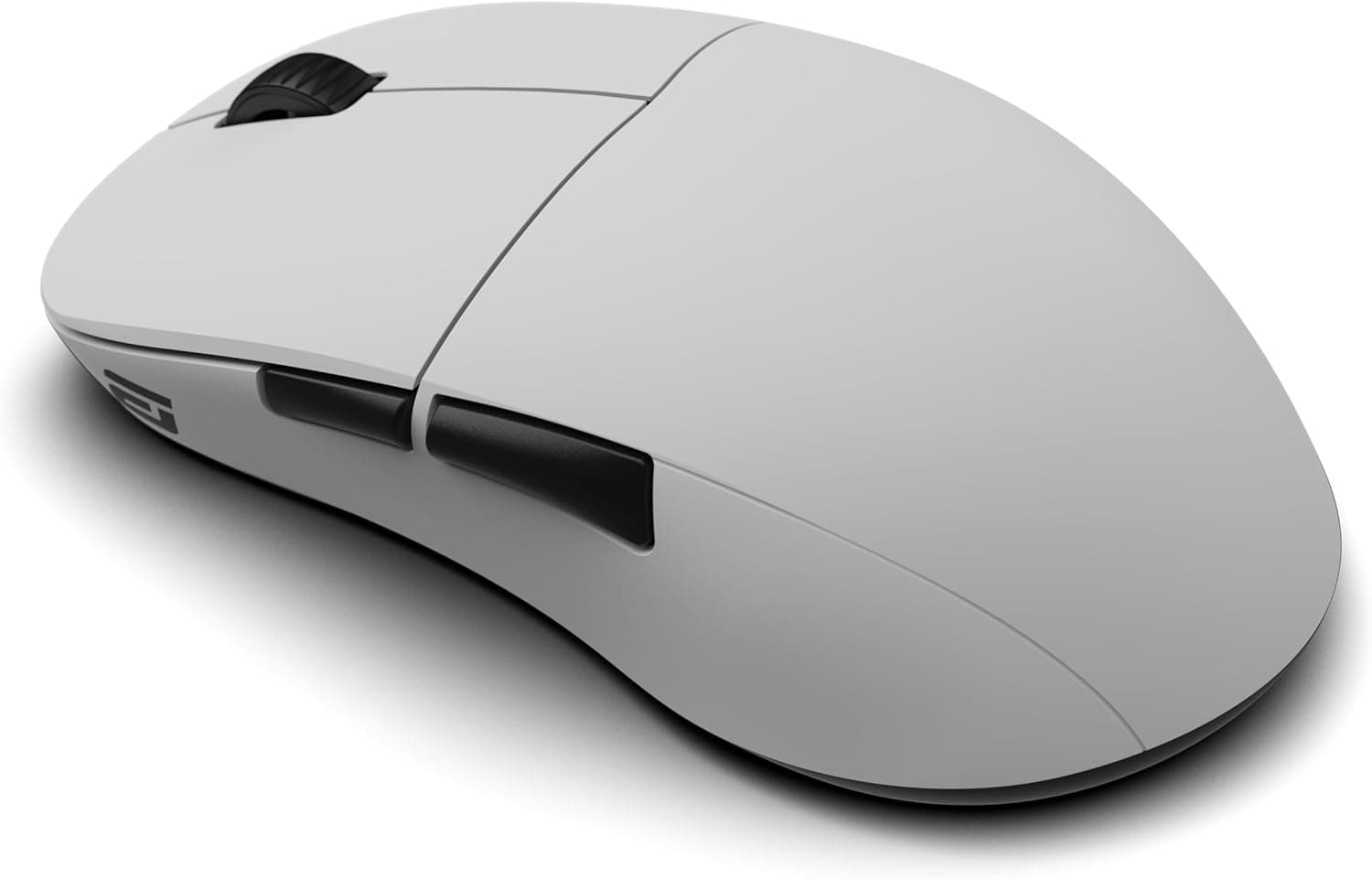
The shell is white and shaped for right-handed use, which pairs nicely with white keyboards and cases. One caveat common to all white mice: side panels yellow and show skin oils far more than black ones do, so plan on wiping it down regularly.
Product Disclosure (Amazon)
- Manufacturer: Redragon
- Seller: Dshop11
- Fulfilled by: Dshop11
- ASIN: B0BW8DB72Z
- Note: This article covers a manufacturer-made product based on Amazon listing details.
How It Compares
Gaming mice in this price range chase different goals. Competitive FPS is now dominated by 50–70g ultralights; Redragon's own M916 sits around 49g, and that is the pick if weight is your priority.
For MMO or MOBA players who want a wall of side buttons, something like the M913 MAX fits better.
The M910-WS lands in between. Its main selling point is simply being wireless — it does not lead on weight, button count, or sensor pedigree.
Spend more and a Logitech G502 Lightspeed beats it on sensor, software and support. Spend the same on a wired ultralight such as the ASUS TUF Gaming M3 Gen II (59g) or ROCCAT Burst Core (68g) and you get better tracking and less mass.
This mouse wins only when wireless freedom on a tight budget is the actual requirement.
What Matters in Daily Use
The 70-hour rating swings with how you use the RGB. Run the backlight bright and constant and you will fall short of it; turn it off and you will do better.
Crucially, the mouse works while charging over USB-C, so a flat battery never ends a session — a clear advantage over designs that go dead while plugged in, and the thing that removes most of the anxiety of going wireless for the first time.
Weight is not listed in the available data. Ergonomic wireless mice with an internal cell and RGB are generally heavier than ultralights, and that difference shows up in long low-sensitivity sessions.
If weight is a deciding factor for you, confirm the measured figure on the product page first.
Best Use Cases
- First-time wireless buyers — dongle-and-go setup, with wired mode as a safety net against flat batteries.
- Budget-minded desk declutterers — at the low-thousand-yen captures, wireless costs very little here.
- White-themed setups — the white shell and adjustable RGB match white keyboards and cases well.
- Casual FPS, TPS and MOBA players — 8,000 DPI covers the usable range comfortably.
- Macro users — programmable buttons speed up repetitive work outside games (software required).
Things to Know Before Buying
1. No Bluetooth. It is dongle or cable only.
Tablets without a USB-A port, or workflows where one mouse should switch between a desktop and a laptop, are poorly served — pick a Bluetooth-capable model instead.
2. Losing the dongle is fatal to wireless. With 2.4GHz-only designs, a lost receiver ends wireless use (wired still works).
Whether the mouse has an internal dongle bay is not stated in the data, so check the listing and otherwise pick a fixed storage spot.
3. The sensor model is undisclosed. "Optical, 8,000 DPI" is all you get.
If you shop by PixArt part number or compare tracking specs directly, this is not enough information.
4. It is not an ultralight. With a battery and RGB inside an ergonomic shell, expect real heft.
Buying it hoping for a featherweight will disappoint.
5. Watch the price discrepancy. As noted, the same ASIN shows ¥4,099 (27 Aug 2026) and ¥10,694 (29 May 2026), and one capture is labelled "Amazon US" while pointing at a yen-denominated Japanese listing.
Confirm the price, the seller, and whether it ships from overseas before you order.
6. Listing metadata is not always right. When a third-party seller handles the listing, specs and bundled-item details can be stale or copied from a different colour or model.
Verify from the product photos and title that you are buying the white M910-WS RANGER LITE.
7. White shows wear. Discolouration along the sides and thumb rest is hard to avoid over time; check whether a black variant exists if that bothers you.
FAQ
Q. Can it connect over Bluetooth?
A. No. Only the bundled 2.4GHz USB-A receiver or a USB-C cable.
Q. Can I play while it charges? A.
Yes. Plugging in the USB-C cable switches it to wired mode while charging, so a flat battery never interrupts play.
Q. Does it work on Mac? A.
Windows and Mac are both listed, and basic movement and clicking work driver-free. Confirm Mac support for the macro software on the product page.
Q. Is 8,000 DPI enough for FPS? A.
In practice, yes. Common FPS sensitivities land around 400–1,600 DPI, and a higher ceiling does not translate into better accuracy.
Weight and tracking quality matter more.
Q. Will the battery really last 70 hours? A.
That is the rated maximum. Bright, always-on RGB shortens it; disabling the lighting extends it.
Treat it as a guideline.
Q. What if the wireless connection stutters? A.
Move the receiver to a front or closer USB-A port, or extend it onto the desk with a USB extension cable, and keep it away from Wi-Fi gear and other 2.4GHz dongles.
![Logitech ロジテック G502 LIGHTSPEED ワイヤレスゲーミングマウスブラック [並行輸入品]](/_next/image?url=https%3A%2F%2Fm.media-amazon.com%2Fimages%2FI%2F613ieTi2alL._AC_SL1500_.jpg&w=1920&q=75)