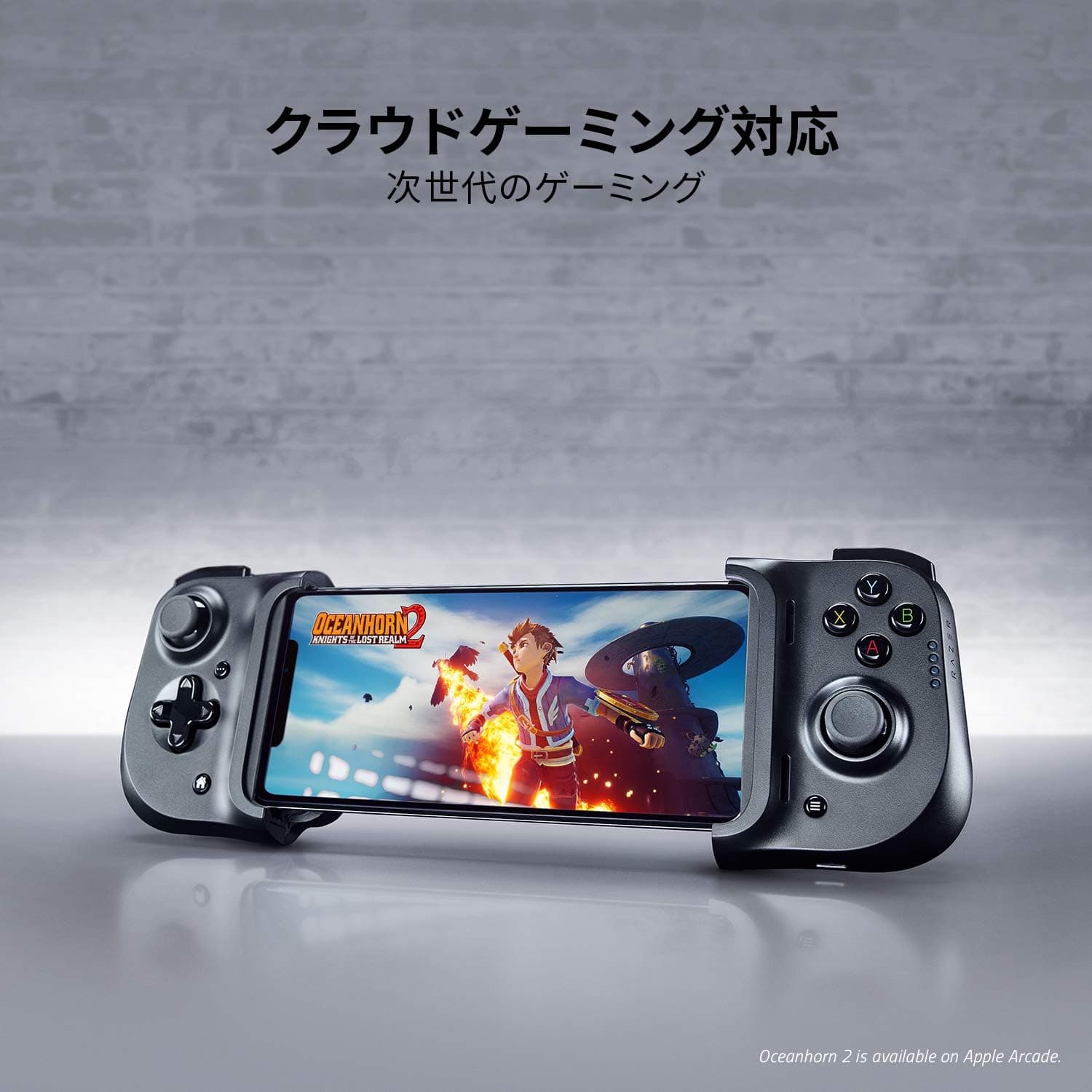
The Razer Kishi for iPhone (RZ06-03360100-R3M1) is a clamshell mobile controller that clamps around an iPhone and wires directly into its Lightning port. Because it is wired rather than Bluetooth, input latency is minimal and there is no pairing step; because it has no internal battery, there is nothing extra to charge.
The catch, in 2026, is significant: it only works with Lightning-port iPhones. This article walks through compatibility, case clearance, how to read its review score, and who should skip it.
Overview
A telescoping bridge holds the phone between two halves that carry clickable analog sticks, a D-pad, face buttons, and shoulder buttons. The sticks support L3/R3 input, so sprint or crouch can be mapped to a stick click in shooters.
Folded, the controller is roughly the footprint of the phone itself and slips into a bag or jacket pocket.
The design philosophy is simple: no battery, no wireless. Power comes from the iPhone, and input travels over the Lightning connection, so the controller is usable the instant you clamp it on.
That immediacy suits short sessions on a commute or during a break.
The flip side is limited versatility. A Bluetooth pad can be shared across an iPad, an Android phone, and a PC.
This one serves Lightning iPhones and nothing else. Accepting that trade-off is the whole purchase decision.
Compatibility Guide
The listed compatible devices are iPhone 6s Plus / 7 Plus / 8 Plus / X / XR / XS / XS Max / 11 / 11 Pro / 11 Pro Max, and the product was sold as covering the iPhone 12 series as well. Match your exact model name against the listing before ordering.
| Item | Detail |
|---|---|
| Connection | Lightning (wired, direct) |
| Compatible devices | iPhone 6s Plus / 7 Plus / 8 Plus / X / XR / XS / XS Max / 11 / 11 Pro / 11 Pro Max and others |
| Controller type | Gamepad (clamshell) |
| Analog sticks | Clickable (L3/R3) |
| Passthrough charging | Yes (Lightning) |
The single most important check is whether your iPhone has a Lightning port. The iPhone 15 and later use USB-C, so this controller cannot physically connect.
Adapters are not a realistic workaround given the clamping design. If you are on a USB-C iPhone, look at USB-C generation controllers instead.
Case clearance is the next most common problem. The manufacturer's own compatibility note states that iPhones with cases attached may not fit.
The bridge is sized around the bare phone's thickness and the depth of the Lightning port, so folio cases, thick rugged cases, and cases with a raised lip around the port need to come off. Removing a case before every session is a small but real daily friction.
Thin TPU cases sometimes clear it, but this varies enough by case that you should treat a successful fit as a bonus rather than a plan.
Also note that the list mixes Plus-sized and standard models unevenly: the 6 Plus, 6s Plus, 7 Plus, and 8 Plus appear, while the 4.7-inch models of the same generations do not.
A phone narrower than the bridge minimum will not seat securely, so "it's also an iPhone 8" is not a safe assumption.
For charging, a Lightning passthrough port on the bottom edge lets you power the phone while playing. Since a wired controller draws from the phone, long or heavy sessions such as cloud gaming are best run with passthrough power connected.
Treat the passthrough port as power-only, not a data connection.
Product Info
As captured in May 2026, Amazon.co.jp listed the controller at ¥12,800; as captured in August 2026, Rakuten (Trend Item Shop) listed it at ¥16,110.
Both are point-in-time figures and move with stock and sales. Because this is a superseded generation, prices tend to drift upward as remaining stock thins.
Overseas marketplace listings also exist, but condition and regional variants are hard to verify, so no figure is quoted here — check the current price and seller on the listing page.
The review score, captured in May 2026, is 3.9 out of 5 across 261 reviews (78% positive).
That number deserves interpretation. It is not a runaway 4.5-plus rating, but mobile controllers accumulate low scores for reasons unrelated to build quality — a buyer picked the wrong phone generation, or could not remove a case.
With 261 reviews the sample is large enough to be stable, and 3.9 reads more as "fit and setup friction" than "the controls feel bad."
Core specifications: wired Lightning connection, clickable analog sticks with L3/R3, Lightning passthrough charging, and no internal battery. The box centers on the controller itself; cables and a carrying case are generally not included.
Units sold as Japanese authorized-distributor stock typically carry a one-year warranty, but terms vary by retailer and period, so confirm on the listing.
How It Feels in Use
What matters here rarely shows up on a spec sheet. First, time-to-play.
There is no pairing and no battery level to check — clamp, unfold, and inputs register. That makes it worth using for the few minutes before a train arrives.
Second, grip depth. To fold flat, the grips are shallow compared with a full-size console pad, and hand fatigue shows up over long sessions.
If you picture multi-hour stationary play, this whole category is the wrong tool; it is optimized for 30- to 60-minute bursts.
Third, heat. Heavy titles warm the phone, and clamping both edges leaves less room for heat to escape than a bare phone has.
If frame rates sag from thermal throttling, disconnecting passthrough power or lowering brightness can help.
Compared With Alternatives
The Backbone One is the best-known clamshell rival, alongside GameSir X2 and G8 series options at various price points. Three axes matter:
- Connection: direct Lightning (this model), direct USB-C, or Bluetooth. Direct wiring wins on latency and setup; Bluetooth wins on sharing one pad across iPad, Android, and PC.
- Stick technology: newer models increasingly advertise Hall-effect (magnetic) sticks for drift resistance. If long-term stick wear concerns you, weigh this.
- Device fit: tolerance for thicker phones and attached cases differs by product.
This model's strength is being a clean, well-executed wired pad for Lightning-era iPhones. Its weakness is that it stops being useful the day you move to a USB-C iPhone.
The remaining life of your current phone is the remaining life of this controller. If an upgrade is within a year, a Bluetooth model that survives the switch is cheaper overall.
Best Use Cases
- Owners of a Lightning iPhone (iPhone 14 or earlier) planning to keep it two or more years. The longer the runway, the more of the low-latency benefit you actually collect.
- Cloud gaming players. Xbox Cloud Gaming and GeForce NOW already carry streaming latency, so you do not want to stack controller latency on top. A wired link plus passthrough power fits this use case well.
- Commuters playing in short bursts. No pairing wait, and only one battery to manage.
- Action and shooter players hitting the limits of touch controls. Physical sticks with clickable L3/R3 change aim-and-move precision immediately.
Before You Buy
The port generation is the biggest trap. The iPhone 15 and later use USB-C and will not work.
Verify the physical port on your phone before ordering, especially if you are buying for family members or are close to an upgrade.
Case removal becomes a routine chore. Per the compatibility note, cases may prevent use.
Thick cases and phone rings will come off every session. If that annoys you, choose a controller that explicitly advertises case clearance.
Compatibility lists are inconsistent between sources. The product data lists models through the iPhone 11 series, while the product as sold covered the iPhone 12 series.
Confirm your model name on the page you are actually buying from.
Listing metadata is sometimes wrong. Seller, manufacturer, and compatibility fields are not always accurate on marketplace pages.
When you open the listing, confirm the product image and the model number (RZ06-03360100-R3M1) match what you intend to buy. Parallel-import stock and Japanese authorized-distributor stock differ in warranty handling, so look for the authorized-distributor wording if warranty matters.
Skip it if you want one pad shared across iPhone, iPad, and PC; you refuse to remove a thick case; your sessions run for hours; or a USB-C iPhone is in your near future. A Bluetooth or USB-C model will cost less in the long run.
Accept that this is a superseded product. New stock is thinning and pricing is unsteady.
As a way to extend the life of a Lightning iPhone you already own, it is rational. As a long-term investment, it is not.
FAQ
Q. Does it work with the iPhone 15 or 16? A.
No. Those use USB-C, and this controller plugs directly into a Lightning port.
Choose a USB-C or Bluetooth controller for those phones.
Q. Can I leave my case on? A.
Often not — the manufacturer's compatibility note says as much. Thin cases sometimes clear, but assume thick and folio cases must be removed.
Q. Does the controller need charging? A.
No. It has no internal battery and draws power from the iPhone.
That increases phone battery drain, so use the bottom Lightning passthrough port for long sessions.
Q. Will it work with an iPad or an Android phone? A.
It is not designed to. It is for Lightning-port iPhones.
For multi-device use, pick a Bluetooth model.
Q. Why is the rating only 3.9? A.
It sits at 3.9 out of 5 from 261 reviews (78% positive) as captured in May 2026.
This category collects fit-related complaints — wrong phone generation, case interference — that you can rule out in advance.
Q. Which games benefit most? A.
Shooters and action titles that use sticks and L3/R3, plus cloud gaming on Xbox Cloud Gaming or GeForce NOW. Tap-driven games gain little.
Product Disclosure (Amazon)
- Manufacturer: Razer(レイザー)
- Seller: 【インボイス対応/適格事業者】Nグロース
- Fulfilled by: 【インボイス対応/適格事業者】Nグロース
- ASIN: B08LH2TJ1L
- Note: This article covers a manufacturer-made product based on Amazon listing details.