Overview
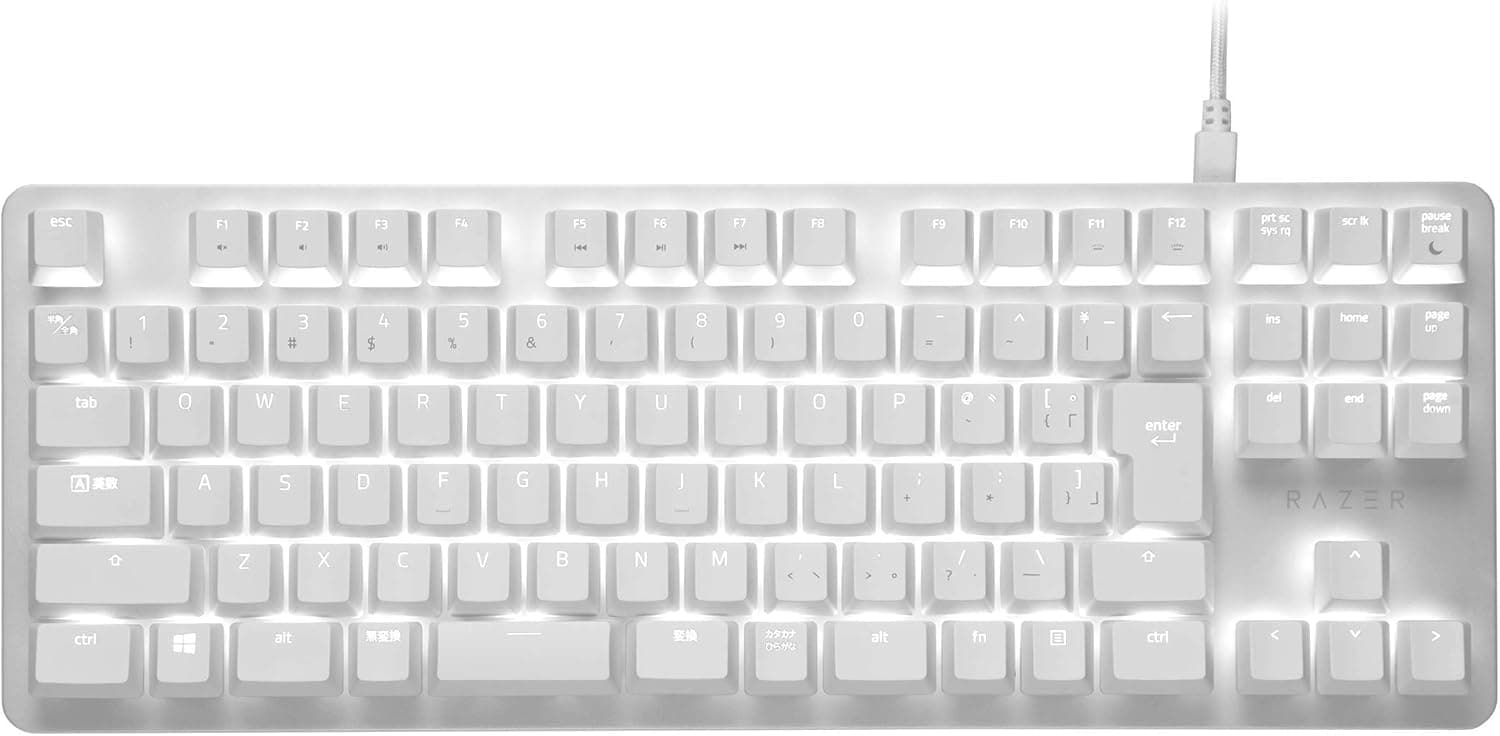
The Razer BlackWidow Lite JP Mercury White pairs quiet-leaning Razer Orange mechanical switches with a Japanese (JIS) tenkeyless layout in a white chassis. In short: it suits people who want a mechanical board they can use late at night or in a shared space, in a JIS layout.
It is not for people who want RGB, dedicated macro keys, or wireless. On Amazon.co.jp it holds 4.4 stars from 1,271 reviews (88% positive) as captured on 2026-06-07 — a stable score for that sample size.
This product is defined by subtraction. Despite the BlackWidow name, there is no Chroma RGB, no macro key column, no wrist rest, and no hot-swap sockets.
Instead you get individually lit white LEDs, a detachable USB cable, and a set of O-rings. Treat it as a quiet office keyboard that games well, rather than a flagship gaming board, and expectations line up.
What the Orange Switch Actually Feels Like
Razer Orange is a tactile switch: you feel a bump partway through the press, but there is no sharp click like the Green switch. Actuation is generally quoted around 1.9 mm with roughly 45 g of force, putting it in similar territory to a Cherry MX Brown.
Rated keystroke lifespan is 80 million presses, so durability is not a practical concern even with heavy daily typing.
Be careful with the word "silent," though. What Orange removes is the click mechanism — the bottom-out thud of the keycap remains.
That is where the bundled O-rings matter: fitting them under the keycaps shortens travel slightly and noticeably rounds off the bottom-out noise, at the cost of a firmer, shorter-feeling press. A good approach is to type on the board bare for a few days, then fit O-rings only to the keys you hit hardest — space, enter, backspace, shift.
Set expectations at "clearly quieter than a clicky board, but not as quiet as a dedicated silent linear." With O-rings fitted, it is genuinely usable when someone is sleeping in the same room or when you don't want your mic picking up every keypress.
If you need near-silence, look at capacitive or high-quality membrane boards instead of mechanical.
Compatibility Guide
Connection is wired USB only, at a 1,000 Hz polling rate — one input report per millisecond, which is plenty even for competitive FPS play. There is no wireless or Bluetooth, so multi-device switching and tablet use are out of scope.
The board supports 10-key rollover with anti-ghosting, so WASD plus modifiers plus extra actions register reliably.
The stated OS support is Windows only. Basic typing follows the USB HID standard and may work elsewhere, but because Razer Synapse 3 is Windows-only, assume you cannot remap keys, build macros, or manage backlight brightness on macOS or a console.
On a Mac-centric desk you would also have to reconcile JIS legends with macOS key mapping (kana/eisu, Command placement).
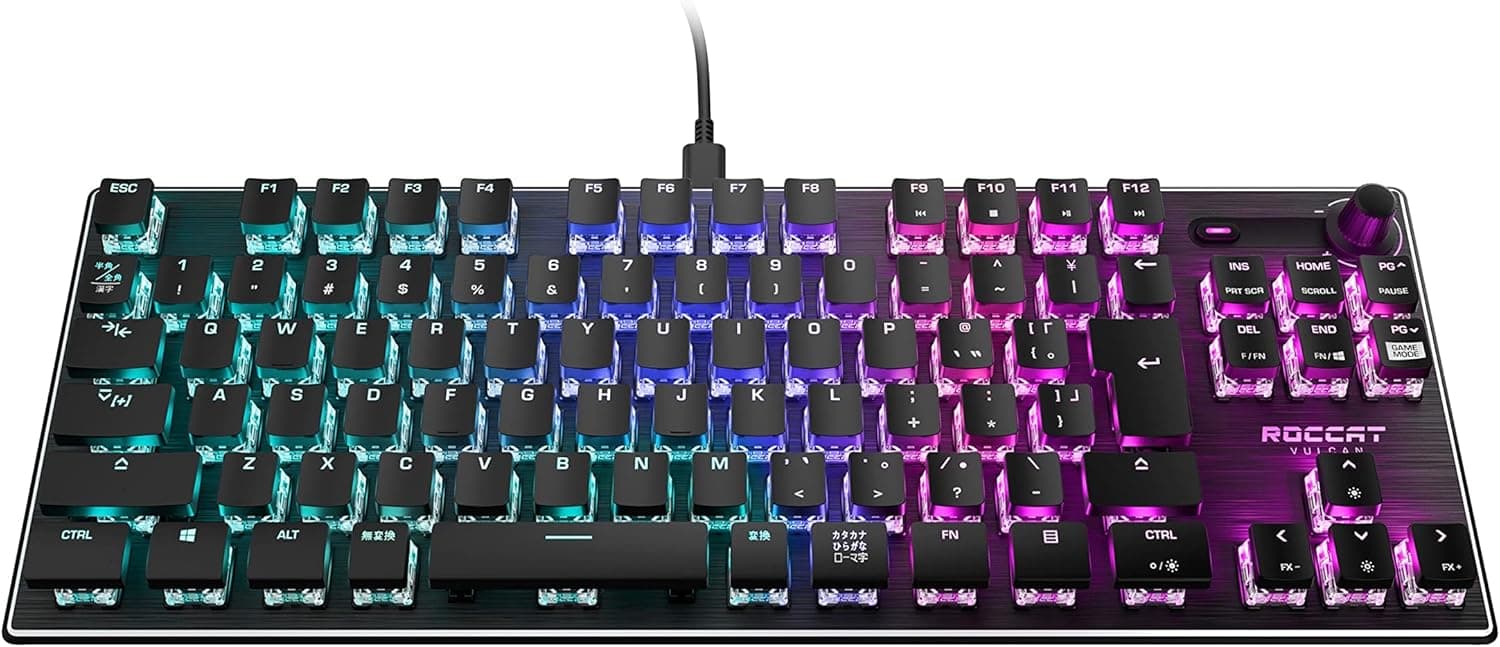
One physical compatibility point people overlook is the JIS layout itself. The right shift is short, there are extra henkan/muhenkan keys, and the enter key is a different shape.
Coming from US layout, expect a rough adjustment period around symbols and right shift. Coming the other way, being able to bind henkan/muhenkan to IME toggling is a real productivity win that US layouts cannot match.
The detachable cable helps with cable management and transport, and means a frayed cable does not end the keyboard's life. Check the product page for the exact connector type and whether generic third-party cables will fit.
Product Info
The spec sheet: Razer Orange mechanical switches, Japanese (JIS) tenkeyless layout, individually lit single-color white LED backlight, 1,000 Hz polling, 10-key rollover with anti-ghosting, 80-million-keystroke lifespan, detachable USB cable, bundled O-rings, Razer Synapse 3 support, and a 2-year manufacturer warranty. Single-color lighting disappoints if you came expecting RGB, but white LEDs in a white chassis read cleanly in a dark room.
Pricing was ¥9,873 on Amazon.co.jp as captured on 2026-06-07, and a listing at $50.00 appeared on eBay US as captured on 2026-07-14.
Both are point-in-time figures that move with sales, exchange rates, and stock. This is an older model, so remaining channel inventory can swing the price in either direction — always check the current price on the product page before buying.
User ratings sit at 4.4 stars across 1,271 Amazon.co.jp reviews (88% positive).
At four-figure review counts scores converge, and this level reads as "solid, few clear flaws, no standout brilliance." The 2-year warranty is standard for the class, but coverage can depend on whether you buy through authorized channels, so check the seller listing.
Comparison with Alternatives
Within Razer's own range, the BlackWidow V4 family adds Chroma RGB, dedicated macro keys, and a wrist rest at a higher price. On noise, Green switches are distinctly clicky and Yellow switches are quiet linears with no tactile bump.
Orange is the middle answer — tactile but not loud — and the Lite is the most straightforward expression of it.
Against other brands, Keychron's Q1 or K4 Pro offer hot-swap sockets so you can change switches later and tune the feel yourself. Cherry MX boards like the Ducky Origin win on switch choice and parts availability.
The BlackWidow Lite has no hot-swap, so if Orange doesn't suit you there is no escape route. That is the single biggest thing to think through before buying.
Where the Lite wins is the intersection of conditions: JIS layout, white finish, tenkeyless, and quiet-leaning tactile. Most enthusiast boards ship US layout by default, and JIS options are scarce.
If all four conditions are non-negotiable, the shortlist gets very short very fast.
Best Use Cases
First, anyone gaming or working late at night or in shared space. Orange plus O-rings is a big perceived drop in noise if you're coming from a clicky board.
Second, people building an all-white desk — Mercury White matches other Razer Mercury Edition gear closely.
Third, people committed to the Japanese layout, where henkan/muhenkan IME toggling is part of muscle memory. Fourth, FPS players who want mouse room: removing the numpad meaningfully widens low-sensitivity arm sweeps.
Finally, it is a sensible pick for anyone who won't spend flagship money but refuses to go back to membrane.
Before You Buy
The most common misconception is treating "quiet" as "silent." Orange removes the click, not the bottom-out thud.
If your requirement is zero keyboard noise on a video call, this board will not meet it. If you can try one in person, listen before deciding.
Second, accept the feature cuts. The backlight is single-color white with no RGB effects.
Macros are assigned to existing keys through Synapse 3; there is no dedicated macro column. There is no hot-swap, so switches cannot be replaced.
This is exactly what "Lite" means, and buying it expecting flagship features guarantees disappointment.
Third, the Windows-only limitation. Without Synapse 3 you cannot change remaps or backlight settings at all, so Mac, Linux, and console-first users should rule it out here.
Synapse 3 itself is a background app that some users find heavy and that wants an account for cloud sync — if you'd rather not run resident software, confirm in advance whether your settings can be stored on the board.
Fourth, this is an older model. As authorized new stock thins out, listings can mix parallel imports and used units, which affects warranty eligibility and raises the risk of receiving a US or UK layout instead of JIS.
Check the listing photos for JIS legends — henkan/muhenkan keys and a short right shift — not just the title text.
Finally, manufacturer names, model numbers, and ASINs on marketplace listings occasionally carry metadata from a different product. Don't take listing fields at face value: cross-check the product images, title, and seller before you order.
FAQ
Q. Is the Orange switch really quiet? A.
Clearly quieter than Blue or Green switches, but not silent. There is no click; what remains is bottom-out noise, which the bundled O-rings soften further.
Q. Should I fit O-rings to every key? A.
Start with the keys you hit hardest — space, enter, backspace, shift. Fitting all of them shortens travel and makes the feel firmer, which not everyone likes.
Q. Can I use it on a Mac? A.
Basic typing may work, but supported OS is listed as Windows only and Synapse 3 is Windows-only. Assume no remapping or backlight control.
Q. Can I swap the switches later?
A. No. There is no hot-swap support, so choose a hot-swap board if you want to retune the feel later.
Q. Does it have RGB lighting?
A. No. The backlight is single-color white with per-key control and brightness adjustment only.
Q. How long is the warranty? A.
Two years from the manufacturer, though coverage may depend on buying through authorized channels — check the seller listing first.
Product Disclosure (Amazon)
- Manufacturer: Razer(レイザー)
- ASIN: B086Z1FXLK
- Note: This article covers a manufacturer-made product based on Amazon listing details.