This article covers Papeaso ビデオキャプチャカード 4K HDMI→USB3.0.
Overview
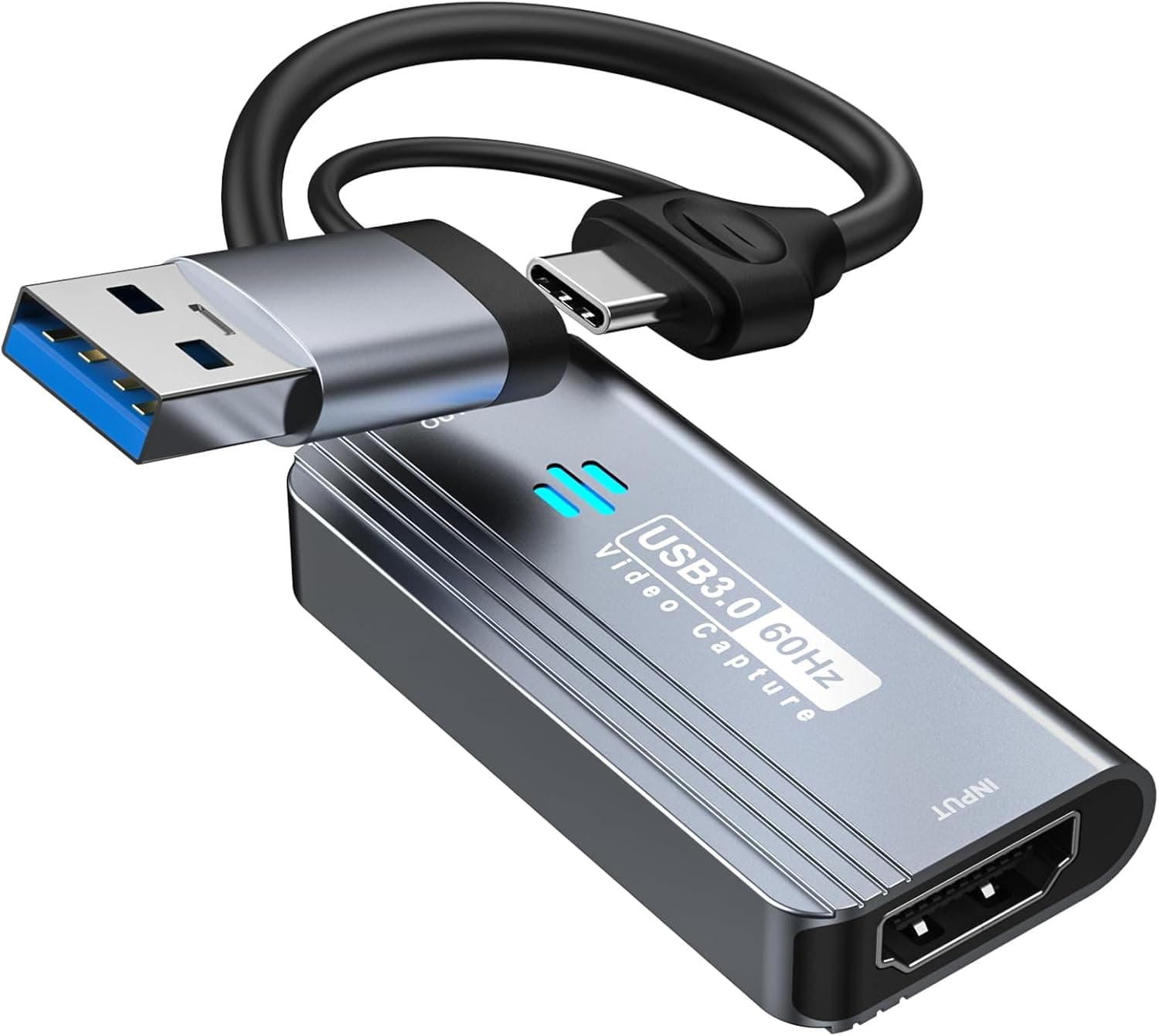
The Papeaso Video Capture Card is a compact device that lets you capture HDMI video to your computer or mobile device via USB 3.0 or USB Type-C. It supports input resolutions up to 4K (3840×2160) at 30Hz and outputs crisp 1080p video at 60fps, making it suitable for game streaming, online education, video conferencing, and content creation. This is an entry-level capture solution that balances affordability with solid performance. Designed for plug-and-play simplicity, the card requires no driver installation and works seamlessly with popular streaming software like OBS Studio and QuickTime Player. With both USB 3.0 and USB Type-C interfaces, it connects to PCs, Macs, and compatible Android devices. If you're looking for a budget-friendly way to start live streaming or recording, this is a great option.
Connectivity & Compatibility
The Papeaso capture card features a single HDMI input port, compatible with game consoles (PS5/PS4, Nintendo Switch, Xbox), DSLR cameras, camcorders, and action cameras. On the output side, it offers USB 3.0 (Type-A) and USB Type-C ports for connection to Windows PCs, Macs, and Android smartphones/tablets. Note that devices with only USB-C or Lightning ports (iPhones, iPads) are not supported. Supported operating systems include Windows, macOS, Android, and Linux. For Mac users, QuickTime Player is recommended; Windows users should use OBS Studio. This is a unidirectional capture card — it converts HDMI source to USB/Type-C display only, not the reverse.
Product Info
The Papeaso Video Capture Card is an entry-level to mid-range capture device sold primarily on . Its price hovers around ¥6,897, making it very accessible for newcomers. The package includes the capture card and an English user manual; an HDMI cable is not included. Warranty is provided through 24/7 online customer support, though a specific warranty period is not stated. In the market, this card stands out for its cost-effectiveness: it delivers 1080p 60fps capture without 4K passthrough, which is acceptable for most streaming beginners. The inclusion of USB Type-C and true plug-and-play operation gives it an edge over similarly priced competitors.
Best Use Cases
Aspiring game streamers: Capture console gameplay at 1080p 60fps for Twitch or YouTube without breaking the bank. Works well with OBS. Not ideal if you need 4K passthrough or high-refresh-rate capture. Educators and remote workers: Record lectures, presentations, or video calls with high-quality video. The simple setup means you can focus on content rather than technical hurdles. * Budget-conscious content creators: If you're just starting out and want a reliable capture card without investing in expensive gear, this is a solid choice. However, professionals requiring ultra-low latency or 120fps+ capture should look elsewhere. ## FAQ
Q: Does this capture card support 4K passthrough? A: No. While it accepts 4K input, the output is limited to 1080p @60fps. For 4K passthrough, you would need a splitter or a higher-end capture card. Q: Can I use it with an iPhone or iPad? A: No, devices with Lightning ports are not supported. It works with Android devices that have USB-C, but compatibility should be verified beforehand. Q: What should I do if there's no audio output? A: After configuring audio settings in OBS Studio or your streaming software, restart the application. If the issue persists, check your PC's sound settings to ensure the capture card is recognized as an audio input device.
Product Disclosure (Amazon)
- Manufacturer: Papeaso
- Seller: 雑貨Lino本店
- Fulfilled by: 雑貨Lino本店
- ASIN: B0BZSRTT1X
- Note: This article covers a manufacturer-made product based on Amazon listing details.
![SoundBeast 4K HDビデオキャプチャボックス - HDMIからビデオをキャプチャまたはライブストリーム (オーディオ付き) [コンテンツ保護ソース非対応]](/_next/image?url=https%3A%2F%2Fm.media-amazon.com%2Fimages%2FI%2F81a0z4VUxNL._AC_SL1500_.jpg&w=1920&q=75)