This article covers ORICO【RAID機能】HDDケース 5台 22TB*5 USB 3.0接続 8 RAIDモード 3.5インチHDD用 アルミ合金制 HDD 外付けケース プッシュプル取り付け セーフティーロック機能付き 外付けハードディスクケース 9858RU3.
Overview
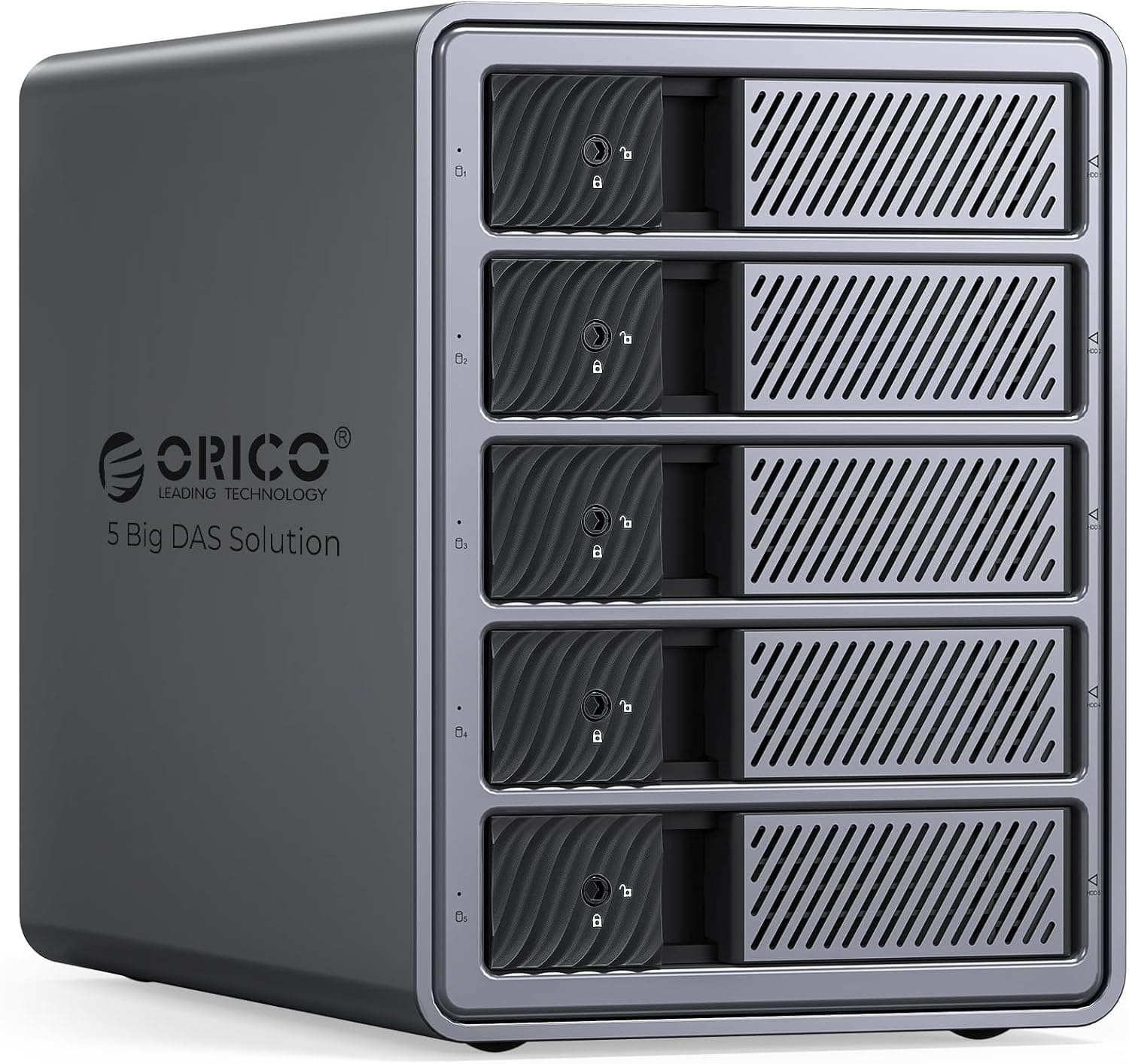
The ORICO 9858RU3 is a 5-bay external RAID enclosure designed for 3.5-inch SATA HDDs. It connects via USB 3.0, delivering transfer speeds up to 235 MB/s, and supports drives up to 22TB each for a massive total capacity of 110TB. With eight built-in RAID modes – RAID 0, 1, 3, 5, 10, JBOD, CLONE, and CLEAR – users can balance speed, redundancy, or simple capacity expansion. The aluminum body and an 80mm silent cooling fan ensure stable operation even under heavy load. A tool-less drive insertion mechanism and individual safety locks add convenience and security.
Compatibility Guide
This enclosure is strictly for 3.5-inch SATA HDDs (SATA III, 6Gbps). It works with any standard 3.5-inch hard drive up to 22TB per bay. The unit includes a built-in 150W power supply, capable of powering all five drives simultaneously. Connection to a host computer is via USB 3.0 (backward compatible with USB 2.0); no additional interface cards are required. It is compatible with Windows, macOS, and Linux out of the box. RAID mode selection is done via DIP switches on the rear panel – always back up data before switching modes.
Product Info
The ORICO 9858RU3 hit the market in late 2024 and is widely available through retailers like . Pricing typically lands around ¥20,000 (approx. $140 USD), offering excellent value for a 5-bay RAID enclosure. The chassis measures 259×146×196 mm and is constructed from aluminum alloy. Cooling is handled by a single 80mm fan with front and rear ventilation. The warranty period is one year from the manufacturer. In terms of market positioning, it sits comfortably in the mid-range, appealing to home users and small offices that need reliable, large-capacity storage without breaking the bank.
Best Use Cases
Data Backup Enthusiasts: Use RAID 1 or RAID 5 to protect against single-drive failure. Perfect for safeguarding photo archives, project files, or financial records. Creative Professionals: Videographers and photographers handling 4K+ footage can consolidate terabytes of raw files into one easily accessible drive pool. JBOD mode works well for simple capacity expansion. * Small Office File Sharing: Connect the enclosure to a dedicated PC and share over the network – a cost-effective alternative to a full NAS for teams that don't need advanced network features. If you need blazing-fast transfers (USB 3.2 Gen2x2 or Thunderbolt) or native NAS functionality, consider higher-tier alternatives. ## Alternatives
In the same price bracket, the Yottamaster 5-Bay RAID Enclosure and QNAP TR-004 (4-bay) are direct competitors. Yottamaster offers similar build but with fewer RAID modes. ORICO’s 8-mode support (including CLONE) gives more flexibility. The QNAP TR-004 has a more polished hardware RAID controller and integrates seamlessly with QNAP NAS ecosystems, but it costs a bit more and provides only 4 bays. Choose ORICO if raw capacity and mode variety are your priority; choose QNAP if you value reliability and ecosystem connectivity.
Things to Consider
First, USB 3.0 speeds (5Gbps theoretical, ~235 MB/s real-world) may be a bottleneck for users with very high-performance workloads. RAID 0 can saturate the interface, but single-drive performance will be capped. Second, before changing RAID modes, you must back up all data – incorrect switch positions can wipe volumes. Third, the included 150W PSU is adequate for five mechanical drives, but fan noise may be noticeable in quiet environments. Finally, remember that HDDs are sold separately; populating all five bays with high-capacity drives represents a significant additional investment. ## FAQ Q: Can I use this enclosure with macOS? A: Yes, macOS 10.10 and later recognize the enclosure. Format the volume as exFAT for cross-platform compatibility. Q: How do I set up RAID 5? A: Set the DIP switches to the RAID 5 position before connecting the unit. Insert at least three HDDs. After connecting to your PC, initialize the volume using Disk Management (Windows) or Disk Utility (macOS). Q: Does this enclosure function as a NAS? A: No, it is a direct-attached storage (DAS) device. You can share it over a network only by connecting it to a PC that is configured as a file server.
Product Disclosure (Amazon)
- Manufacturer: ORICO
- Seller: ORICO Power Official JP Store
- Fulfilled by: Amazon
- ASIN: B0DD7K7LTC
- Note: This article covers a manufacturer-made product based on Amazon listing details.