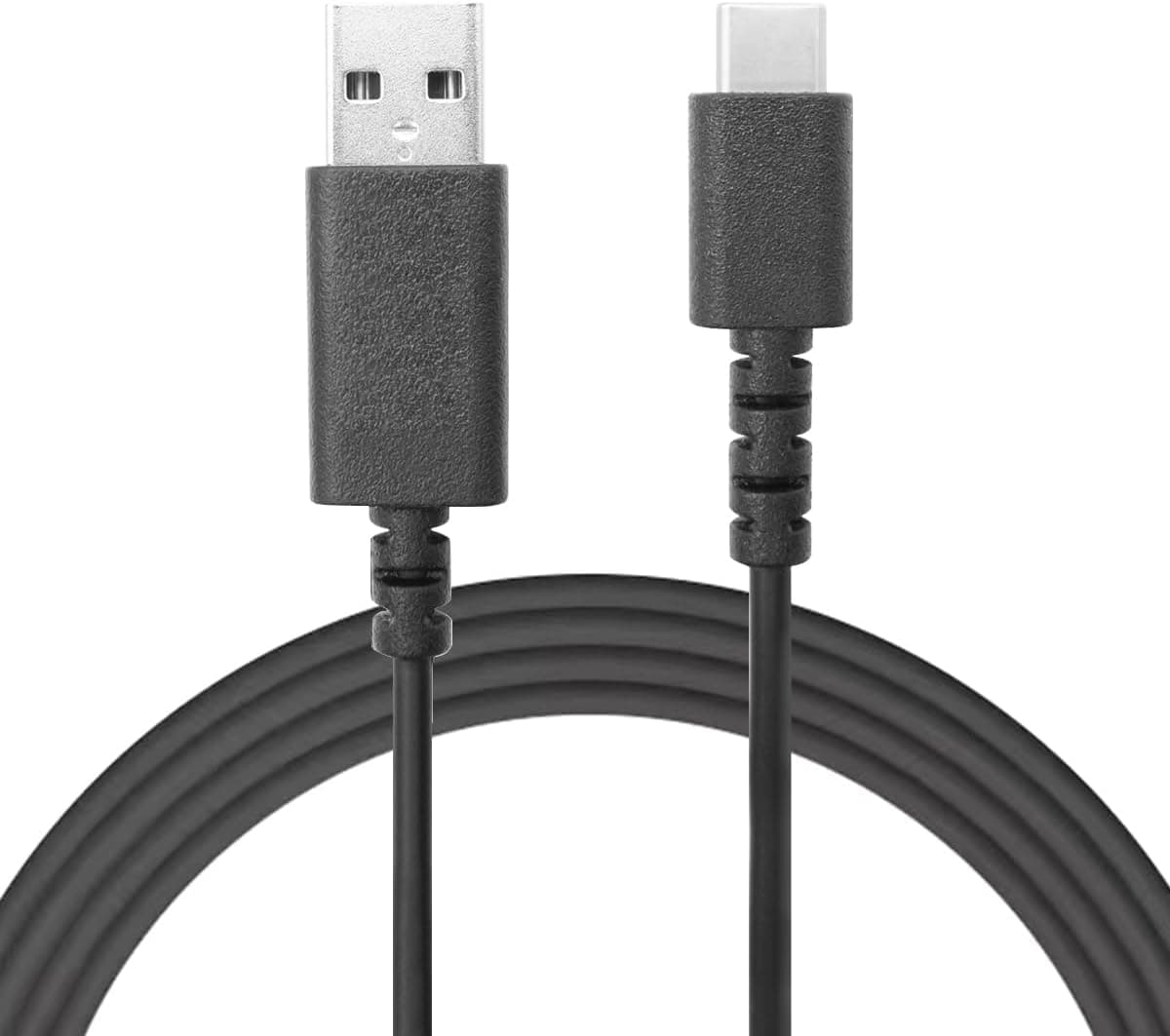
The NoirVogel Type-C charging cable is a USB-A to USB-C cable sold specifically for charging and connecting Logitech gaming peripherals. This article covers how to check whether your device is really supported, how the 1.8m length behaves on an actual desk, and whether it makes sense as a replacement for the bundled cable.
Overview
This is a roughly 1.8m (about 6 ft) cable with a USB-A male connector on one end and a USB Type-C male connector on the other.
It is aimed at charge-and-play use with wireless Logitech gear such as the G502 X Wireless, G Pro X Superlight 2, the G733 headset, and the G915X keyboard. The jacket is TPE (thermoplastic elastomer), a material that resists coiling memory and stays flexible on the desk.
The short verdict: this suits someone who owns several Logitech wireless devices and wants one dedicated charging cable permanently parked at their desk. On Amazon it holds 4.6 out of 5 stars across 31 reviews (about 92% positive, as captured on 28 May 2026) — a small sample, but a consistent one.
It is not the cable to buy if you also want fast phone charging or external SSD transfer speeds; see the caveats section for why.
Connectivity & Compatibility
The manufacturer lists the following supported devices, grouped here so you can check your own gear quickly.
| Category | Supported models |
|---|---|
| Gaming mice | G502 X Wireless, G502X Plus, G Pro X Superlight 2, DEX, G303 Wireless |
| Headsets | G435, G733, G PRO X2 Lightspeed |
| Keyboards | Pro X TKL, Pro X 60, G915X, G515 |
The important nuance is that this list describes verified devices, not every device the plug physically fits. USB Type-C is a common standard, so the connector will seat in plenty of other hardware.
But the manufacturer explicitly excludes smartphones, tablets, and general-purpose computers, and makes no claim about USB Power Delivery fast charging or USB 3.x transfer speeds.
For anything outside the table, treat it as a slow-charge spare cable.
The host end is USB-A. That means it plugs into a PC's USB-A port, a USB-A wall adapter, or a monitor hub.
Many recent thin laptops and mini PCs ship with USB-C only, so confirm you still have a free USB-A port before ordering. On a USB-C-only setup you will need an adapter or a dock that provides USB-A.
No drivers are required — it is plug-and-play. Most Logitech wireless mice keep working as wired mice while charging, so you can plug in mid-match and keep playing.
The 1.8m length works well when the power source is a rear-panel PC port or a wall adapter behind the desk.
If your source is a hub on the desk surface, 1.8m tends to leave slack that snags the mouse.
Product Info
Key specifications:
| Item | Value |
|---|---|
| Cable length | 1.8m (about 6 ft) |
| Connectors | USB-A male to USB Type-C male |
| Material | TPE (thermoplastic elastomer) |
| Functions | Charging, data transfer |
The listed price was ¥3,522 including tax as captured on 28 May 2026. That is not cheap for a single cable — generic USB-A to USB-C cables start far lower — so the premium is essentially for a clearly documented Logitech compatibility list.
Weigh that against the hassle and shipping cost of sourcing an official replacement. Cable prices move a lot with stock and sales, so check the current price on the product page before buying.
On ratings, the cable sits at 4.6 out of 5 from 31 reviews (captured 28 May 2026).
Thirty-one is a small sample where a handful of reviews can shift the average, so read the recent review text and note which device each reviewer actually used rather than trusting the star count alone.
The marketplace entry (eBay) is a search link only, with no confirmed price. Overseas listings add shipping time and cost, so a domestic listing is usually the safer route.
Compared with OEM and Generic Cables
There are three realistic options.
- The bundled Logitech cable — guaranteed to work, but buying a single spare separately is inconvenient.
- A compatibility cable like this one — the published device list removes guesswork; the tradeoff is price, ¥3,522 at the May 2026 capture.
- A generic USB-A to USB-C cable — cheapest and widely available. Most Logitech devices charge over standard USB-C, so it usually works, but a stiff jacket will drag on mouse movement.
For a cable you plug and unplug daily, jacket flexibility and strain relief at the connector matter more than price. TPE is a reasonable choice here: it tends to interfere with mouse movement less than rigid braided nylon.
If in-game feel is the priority, lightweight paracord cables are another route.
Practical Use and Common Mistakes
The most common mistake with wireless mouse charging is choosing a length without planning for play-while-charging. A cable drooping in front of the mousepad cancels out the benefit of going wireless.
With 1.8m, route it along a monitor arm or the back of the desk with a hook-and-loop tie so only 30–40cm hangs free at the front.
Second, charging through an unpowered USB-A hub can starve the device and make charging painfully slow. If charging seems stalled, plug directly into a rear PC port or a wall adapter to isolate the cause before assuming the cable is faulty — that one check avoids a lot of unnecessary returns.
Best Use Cases
- Owners of several Logitech wireless mice, headsets, or keyboards who are tired of swapping one cable between devices
- Anyone whose bundled cable broke or went missing and who wants a replacement with an explicit compatibility list
- Users who need roughly 1.8m to reach from a rear-panel USB-A port to the mouse
- Players who rely on charge-and-play, using the mouse wired while the battery refills
It is not the right pick if you want one cable to fast-charge a phone and move files off an external SSD. For that, buy a generic cable rated for USB-PD and USB 3.x transfer.
Things to Check Before Buying
First, price and timing. The ¥3,522 quoted here is the 28 May 2026 capture, and cables are a category where stock and sales move prices quickly.
Check the live price before deciding. Generic USB-A to USB-C cables cost considerably less, so the real question is how much the documented compatibility list is worth to you.
Second, listing metadata can disagree with reality. Amazon product pages sometimes carry manufacturer, seller, or model-number fields that do not match what actually ships.
This article covers ASIN B0CTGD2SJY, the NoirVogel cable — when you open the page, verify the product images, the title, and the connector shapes (USB-A to USB-C) yourself. Cables are especially prone to this because a single page often offers length and connector variants in a dropdown, and it is easy to order the wrong one.
Third, no transfer speed is stated. "Data transfer" is claimed, but there is no indication of whether it is USB 2.0 class or USB 3.x.
That is fine for charging and syncing peripheral settings; do not count on it for external SSD throughput. There is likewise no stated wattage, so use a proper PD-rated cable for anything that needs high-power fast charging.
Fourth, the review sample is small. Thirty-one reviews cannot tell you the failure rate after a year.
TPE is soft and comfortable but the area just behind the connector is where repeated bending eventually shows. If you unplug it every day, route it so the strain relief is not sharply bent.
Finally, the product title is garbled. The listing circulates with stray machine-generated text in the name, so the title alone is a poor guide to specification.
Read the spec table and images on the page instead.
FAQ
Q. Can I charge my phone with it? A.
It will physically fit, but the manufacturer excludes phones and tablets and makes no PD fast-charging claim. Treat it as an emergency slow-charge option; buy a PD-rated cable for daily phone use.
Q. Does it work with the wired G502 X or the original G Pro X Superlight? A.
The published list names the G502 X Wireless, G502X Plus, and G Pro X Superlight 2, among others. Unlisted models with a USB-C port may well charge, but it is not guaranteed — match your exact model name against the list before ordering.
Q. Can I play while charging? A.
Most Logitech wireless mice stay usable while charging, and this cable is sold for that use. Just secure the 1.8m run behind the desk so it does not drag across the mousepad.
Q. Is 1.8m too long? A.
It is about right when routing from a rear PC port or along a monitor arm. If you power it from a hub sitting on the desk, a 30cm–1m cable is more comfortable.
Q. Is the price in this article current? A.
The ¥3,522 figure was captured on 28 May 2026. Cable prices fluctuate, so confirm the current price on the product page.
Product Disclosure (Amazon)
- Manufacturer: NoirVogel
- Seller: Amazon US
- Fulfilled by: Amazon US
- ASIN: B0CTGD2SJY
- Note: This article covers a manufacturer-made product based on Amazon listing details.