Overview
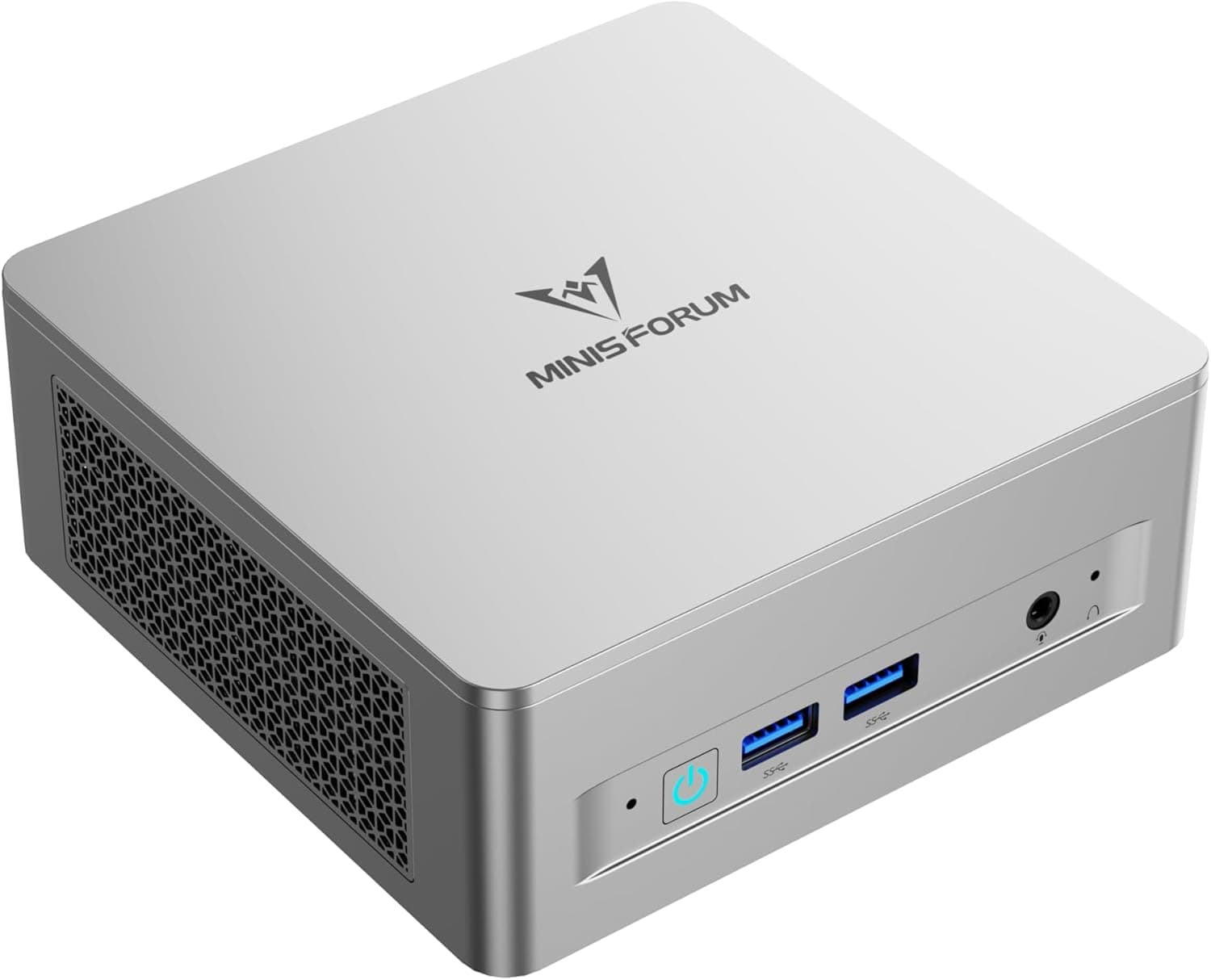
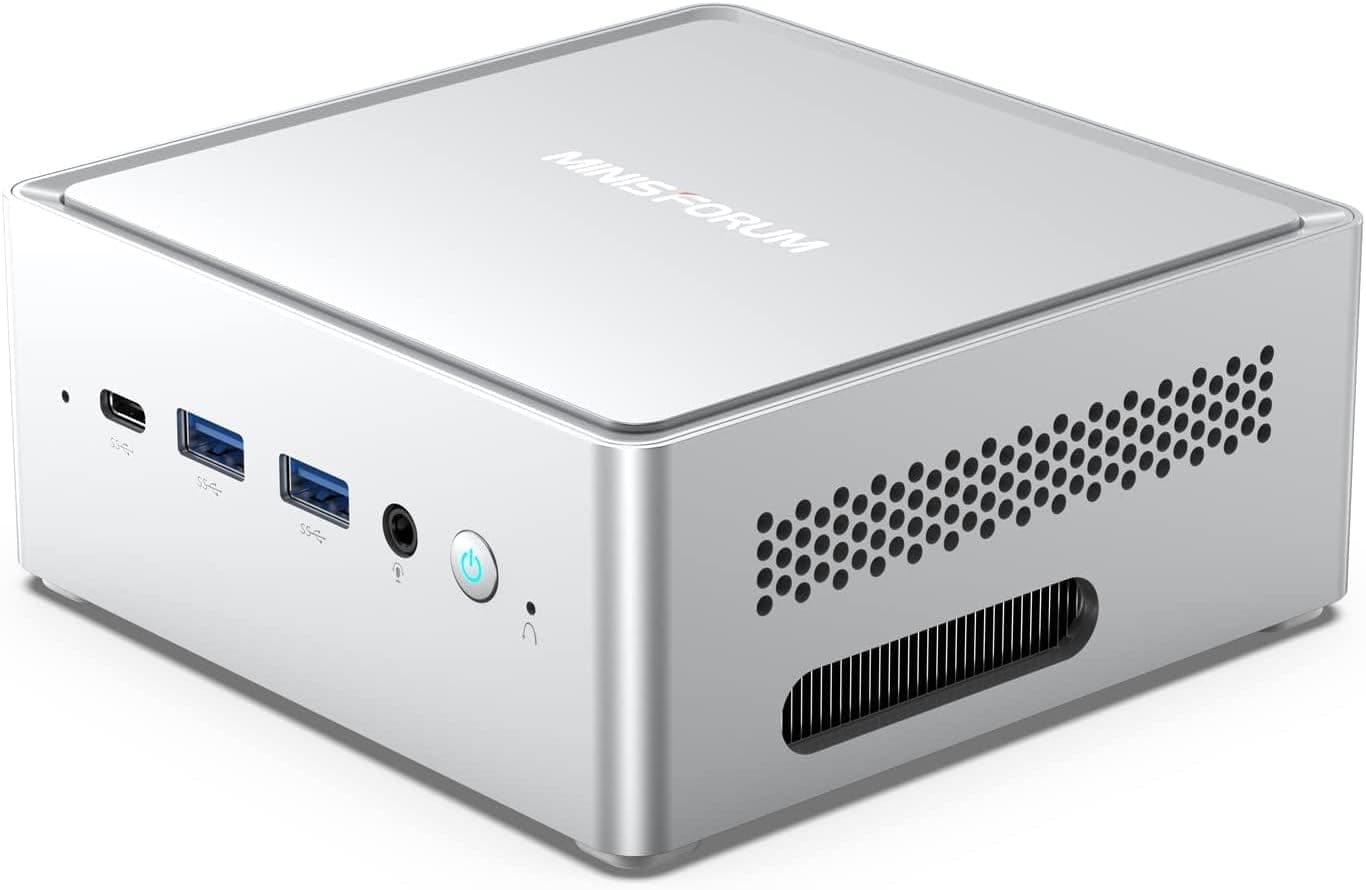
The MINISFORUM Venus NAB6 Lite Mini PC is a palm-sized desktop built around a 12th-gen Intel Core i5-12600H (12 cores, 16 threads, up to 4.5 GHz).
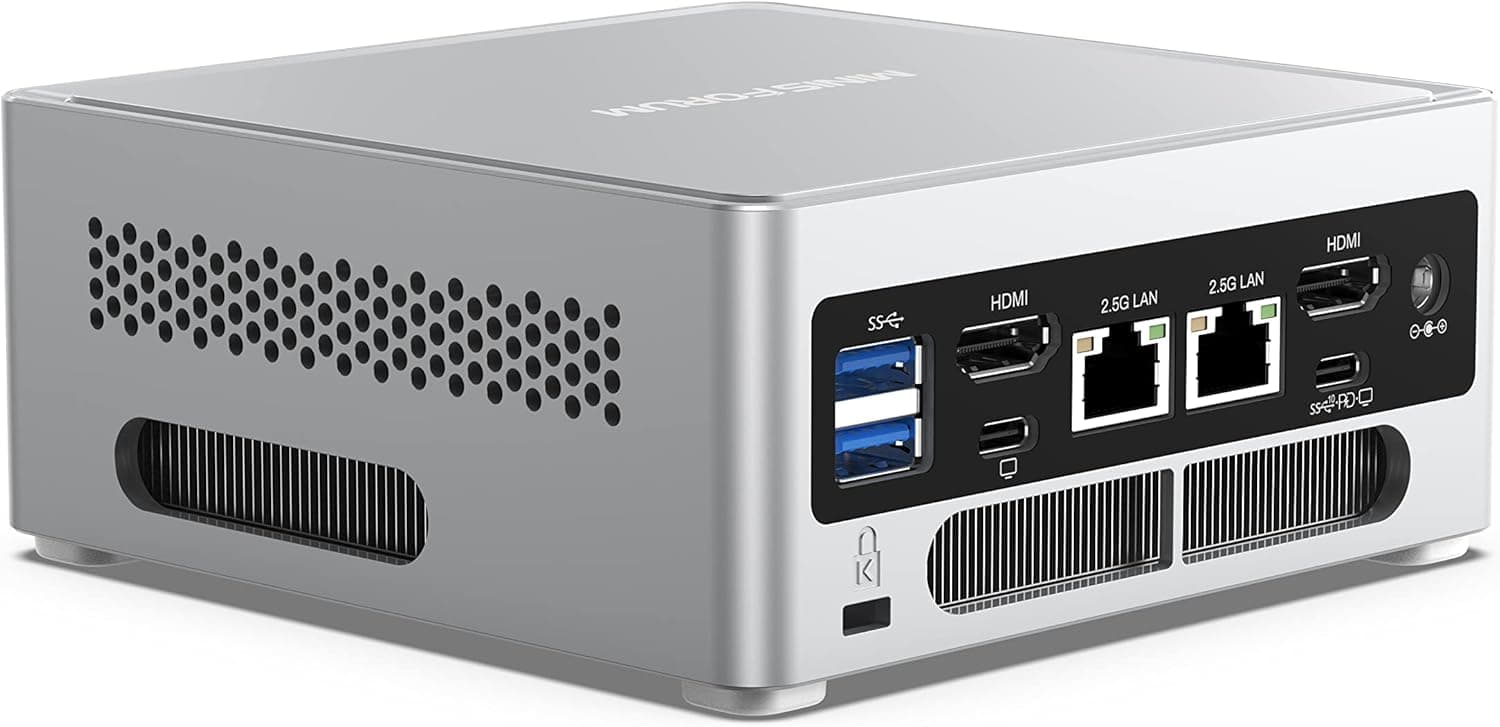
The short verdict: its real value is not raw CPU speed but I/O density — dual 2.5 GbE ports and four display outputs all capable of 4K at 60 Hz.
If you only browse and use Office, a cheaper mini PC will do. If you want a software router, a NAS, a small virtualization host, or a multi-monitor trading/monitoring rig in a tiny box, this configuration is still hard to replace.
It ships with 16GB of DDR4 (two SO-DIMM slots) and a 512GB M.2 PCIe 4.0 SSD.
The i5-12600H is an Alder Lake-H chip with 4 performance cores and 8 efficient cores — a mid-to-high laptop class CPU. It will not sustain desktop Core i5 performance, but it is comfortably fast for many browser tabs, office work, light photo editing, and a handful of containers running at once.
Compatibility Guide
Mini PC purchases usually go wrong in two ways: a part you bought does not fit, or you get fewer displays than expected. Here is what to check.
| Item | Spec | What to verify |
|---|---|---|
| Memory | 16GB DDR4 SO-DIMM ×2 (up to 64GB) | DDR4, not DDR5, and laptop SO-DIMM — desktop DIMMs will not fit |
| M.2 storage | 512GB PCIe 4.0 SSD | Use M.2 NVMe drives; SATA-keyed M.2 may not work |
| 2.5-inch bay | SATA 3.0 ×1 | 7mm drives are the safe choice; 9.5mm units may not fit |
| Video out | HDMI 2.0 ×2 / USB-C ×2 (all 4K@60Hz) | USB-C uses DP Alt Mode — the monitor and cable must support it |
| Network | 2.5 GbE ×2 | Your switch or NAS must also be 2.5 G to benefit |
| Power | 65W-class AC adapter | The bundled adapter is US-spec; check your outlet type |
The DDR4 requirement matters most. Newer mini PCs have moved to DDR5, so spare DDR5 SO-DIMMs will not carry over.
Conversely, if you already own DDR4 SO-DIMMs, upgrading to 32GB or 64GB is cheap. DDR4 SO-DIMMs commonly run around 3200 MHz, but confirm the supported speed on the product page.
On the four outputs: having four ports is not the same as running four 4K screens comfortably. Driving four 4K panels from Iris Xe graphics is fine for static dashboards, tickers, and logs, but playing several 4K videos at once is not what this machine is for.
If you drive displays over USB-C, confirm the monitor supports DP Alt Mode and that your cable carries video.
Dual 2.5 GbE is the standout feature at this size.
Assign one port to WAN and one to LAN and you can run pfSense or OPNsense; link it to a NAS at 2.5 G and transfers comfortably beat gigabit.
But if the other end of the cable is still 1 GbE, the benefit is zero — check your switch and NAS first.
Product Info
Pricing was ¥117,520 (tax incl.) on Amazon.co.jp as captured on 2026-07-14, and $994.22 on eBay as captured on 2026-08-17.
Prices move often with stock and sales, so always check the current listing. For a 12th-gen Core i5 with DDR4, that figure looks ambitious — DDR5-based mini PCs with newer CPUs exist in the same bracket, so weigh the comparison below.
The review score was 3.8 out of 5 from 24 reviews (about 76%), captured 2026-07-14.
With only 24 reviews, do not read the average alone — check whether the low ratings describe defective units or misunderstood specs. For mini PCs, complaints often center on the power adapter, fan noise, or BIOS updates, and whether those matter depends entirely on your use case.
The box includes an HDMI cable, a US-spec power adapter, a manual, and a SATA cable. Warranty is typically one year from MINISFORUM.
The product launched around 2023, so treat it as a mature, I/O-focused model rather than a current-generation release.
How It Compares
- I/O first (where this one wins) — dual 2.5 GbE plus four display outputs is generous for the category. Home labs, router builds, and multi-screen monitoring are its home turf.
- Bandwidth and newness first — Ryzen 7 8745HS or Core Ultra machines with DDR5 lead on integrated graphics and memory bandwidth. Choose those if light gaming or video editing is in scope.
- Power and price first — N100-class sticks and compact boxes are far cheaper and cooler. If your workload is a browser and video playback, the i5-12600H is overkill.
Buy this machine for the ports, not the CPU model number.
Real-World Setups
For home server use, put the OS on the M.2 drive and bulk data on a 2.5-inch SATA SSD or HDD.
Proxmox or Docker with file sharing, recording, and automation tools will run on 16GB, but move to 32GB or more once you stack virtual machines. Support up to 64GB leaves plenty of headroom.
On a desk, VESA-mounting it behind a monitor works well. It is still an actively cooled box, though — do not press it flat against a surface that blocks the vents.
Best Use Cases
- Minimal-desk users — small chassis, few cables, and it can hide behind a monitor.
- Multi-display users — four outputs at 4K@60Hz suit trading screens, monitoring dashboards, or code-plus-docs layouts.
- Home lab and router builders — dual 2.5 GbE is the key asset for firewalls, NAS duty, and always-on lightweight servers.
- Anyone with spare DDR4 SO-DIMMs or 2.5-inch drives — the older memory generation becomes a cost advantage here.
Before You Buy
It is not a gaming or serious video-editing machine. Graphics are integrated Iris Xe with no option for a discrete GPU.
Light 2D titles, older games, and simple cut editing are fine; modern 3D titles and 4K timelines are not. Accept that trade-off up front.
Buy it knowing it is DDR4. Same-price DDR5 machines lead on integrated graphics and memory bandwidth.
Compromising on DDR4 makes sense when the price is low — and at the captured price, it is not especially low. There is little reason to rush before a discount appears.
The bundled adapter is US-spec. If you are in Japan, confirm the plug shape and whether you need an adapter, so the machine is usable on arrival.
2.5 GbE depends on the other end. If your router, switch, or NAS is still gigabit, the dual 2.5 GbE ports give you nothing.
Budget for network gear if that feature is why you are buying.
Heat and fan noise come with the format. A 45W-class mobile CPU in a small chassis means the fan spins up under load.
Lower your expectations for silence if it lives in a bedroom as an always-on box.
Read the listing details carefully. Storefront metadata is often auto-generated, and seller, model number, or price fields sometimes do not match the actual product.
This series in particular has several configurations, so confirm memory size, storage size, and whether an OS is included using both the product images and the title before ordering. Any price in this article reflects only the capture date noted above.
Note the small review sample. A 3.8 average across 24 reviews swings easily on a few bad units.
The content of the complaints tells you more than the score does.
FAQ
Q. Can I upgrade the memory?
A. Yes — two SO-DIMM slots, up to 64GB total. Note that it is DDR4; DDR5 SO-DIMMs will not work.
Q. How do I add storage? A.
Alongside the M.2 PCIe 4.0 slot there is one internal 2.5-inch SATA bay.
OS on M.2 and data on SATA is the easiest split.
Choose a 7mm-thick 2.5-inch drive to be safe.
Q. Does it really drive four displays? A.
Two HDMI and two USB-C outputs all support 4K@60Hz. USB-C output requires a monitor with DP Alt Mode and a video-capable cable, and pushing heavy content on all four at once will tax the integrated GPU.
Q. Can I use it as a router or NAS? A.
The dual 2.5 GbE ports make it well suited to software routers and lightweight file servers.
For 24/7 duty, ensure good airflow and stable power.
Q. Will games run? A.
Only lighter or older titles at reduced settings, given Iris Xe graphics. It is not built for current 3D releases.
Q. Is Windows included?
A. This series is sold both with an OS and as a barebones unit. Confirm on the listing before ordering.
Product Disclosure (Amazon)
- Manufacturer: MINISFORUM
- Seller: APPI STORE
- Fulfilled by: APPI STORE
- ASIN: B0D5DBW6YY
- Note: This article covers a manufacturer-made product based on Amazon listing details.