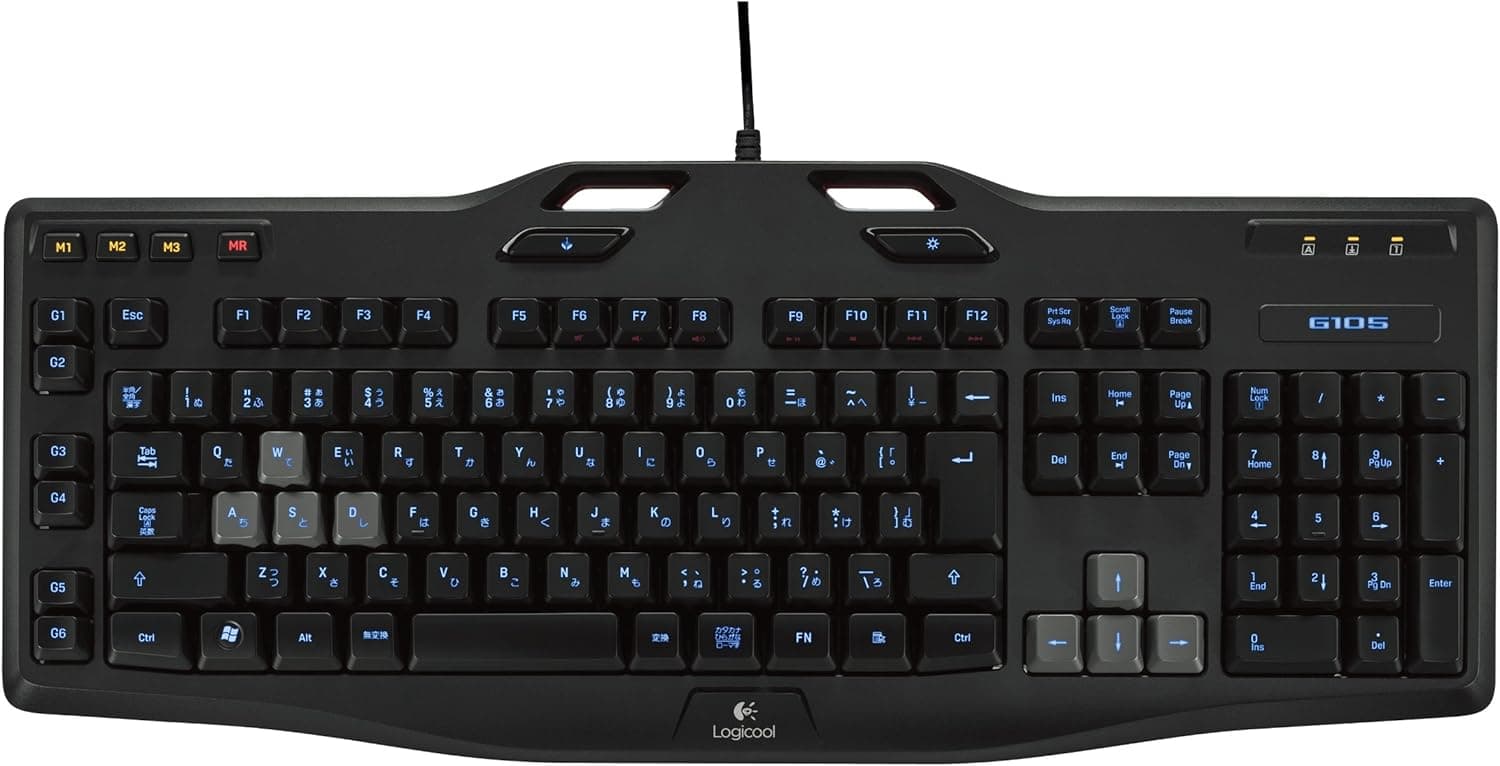
The Logitech G105 sits right at the entrance to the gaming keyboard category. Using its published specs and the 586 Amazon reviews it has accumulated (averaging 4.0 out of 5, or roughly 80%), this article looks at whether a long-selling model launched around 2012 is still worth choosing today, and exactly where you have to compromise.
Overview
The G105 is a full-size, USB-wired, membrane gaming keyboard. It offers six programmable G keys, an LED backlight with adjustable brightness, up to 5-key rollover, and a game mode switch that disables keys you don't want to hit by accident.
Warranty is three years. The short version: this is for people who want macros and low-light visibility cheaply, not for people who want mechanical feel.
As captured on 3 June 2026, the Amazon price was ¥6,764. That is near the floor for gaming keyboards, but budget mechanical and "mecha-membrane" boards now crowd the same bracket, so cheap no longer means automatically worth it.
Prices move with sales and stock, so check the current listing before buying.
A 4.0 average is an honest score for an entry-level board.
It is not a wall of five stars, which tells you there are real compromises baked into the price and that satisfaction splits on whether you can live with them. The sections below spell those compromises out.
Compatibility Guide
Connection is wired USB only — there is no wireless or Bluetooth option. It enumerates as a standard HID keyboard, so plain typing works the moment you plug it into a Windows PC.
However, assigning macros to the six G keys and fine-tuning backlight brightness requires Logitech Gaming Software (LGS). This is the biggest practical caveat: LGS is Logitech's older-generation utility, separate from the newer G HUB, so confirm on the manufacturer's product page that a build exists for your OS version before you commit.
On game consoles, any system that accepts USB keyboard input will generally handle basic typing such as chat. But the G key macros will not work, because the configuration software doesn't run there.
If you buy this expecting console macros, you will be disappointed. Console behaviour also depends on each game's implementation, so treat this as a rough guide rather than a guarantee.
Physically, it's easy to overlook that this is a full-size layout with a numpad. Low-sensitivity FPS players who sweep the mouse widely may find the desk cramped.
With tenkeyless (TKL) boards now mainstream, a TKL at the same budget should always be on your comparison list. Tilt legs are included; a palm rest is not, so long typing sessions may need one bought separately.
Is 5-key rollover enough?
"Key rollover: 5 (max)" means at most five simultaneously held keys register correctly. Whether that bites depends heavily on genre.
| Play style | Is 5-key rollover enough? | Notes |
|---|---|---|
| FPS / TPS (WASD + crouch + reload) | Generally fine | Heavy modifier use may occasionally drop input |
| MMO / MOBA (many skills) | Generally fine | Rapid presses matter more than simultaneous holds |
| Rhythm games / chord-heavy input | Often insufficient | Look for N-key rollover |
| Fighting games on keyboard | Situational | Direction plus multiple buttons can reach the limit |
For mainstream gaming, five keys rarely causes real trouble. But if your main genre is built on chords, this board is out of the running right here.
Product Info
To recap the specs: 5-key maximum rollover, six programmable G keys, an LED backlight with adjustable brightness, and a three-year warranty. Three years is generous for this price bracket and, alongside Logitech's support presence, it's genuine reassurance for a first gaming peripheral.
In the box you get the keyboard, its attached USB cable, and a quick-start guide — nothing more. There is no keycap puller or spare keycaps, the accessories that mechanical boards treat as standard.
Being membrane, it naturally has no hot-swap switch sockets either.
On price, again: ¥6,764 as captured on 3 June 2026. Older products swing in price with remaining channel stock, and can occasionally end up costing more than newer models.
Check the actual price at the moment you buy, and line it up against current models in the same budget.
What It Actually Feels Like
Membrane switches push the key back with a rubber dome. There's a long stretch of travel where pressing harder changes nothing, plus a slight stickiness between bottoming out and returning.
It is a different animal from the crisp mid-travel actuation of a mechanical switch.
The structure has real advantages. It's quiet, which is a measurable win over clicky mechanicals if you play while on voice chat or stream with a close-mic setup.
Dust ingress through the key gaps is gentler than on mechanicals, so cleaning is less of a chore. And it's simply light, which matters if you move your setup often.
The downside is that rubber domes soften with age, and the press tends to feel heavier and duller over the years. If you plan to hammer it for hours daily across several years, factor that in as a cost that can exceed the initial price gap.
"Spend as little as possible" and "keep it a long time" don't sit comfortably together here.
How to Choose Against the Competition
Within the cheap gaming-membrane bracket, mecha-membrane boards such as the Razer Ornata V3 family are the modern rival, adding a more mechanical-feeling click to membrane quietness. If you want feel nudged toward mechanical, try one of those first.
With a larger budget, Cherry MX boards like the Ducky Origin or enthusiast options such as the Keychron K4 Pro and Q1 V2 come into view. They are clearly better on feel, durability, and keycap freedom — at several times the price.
The G105's job is to deliver macros and a backlight for the smallest possible outlay, not to compete on typing feel. Buy it understanding that boundary and you won't be let down.
Best Use Cases
- First-time gaming keyboard buyers: Try G keys and game mode at a price where being wrong doesn't hurt. Learning whether you actually use macros makes your next purchase far sharper.
- Budget buyers who need macro keys: Six G keys hold canned actions — MMO chat lines, crafting sequences, streaming-software shortcuts — useful well beyond games.
- People who want quiet typing: Membrane quietness is a practical benefit on voice chat or with a close microphone.
- People who play in the dark: Adjustable backlight brightness means you can dim it to something that isn't glaring late at night.
- Anyone after a secondary or shared machine board: Low price plus a three-year warranty suits a family PC or second desk.
Things to Check Before Buying
The single biggest caveat is that this is membrane, not mechanical. If the phrase "gaming keyboard" makes you expect a crisp click, you will almost certainly be disappointed.
That is likely part of why the average lands at 4.0 rather than 5.
If feel is your top priority, buy mechanical from the start even at a higher price.
Macro functionality depends on software. Without LGS installed, the G keys are just keys, or do nothing at all.
On a locked-down work PC, or if you mainly use macOS or Linux, the G keys lose nearly all their value. Confirm you can install the utility on your system before ordering.
Factor in the product's age. This is a design from around 2012, with none of today's staples: high polling rates, rapid trigger, hot-swap sockets, wireless.
If you don't need those, fine — but don't expect current standards. Older products also sell largely from remaining stock, so condition and pricing vary more than usual.
Don't overlook the full-size footprint. On a narrow desk, or for players who move the mouse a lot, the numpad's extra width becomes a daily irritation.
Measure your space first.
Finally, about listing data: product pages occasionally carry metadata from a different item, or details that vary by seller, and a single page can mix parallel-import or used stock into its pricing. Don't take the listing at face value — cross-check the product image, title, and seller to confirm you're ordering the G105 itself.
FAQ
Q. Is the G105 mechanical? A.
No, it's membrane. Quiet and light, but without the click or crisp actuation of a mechanical switch.
This is the most common misunderstanding.
Q. Do I need software for macros? A.
Yes — Logitech Gaming Software is required to assign the G keys. Without it you can't exploit them.
Check the manufacturer's page for supported OS versions.
Q. Does it work on PS5 or Xbox? A.
On systems that accept USB keyboard input, basic typing should work. G key macros will not.
Support depends on the console and each game, so treat it as a guideline.
Q. Is 5-key rollover enough? A.
For typical FPS and MMO play, yes, in practice. For chord-heavy rhythm games it can fall short — consider an N-key rollover board instead.
Q. How is it reviewed? A.
As captured on 3 June 2026: 586 Amazon reviews averaging 4.0 out of 5 (about 80 on a 100-point scale).
A fair score for an entry model, with complaints concentrated on typing feel.
Q. What about warranty?
A. Three years as standard — long for this bracket, and reassuring for a first purchase.
Product Disclosure (Amazon)
- Manufacturer: Logicool(ロジクール)
- ASIN: B00B7XC7NW
- Note: This article covers a manufacturer-made product based on Amazon listing details.