Overview
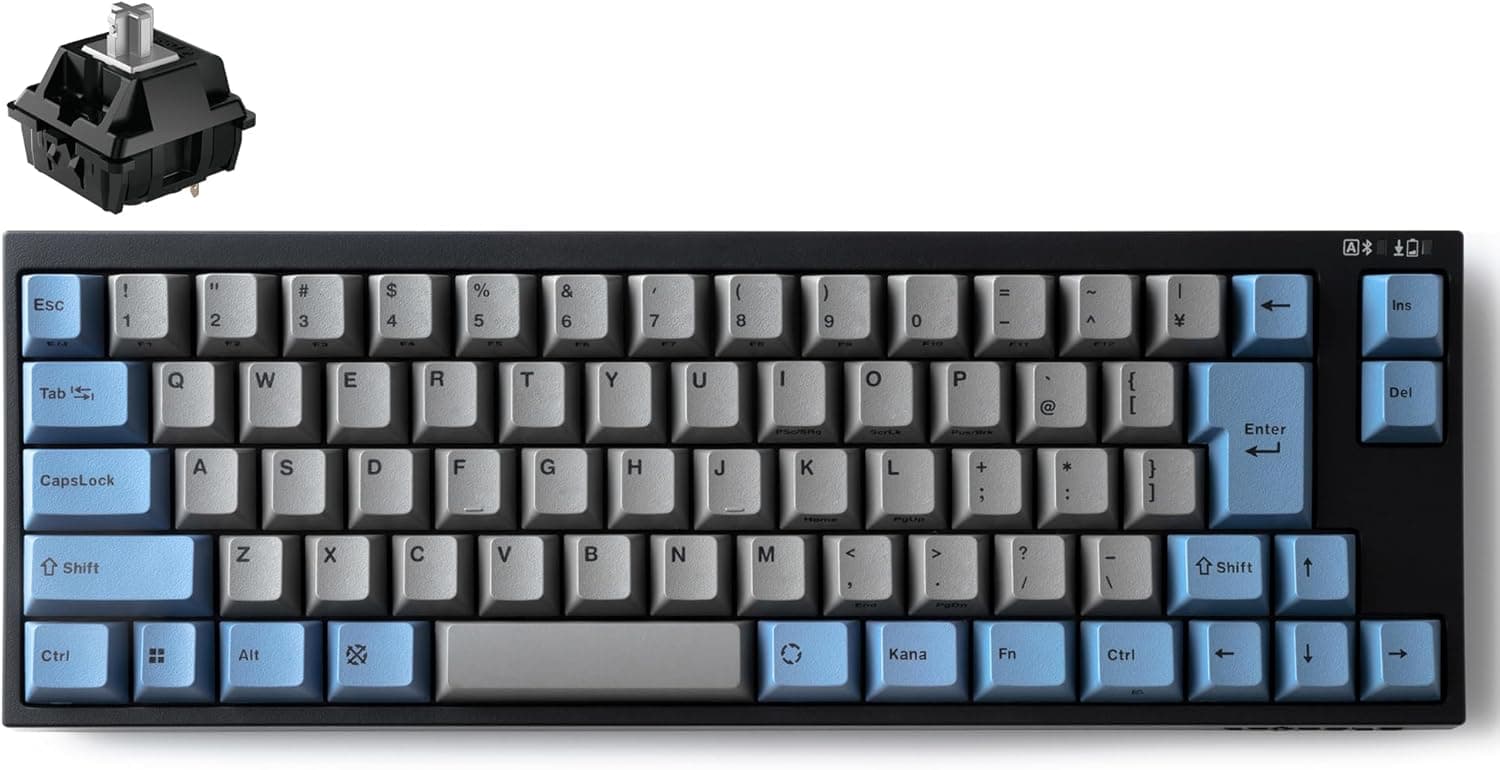
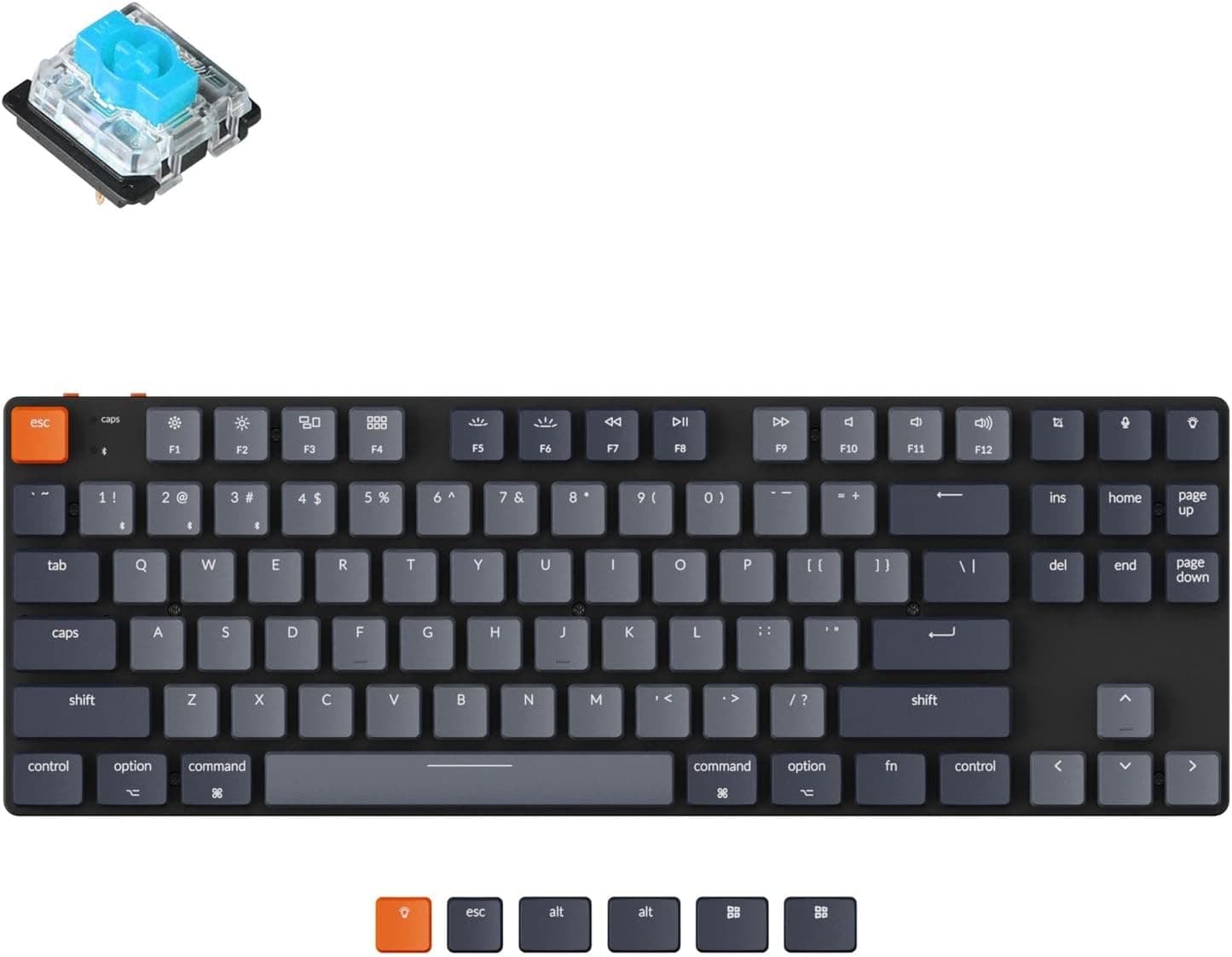
The Keychron K1 SE is an 87-key US-layout wireless mechanical keyboard that packs low-profile Gateron mechanical switches into a chassis roughly 17mm thick. The short version: it is for people who want a mechanical typing feel and switch-level customization without the height of a full mechanical board.
It is not for people who need a numpad or full RGB. It offers Bluetooth 5.1 and USB-C wired modes, a white LED backlight, and works with both Windows and macOS.
The defining feature is hot-swap support. Most low-profile boards solder their switches to the PCB, so choosing thinness historically meant giving up any say in typing feel.
The K1 SE breaks that trade-off — but, as explained below, the range of compatible switches is narrower than many buyers assume.
What the low-profile feel is actually like
This unit ships with low-profile Gateron blue (clicky) switches. Blue switches are defined by an audible click and a firm tactile step.
If you enjoy the act of typing, they feel great. In a quiet office or on a call, they stand out — and not politely.
Among mechanical switches, clicky blues sit at the loud end of the range. If you take frequent video calls, budget from day one for swapping in linear or tactile switches.
Low-profile switches also travel less than standard MX-height ones. Coming from a full-height mechanical board, expect a few days of bottoming out early and mistyping.
Coming from a laptop scissor keyboard, the transition is close to seamless. Which direction you arrive from matters more than whether you have used mechanical boards before.
Compatibility Guide
Windows and macOS are both supported, and the keycap set covers both modifier conventions so legends match actual input on either platform. The layout is US 87-key (tenkeyless), so anyone used to a Japanese layout should note there are no conversion keys — it is a poor fit for kana input.
Connectivity is Bluetooth 5.1 plus USB-C wired, with up to three paired devices and one-touch switching.
That suits a desktop / laptop / tablet rotation from a single board. Wired mode also charges the keyboard, so leaving USB-C plugged in is the safe option when battery anxiety matters.
The most common compatibility mistake concerns hot-swap scope. The sockets accept Gateron low-profile switches (3-pin or 5-pin).
Standard Cherry MX-compatible full-height switches physically will not fit. Since most aftermarket switches sold for custom builds are MX-compatible, buying on the strength of the words "hot-swap" alone can leave you with a drawer of switches this board cannot use.
Look specifically for "Gateron low profile" when shopping. The same applies to keycaps: only low-profile-height sets fit.
Product Info
Specifications: low-profile Gateron mechanical blue switches (hot-swappable), 87 keys, US layout, Bluetooth 5.1 / USB-C connectivity, and white LED backlighting.
The single-color backlight rather than RGB reads as a deliberate trade against price and thickness.
The listed price on Amazon.co.jp was ¥17,380 as captured on 27 May 2026.
Prices move constantly with stock and sales, so check the product page for the current figure before buying — the number here is a snapshot, not a standing quote. Listings also appear on overseas marketplaces such as eBay, but seller-by-seller pricing varies too much for a clean comparison.
For domestic authorized stock, roughly one year of manufacturer warranty is the general expectation. The box includes a USB-C cable, keycap puller, and switch puller.
Review data at capture time showed 5 reviews at 5.0 stars (100% positive).
Be honest about what that means: five reviews is statistically close to noise. A 4.3 built from thousands of reviews and a 5.0 built from five are not comparable, so do not make this number the center of your decision.
Keychron's broader reputation and the known characteristics of low-profile boards are more useful signals.
How It Compares
Even within Keychron's own range, full-height models like the K4 Pro target a different buyer. Prioritize typing acoustics and dampening headroom and you want full height; prioritize a low wrist angle and no wrist rest and the K1 SE fits.
Against a gasket-mounted wired board like the Q1, the K1 SE is clearly optimized for thinness and portability rather than sound quality.
For gaming, plenty of TKL boards at this price and above offer magnetic or analog switches with rapid trigger and adjustable actuation. If competitive FPS actuation tuning is your goal, the K1 SE is not fighting that battle.
Its home ground is long typing sessions and multi-device use.
Best Use Cases
The strongest matches are:
- Anyone reclaiming desk space, or carrying a keyboard around and wanting less thickness and weight
- People moving between Mac and Windows daily who want one board for both
- Users who rarely touch a numpad and want more mouse room
- Typists who like a clicky sound and have an environment that tolerates it
- Tinkerers who plan to swap in silent or linear switches later
Conversely, if you do heavy numeric entry, want full RGB lighting, or require a Japanese layout, you can safely skip this one.
Before You Buy
Do not underestimate the blue switch volume. This is the most common regret.
The shallow travel makes it lighter-sounding than a full-height blue, but this is not a quiet keyboard. In a shared room, a meeting-heavy office, or a stream with an open mic, plan for a switch swap right after purchase.
Replacement switches must be Gateron low profile. MX-compatible switches will not fit, and generic OEM or Cherry-profile keycap sets are the wrong height.
If your motivation is cosmetic customization, know upfront that the low-profile keycap market is much smaller.
It is a US layout. Symbol positions differ from a Japanese layout, and IME toggling needs configuration.
macOS handles this fairly gracefully; on Windows, expect to change the keyboard layout setting and assign a toggle key.
Bluetooth and boot screens. As with any wireless keyboard, Bluetooth is unavailable in BIOS/UEFI and immediately after power-on.
If you configure firmware or reinstall operating systems yourself, keep the USB-C cable handy.
Verify the listing yourself. Amazon listings change sellers and fulfillment, and registered details sometimes disagree with the actual product.
At the time of writing, both the seller and the fulfiller are third-party businesses rather than Keychron itself — normal for an authorized distributor, but price, bundled items, and warranty handling can differ by seller. Confirm from the product images and title that the item really is the K1 SE, and check the seller's stated warranty terms for domestic authorized stock.
FAQ
Q. Is there a Japanese-layout version? This article covers the US 87-key model.
Check the product page for other layouts and availability. It is not suitable if you need kana input.
Q. Can I fit my existing Cherry MX switches? No.
Only Gateron low-profile switches (3-pin/5-pin) fit. Full-height MX-compatible switches will not physically seat.
Q. How quiet can it get? Not quiet with the stock blues.
Swapping to low-profile linears calms it considerably, but low-profile boards have fewer aftermarket dampening options than full-height ones.
Q. How many devices can it switch between?
Up to three over Bluetooth 5.1 with one-touch switching, plus a USB-C wired connection.
Q. Can the backlight change color?
No. It is a single-color white LED backlight, not RGB.
Q. Should I trust the 5.0-star rating?
It was based on five reviews at capture time — too small a sample to decide on by itself.
Product Disclosure (Amazon)
- Manufacturer: Keychron
- Seller: SUPERKOPEK
- Fulfilled by: SUPERKOPEK
- ASIN: B0C59DF1SN
- Note: This article covers a manufacturer-made product based on Amazon listing details.