Overview
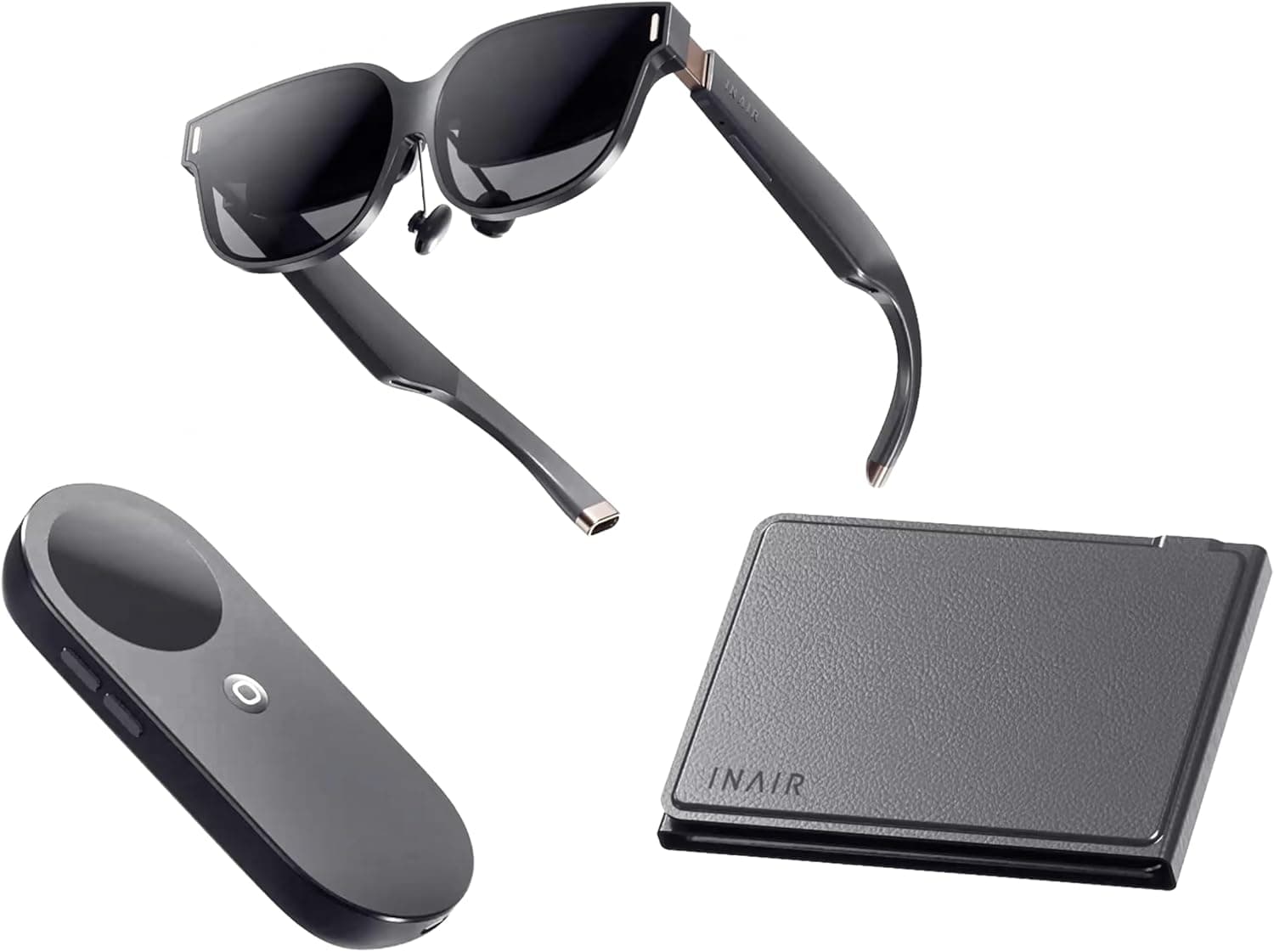
The INAIR 2 Pro Go Pack bundles AR glasses, a computing pod, and a foldable keyboard into a portable workspace. Unlike viewer-style AR glasses that merely display video from a phone or PC, the pod itself runs INAIR OS on Android, so the kit boots and works on its own.
Bottom line: it suits people who want several windows in places where a laptop won't fit — a train seat, a cramped café table, a hotel bed — but it is not the right tool for color-critical or position-tracked work.
The published specs are 128GB of internal storage, a 134-inch virtual screen, up to six virtual displays, 3DoF spatial hovering, PC streaming support, and 2D-to-3D conversion. Impressive on paper, but as explained below, "six screens" and "134 inches" are the two numbers most likely to disappoint if taken at face value.
What Sets It Apart
AR glasses split into two camps: external-display types that just accept video over HDMI/USB-C, and standalone types like this one that carry their own compute. The former always need a host device and drain its battery.
Here the pod holds the OS and 128GB of storage, so glasses, pod, and keyboard alone are enough to open a document, watch a video, and get back to work.
The second differentiator is 3DoF spatial hovering. Screens stay pinned to a direction in space as you turn your head, so you can park an editor in front, reference material to the left, and chat to the right.
But 3DoF tracks rotation only — if you move your body, the screens follow. That's fine seated at a desk; it rules out 6DoF-style use where you walk around windows anchored in a room.
Understand that trade-off before buying.
2D-to-3D conversion is also supported, but it synthesizes depth from flat video and won't match natively stereoscopic content. Treat it as a bonus feature.
Compatibility Guide
The kit is three pieces — AR glasses, pod, and foldable keyboard — charged over USB-C. There are no sockets, chipsets, or PSU requirements to match (recommendedPsuWatt is 0; nothing here touches your PC's power supply).
So the compatibility questions are completely different from those of a PC part.
| What to check | What actually matters |
|---|---|
| Connection | Wi-Fi and Bluetooth built into the pod; keyboard pairs over Bluetooth |
| PC streaming | Mirrors or extends Windows/Mac screens into the glasses |
| Storage | 128GB internal flash; ask the product page about expansion |
| Power | USB-C charging — a capable power bank is effectively required |
| Vision | Confirm prescription-insert availability and supported diopters first |
PC streaming runs over the network, so usability depends heavily on link quality. A 5GHz home network with a wired host feels fine; congested public Wi-Fi brings latency and bitrate drops that text editing survives but video editing or drawing usually does not.
Don't assume identical quality everywhere.
Power is the other practical trap. Glasses, pod, and keyboard each draw power, so plan on carrying a USB-C power bank with headroom for long days out.
Managing three items plus cables in a bag is real work, which is where the bundled carrying case earns its place.
Product Info
Published specifications: 128GB internal storage, INAIR OS on Android, a 134-inch virtual screen, up to six virtual displays, 3DoF spatial hovering, PC streaming, and 2D-to-3D conversion. The box includes the AR glasses, pod, foldable keyboard, USB-C cable, and a carrying case.
Warranty is typically one year but varies by retailer. Release was around 2025.
On price: the only figure captured is $799.00 on eBay US, as of July 9, 2026.
Exchange rates, duties, and parallel-import channels move the local street price a long way from that, and AR hardware is a volatile category, so treat it as an overseas reference point rather than a quote. Always confirm the current price and warranty terms on the listing you actually buy from; conflicting price ranges circulate online and which one is current changes over time.
Reviews on Amazon.co.jp sit at 4.1/5 (82% positive) from just 8 ratings, captured May 28, 2026.
The score is fine, but with a sample that small a couple of new posts can swing the average. Don't read "4.1" with the same confidence you'd give a mainstream peripheral with thousands of ratings — read the review text instead, looking for comments on fit, focus, heat, and app compatibility.
How It Plays Out in Use
"134 inches" describes apparent size at a given viewing distance, not a physical panel. Readability actually depends on pixels per degree, derived from panel resolution and field of view — neither of which is in the published data.
So don't read 134 inches as "a replacement for a 4K monitor"; check whether small text is legible on a real unit first.
The six-screen figure works the same way. It means six windows can be placed in space, not that six fit in your field of view at once.
Two or three actively-used windows is realistic, with the rest parked off to the side for reference. Measured against a single 13–14-inch laptop panel, though, that spatial freedom is a genuine win.
Best Use Cases
- Mobile and remote workers who need several windows away from a desk. Reference docs and an editor can sit side by side even on a tiny café table.
- People who want their PC screen without the PC. Stream from a machine at home or the office and carry only the pod and keyboard.
- Frequent travelers who want a big screen for video. More immersive than a seat-back display or tablet, with no extra bulk.
- Tech enthusiasts who value trying current AR. Six-window layouts and 3DoF hovering aren't something a laptop or tablet delivers.
Before You Buy
Start with the price data. The only captured figure is $799.00 on eBay US (July 2026), which likely won't match a domestic listing.
Articles and product pages carry conflicting price ranges, so confirm the number on the checkout page rather than budgeting from search results.
Listing metadata can be wrong too. Niche imported devices frequently carry mismatched manufacturer names, model numbers, or categories — this one is sometimes filed under "single board computer" when it is really an AR glasses and compute-pod kit.
Before ordering, use the product images and title to confirm you're getting the full Go Pack with keyboard and pod included.
Discount the 4.1 rating accordingly. Eight reviews aren't enough to reveal defect rates, real battery life, or long-session comfort.
Choosing a retailer with a lenient return policy, or waiting for a hands-on demo, is a rational move here.
Who should skip it: anyone doing color grading, CAD or design work needing precise alignment, or competitive gaming where latency decides outcomes. Because 3DoF omits positional tracking, apps built around 6DoF — leaning in to inspect an anchored object — simply won't work.
If you have a strong prescription, confirm insert support and diopter range before purchase; skipping that check risks a device you literally cannot use.
Wear time is the quiet limit. As with all AR glasses, tolerance for nose and temple pressure and for focus fatigue varies enormously between people.
Plan around one- or two-hour work blocks rather than an eight-hour day in the headset.
FAQ
Q. Does it work without a PC or phone? A.
Yes. The pod runs INAIR OS on Android with 128GB of storage, so standard Android apps handle documents and video on their own.
PC streaming is one option, not a requirement.
Q. Can I really see six screens at once? A.
You can place six in space. Only two or three fit your field of view at a time; the rest are switched to by turning your head.
A big upgrade over one laptop panel, but not a full substitute for a physical 4K multi-monitor desk.
Q. Can I wear my glasses with it? A.
It depends on the frame and the unit. Prescription inserts are the usual approach for this class of device, so confirm availability and supported diopters with the retailer first.
Q. What's the difference between 3DoF and 6DoF? A.
3DoF tracks head rotation only. 6DoF adds positional movement.
This kit is 3DoF, which suits seated use but not walking around windows anchored in a room.
Q. How long does the battery last? A.
No runtime figure is published, so it can't be stated. With three powered components, assume you'll want a USB-C power bank for long days out, and check the product page and user reviews for measured figures.
Q. What about warranty? A.
Typically one year, but terms depend on the retailer and import route. Overseas-channel units may not get local support, so confirm the service contact before buying.