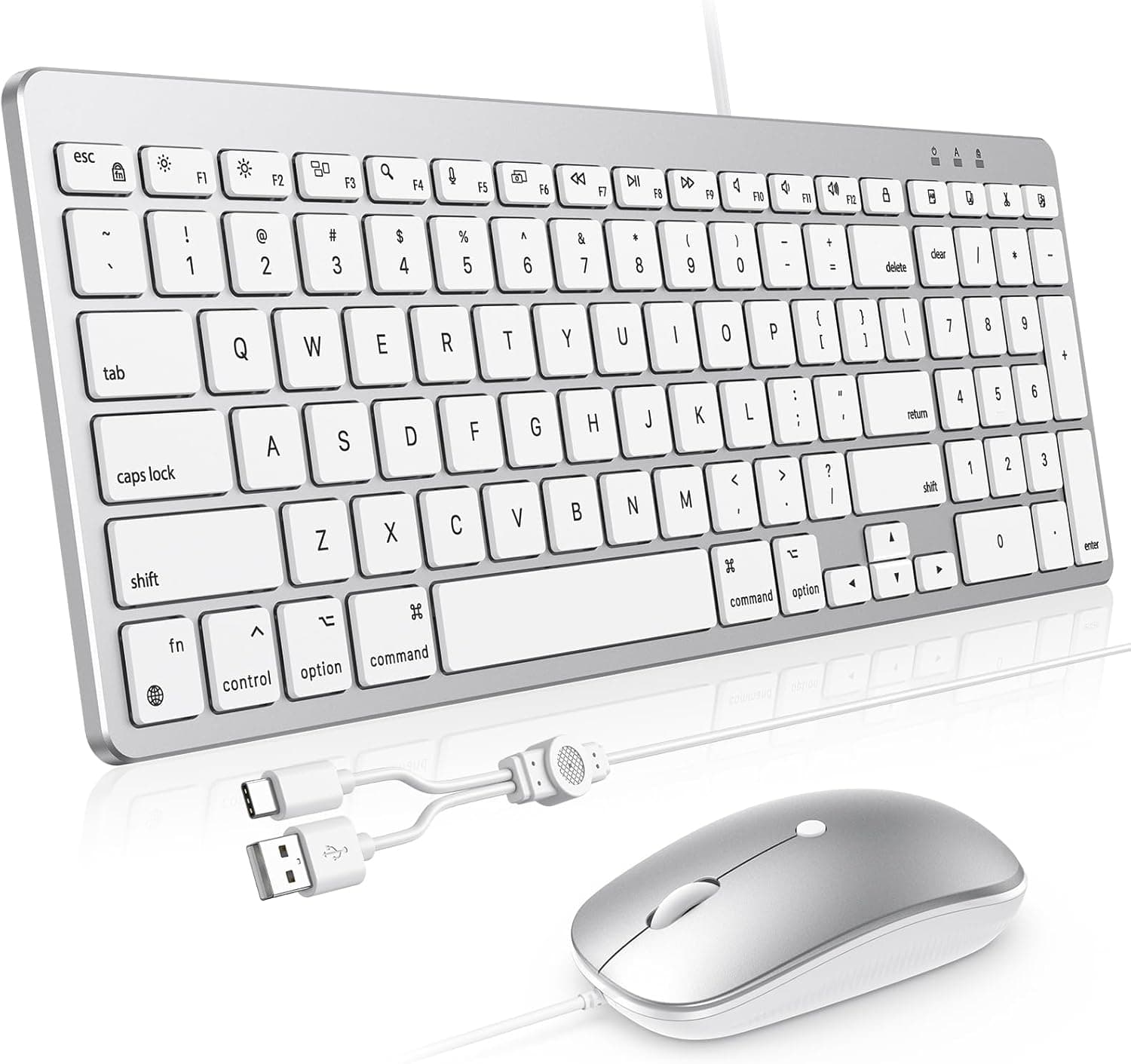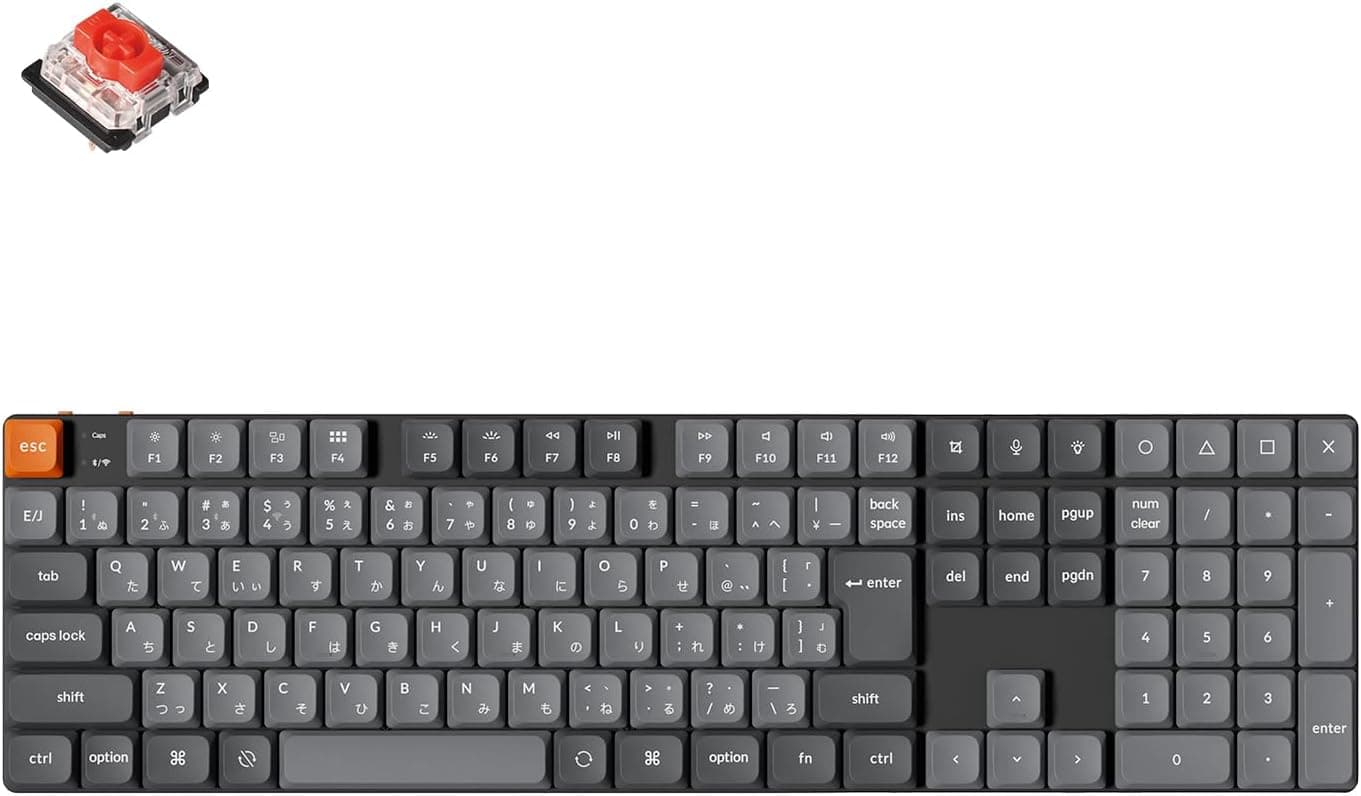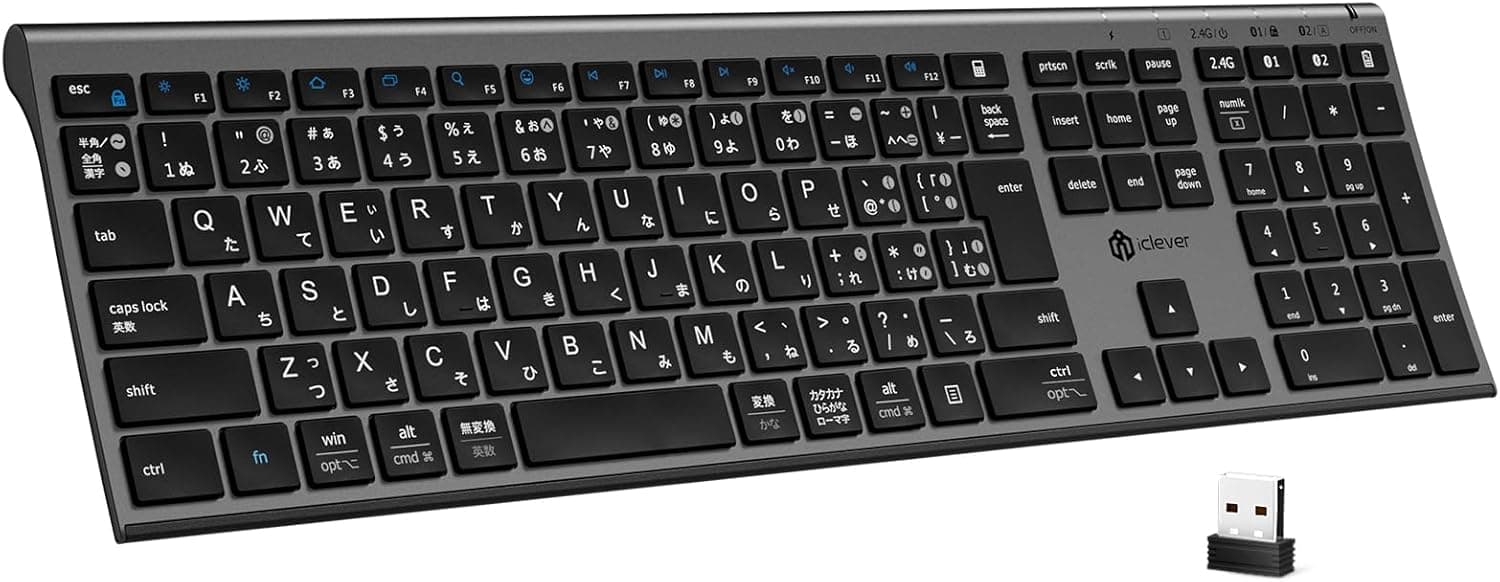
The iClever DK03 is a full-size, slim wireless keyboard with a JIS Japanese layout and a numeric keypad, supporting both Bluetooth and a 2.4GHz USB receiver across up to three paired devices.
On Amazon.co.jp it was listed at ¥4,249 as captured on 2026-05-29, with 69 ratings averaging 4.3 out of 5 stars (86% positive).
Overview
This is not a keyboard for people chasing mechanical feel. It is a work keyboard for typing quietly for long stretches.
Scissor-switch (pantograph) keys keep noise down, and despite being a full-size board with a numpad it weighs about 447g and measures 16.2mm thick (about 3.9mm at its thinnest edge).
Key pitch is roughly 19mm, the standard for desktop full-size boards. Laptop keyboards are often compressed to around 18mm, so moving from a laptop usually feels like finger travel becomes more natural.
With 115 JIS keys, the dedicated Japanese input keys are all present, so no remapping from a US layout is needed.
In price terms this sits in a completely different category from the Keychron and Razer mechanical boards. Its real competitors are other slim wireless keyboards and the built-in keyboard on your laptop.
Compatibility Guide
Supported operating systems are Windows, macOS, iOS, and Android, over two connection paths that are meant to be used for different situations.
| Connection | What it needs | Best for |
|---|---|---|
| Bluetooth | Built-in Bluetooth | iPad, phones, laptops short on ports |
| 2.4GHz | Bundled USB receiver (one Type-A port) | Desktops, latency-sensitive work |
Up to three devices can stay paired and be swapped with one keypress, and auto-reconnect is supported, so a PC → iPad → phone rotation is well covered.
Three practical caveats matter. First, the 2.4GHz mode occupies a USB Type-A port; a Type-C-only laptop or a mini PC with all ports used will need a hub.
Second, iPad and Android may need the hardware keyboard language set explicitly to Japanese (JIS), otherwise the printed symbols will not match what gets typed (pressing @ may produce [). On iPadOS, check Settings → General → Keyboard → Hardware Keyboard.
Third, on macOS the JIS keys behave differently than on Windows, so verify the kana/eisu switching behavior early after purchase.
Physically, the 428×125mm footprint is the standout. A depth of just 12.5cm is unusually shallow for a full-size board with a numpad, so it fits in front of a laptop without dominating the desk.
The 7-degree tilt is fixed, with no adjustable feet listed, which may not suit people who fine-tune typing angle.
Product Info
Key specifications, all manufacturer-published figures rather than measured results:
- Layout: JIS Japanese, 115 keys, ~19mm key pitch
- Connection: Bluetooth + 2.4GHz USB receiver, 3 devices paired
- Charging: USB Type-C, roughly 2 hours to full
- Battery: up to 90 days at 2 hours of use per day
- Size/weight: 428×125×16.2mm, about 447g
- Materials: ABS plastic and aluminum
- Colors: gray, black
- Warranty: 18 months
The "90 days" figure assumes 2 hours of daily use, which works out to roughly 180 hours of runtime. At a full 8-hour workday that is closer to three weeks per charge.
Auto-sleep kicks in after about 120 minutes idle, and there is a separate power switch, which limits the risk of the board waking up and draining in a bag.
The price was ¥4,249 on Amazon.co.jp as captured on 2026-05-29.
Sales and coupons move this figure, so always check the current listing before buying. An eBay search is also referenced as a source, but no concrete figure was captured there, so it is not treated as a price here.
Ratings stood at 69 reviews averaging 4.3 out of 5 (86% positive) as of 2026-05-29.
That is a modest sample, not a statistically settled score. A 4.3 typically means most buyers are satisfied while a real minority is not, and the caveats below are the likely source of those complaints.
What the Design Actually Changes
On slim keyboards, the biggest felt difference is short travel and the impact of bottoming out. Scissor switches keep the keycap from tilting, so pressing near a key's edge still depresses it evenly, which is why laptop users adapt to this board quickly.
Quiet, however, does not mean silent. Pantograph keys produce a light, higher-pitched clatter.
There is no distinct mechanical click, which helps during video calls or late-night work, but the sound does not disappear.
Using aluminum in the chassis is a meaningful choice for a thin board, since flex is the usual weak point. At 447g it is light for full-size (mechanical full-size boards often approach 1kg), a reasonable balance between portability and stability, though a light board can slide if you type hard.
How It Differs From the Alternatives
Mechanical keyboards from Keychron or Razer sell on switch feel, hot-swap customization, and gaming response, at several times the price. The DK03 wins by hitting thin, light, quiet, and full-size JIS with a numpad all at once, at an accessible price.
Go mechanical instead if you want to choose your own switch feel, swap keycaps, need gaming features like rapid trigger, or rank durability first. Replacement keycaps for scissor-switch boards are essentially unavailable, so a single broken key is structurally hard to repair.
Before You Buy
1. "Three devices at once" means paired, not simultaneous. It stores three pairings and switches between them.
Switching typically costs a one- to two-second reconnect, which gets tiresome if you hop between devices constantly.
2. Losing the 2.4GHz receiver is hard to recover from. Receivers are generally not replaceable individually.
Bluetooth still works, so the board is not wasted, but decide where the receiver lives on day one.
3. The thickness figures are not contradictory. "3.9mm at the thinnest point" and "16.2mm overall" both hold because the body is wedge-shaped, thin at the front and thicker at the back.
Do not expect a uniform 4mm slab.
4. Travel is short. If you like deep keypresses or type hard into the bottom, the direct impact on your fingers may not suit you.
Specs cannot tell you this, so try a similar scissor-switch board in person if you can.
5. A built-in battery is itself a risk. Unlike AA-powered boards, you cannot replace a degraded cell.
Warranty is 18 months; judge the price assuming replacement rather than repair after that.
6. Verify the listing yourself. Manufacturer names, model numbers, and compatibility fields on Amazon listings frequently disagree with the actual product.
Confirm from the product images and title that the layout (JIS vs US) and color variant you select are the ones you want, since those are the easiest to mix up inside a single listing page.
7. Do not buy this for gaming. Slim wireless boards rarely publish N-key rollover or polling specs, and none are listed here.
For competitive titles, start with a wired gaming keyboard.
Best Use Cases
- Anyone typing for hours in an office or at home. Quiet plus slim pays off in shared spaces and on video calls, and the numpad turns directly into productivity for data-entry and accounting work.
- People moving between PC, iPad, and phone. Three stored pairings let one keyboard cover everything, and a full-size JIS board for long-form writing on an iPad is a genuinely scarce option.
- Laptop keyboard refugees. Moving to a 19mm full-size layout alone can cut typos, and the scissor switches keep the transition familiar.
- Small-desk users. 125mm deep and 447g means you can stand it up or slide it into a drawer when it is not in use.
It is a poor fit if you want mechanical feel, play games seriously, plan to customize keys, or prefer deep travel. If any of those describe you, a mechanical board will satisfy you more even at several times the cost.
FAQ
Q. Does it work with a Mac? A.
macOS is listed as supported. Some JIS-specific keys depend on OS keyboard settings, so check input-source switching after connecting.
Q. Can I type Japanese on an iPad? A.
Yes, iOS/iPadOS is supported. If symbols do not match the key legends, set the hardware keyboard layout to Japanese (JIS) in system settings.
Q. How long does the battery last? A.
Up to 90 days at 2 hours per day, per the manufacturer. Heavier use shortens that proportionally.
Charging takes about 2 hours over USB-C, with auto-sleep after 120 idle minutes.
Q. Is it quiet?
A. Quieter than a mechanical board, with no sharp click, but a light typing sound remains.
Q. Can I use it while charging? A.
The published specs do not state this, so it cannot be confirmed here. Check the product page before buying.
Q. Can keycaps be replaced? A.
Scissor-switch keycaps are product-specific and replacements are rarely sold. Look elsewhere if customization matters.
Product Disclosure (Amazon)
- Manufacturer: iClever
- Seller: Thousandshores JP
- Fulfilled by: Amazon
- ASIN: B0GQY82969
- Note: This article covers a manufacturer-made product based on Amazon listing details.