Overview
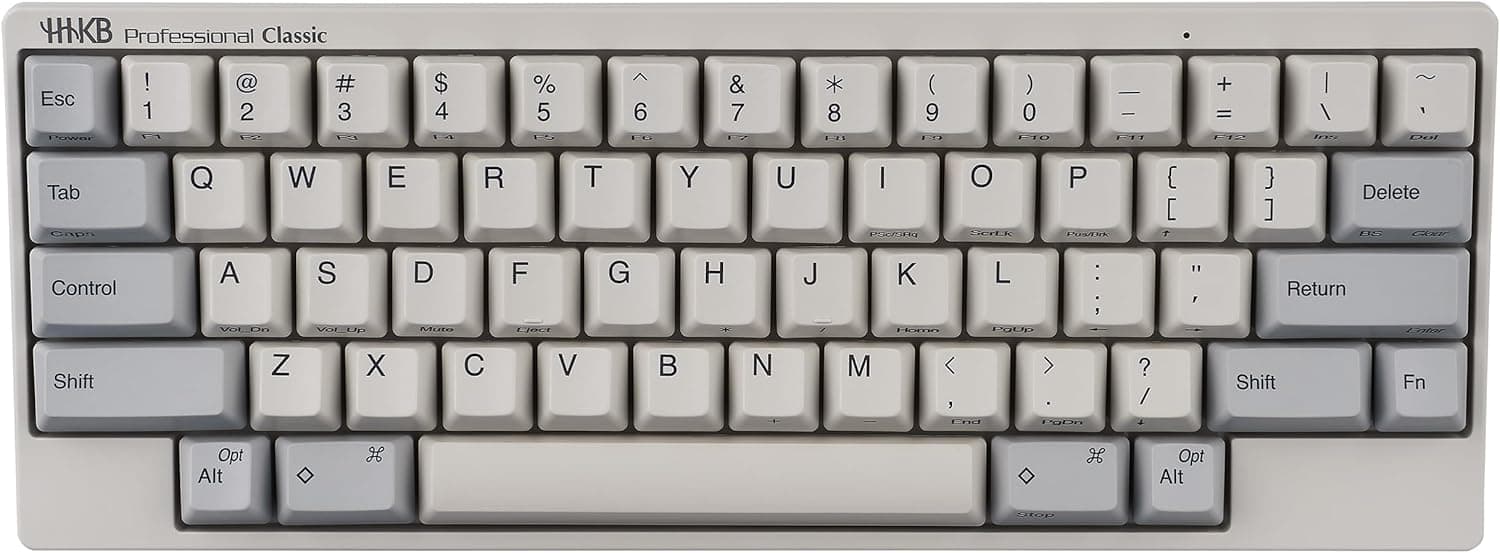
The HHKB Professional Classic puts Topre electrostatic capacitive switches into a compact 60-key layout with a wired-only USB-C connection. To be direct: this is not a gaming keyboard.
It is a tool for people who write prose or code all day. There are no arrow keys, no number pad, and no function row as physical keys, and whether you can live with that decides almost everything about this purchase.
Amazon listed 45 reviews averaging 4.4 out of 5 (88% positive) as captured on 26 May 2026.
That is a small sample, and it comes from a self-selected audience: people who buy this keyboard usually already know what they are getting into. Read the high average with that in mind rather than as proof it will suit you.
Within the lineup, the Classic sits below the Hybrid models, which add Bluetooth. Drop the wireless requirement and the Classic delivers the same family of typing feel for less.
Compatibility Guide
Connection is wired USB-C only. The included cable is USB-A to USB-C.
USB-C to USB-C cables may work, but not every setup recognises them, so if your laptop only has USB-C ports, plan for an adapter or a hub with a USB-A port. As a standard USB HID device it works with Windows, macOS, iOS, Android, and effectively any USB HID host, with no driver installation.
OS differences are handled by DIP switches on the underside: Windows versus Mac key layout, and HHKB mode versus Lite mode. The important caveat is that configuration is essentially limited to those switches.
Do not assume the free software remapping available on higher models. If you want to rearrange the layout in software, this keyboard is already off your list.
Physical size is 294×110×40mm at roughly 780g. The narrow width lets you place the mouse closer to your body, which reduces shoulder abduction.
But 40mm is tall — the back edge rises steeply, so unless you type with floating wrists, treat a palm rest as mandatory. The 780g weight keeps it planted during hard typing, though it is heavier than a 60% board looks.
Check the layout itself too. Control sits where Caps Lock normally lives, and arrows are Fn combinations.
Spreadsheet work driven by arrow keys, or heavy numeric entry, is structurally a poor fit. Terminal work and Ctrl-heavy editors are an excellent fit.
Product Info
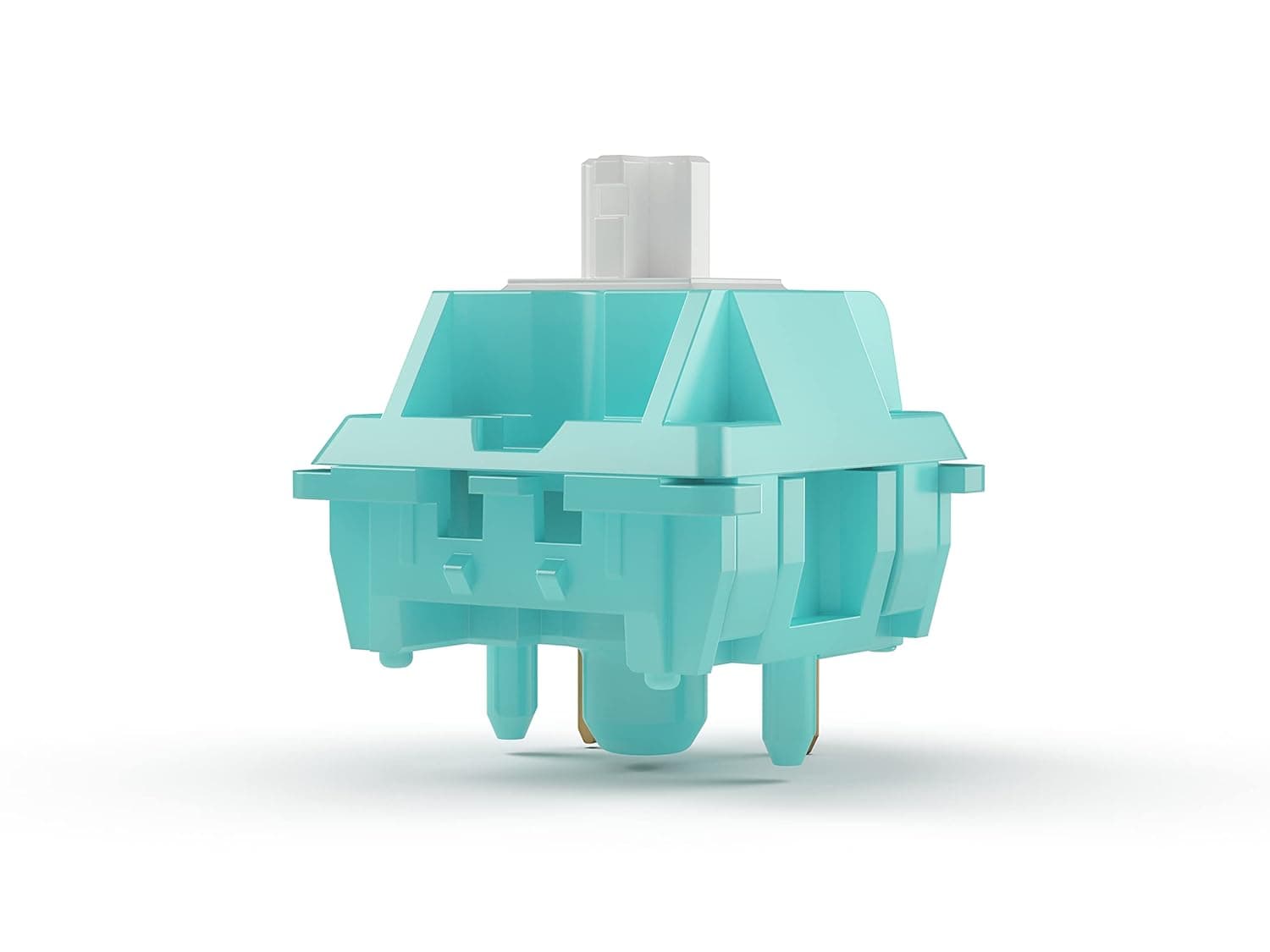
The Topre capacitive switches have no metal contacts, which helps with chatter resistance and longevity. The feel is neither a mechanical click nor mushy membrane: a light bump at the top, then a smooth drop.
Loving or hating that sensation is the real decision. Actuation weight is generally considered on the light side; check the product page for the exact figure.
Keycaps are PBT with dye-sublimated legends. PBT resists the shine that ABS develops, and dye-sub legends are dyed into the plastic, so they will not wear off after years of use.
Price on the Amazon listing was ¥39,683 as captured on 26 May 2026. For reference, an eBay US listing showed $273.92 as captured in July 2026, though grey-import units can differ in layout and warranty handling.
Both are point-in-time figures that move with sales and exchange rates, so confirm the current price on the product page. Warranty is one year, and the box contains only the USB cable.
Around ¥40,000 is steep for a keyboard, but amortised over five to ten years the maths reads differently.
| Spec | Value | What it means |
|---|---|---|
| Keys | 60 | No arrows, numpad, or F row |
| Switch | Topre capacitive | Contactless, durable |
| Connection | USB-C (wired) | Need wireless? Buy the Hybrid |
| Size | 294×110×40mm | Narrow but tall at the back |
| Weight | ~780g | Stays put; not travel-friendly |
How It Compares
At this price the natural rivals are custom mechanicals. A gasket-mounted, hot-swappable board like the Keychron Q1 lets you change switches and remap every key.
If you want to build and tune, that path will satisfy you more. The HHKB Classic is the opposite proposition: a finished answer you accept as delivered, with no modding path but nothing to fix either.
Against gaming keyboards it simply is not competing. No rapid trigger, no analog input, no 8000Hz polling, and no RGB backlight.
If you look at your keycaps in a dark room, this is not your board — touch typing is assumed.
Best Use Cases
- People who type most of the working day — programmers, writers, editors. The fewer times you leave the home row, the better the return on this layout.
- People who value typing feel itself — Topre is hard to substitute, and those who like it rarely move away.
- People who want a quieter board — quieter than clicky mechanicals, but not silent. For more, look at the silenced Type-S models.
- People who want desk space back — 294mm of width translates directly into mouse freedom.
- People who do not need wireless — for a stationary desk, paying less by going wired-only is rational.
Before You Buy
The biggest pitfall is not price or switches — it is the cost of adapting to the layout. Arrows, Delete, and F1–F12 all become Fn combinations.
For several days to two weeks you will type slower than you do now. Do not adopt it the week of a deadline.
And not everyone adapts. If your workflow leans on arrow keys and function keys — spreadsheets, design tools — the friction may never fully disappear.
Second, do not expect free software remapping. Configuration is centred on the underside DIP switches, and you cannot assume the keymap flexibility of the higher-end models.
Buying with a plan to rearrange everything later will disappoint you.
There is no wireless. If you want to switch to a tablet or keep cables off the desk, buy the Bluetooth-equipped Hybrid instead.
This gap cannot be closed after purchase. There is no backlight either, so dark-room work needs a desk lamp.
One note about the listing itself. The Amazon entry shows the seller as "Amazon US" while the link points to amazon.co.jp with a yen price.
Mismatches like this are common, and whether you receive a grey import or a domestic-warranty unit can change the key layout (US or JIS) and who honours the warranty. Open the product page and verify the seller, fulfiller, layout marking, and warranty text yourself — and at minimum confirm the images and title match the product you want.
Listings with incorrect registered details do exist.
Finally, ¥40,000 is not a casual experiment. Typing feel is intensely personal, so try one in a store if you can.
If you cannot, spend a few days forcing Fn-only arrow keys on your current keyboard — it is a decent preview of whether you will adapt.
FAQ
Q. Does it work on a Mac as-is? A.
Yes. Flip the underside DIP switches to the Mac layout.
No drivers needed, since it is a USB HID device.
Q. How do I press arrow keys? A.
Via Fn combinations. There are no physical arrow keys, and this is the most divisive aspect of the board.
Q. Classic or Hybrid? A.
Choose the Hybrid if you need wireless or multi-device switching. For a single machine on a fixed desk, the Classic is enough and the price difference is hard to justify.
Q. Is it quiet? A.
Quieter than clicky mechanical switches, but not silent. For calls or shared offices, consider a silenced Type-S model.
Q. Can I use a USB-C to USB-C cable? A.
It may work, but the bundled cable is USB-A to USB-C. For reliability, use the included cable with a USB-A port.
Q. Is it good for gaming? A.
No. It lacks rapid trigger and high polling rates, and has no physical arrow keys.
Pick a purpose-built gaming board instead.
Product Disclosure (Amazon)
- Manufacturer: HHKB
- Seller: Amazon US
- Fulfilled by: Amazon US
- ASIN: B083MW6QVX
- Note: This article covers a manufacturer-made product based on Amazon listing details.