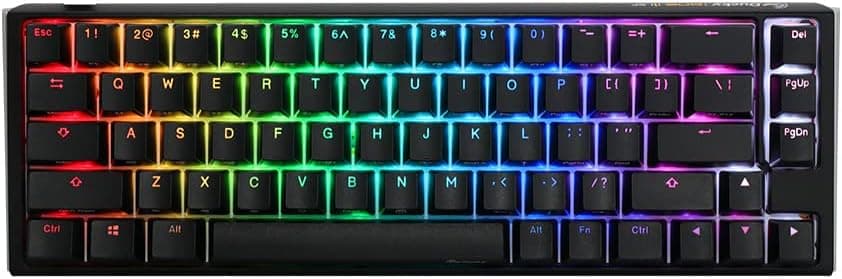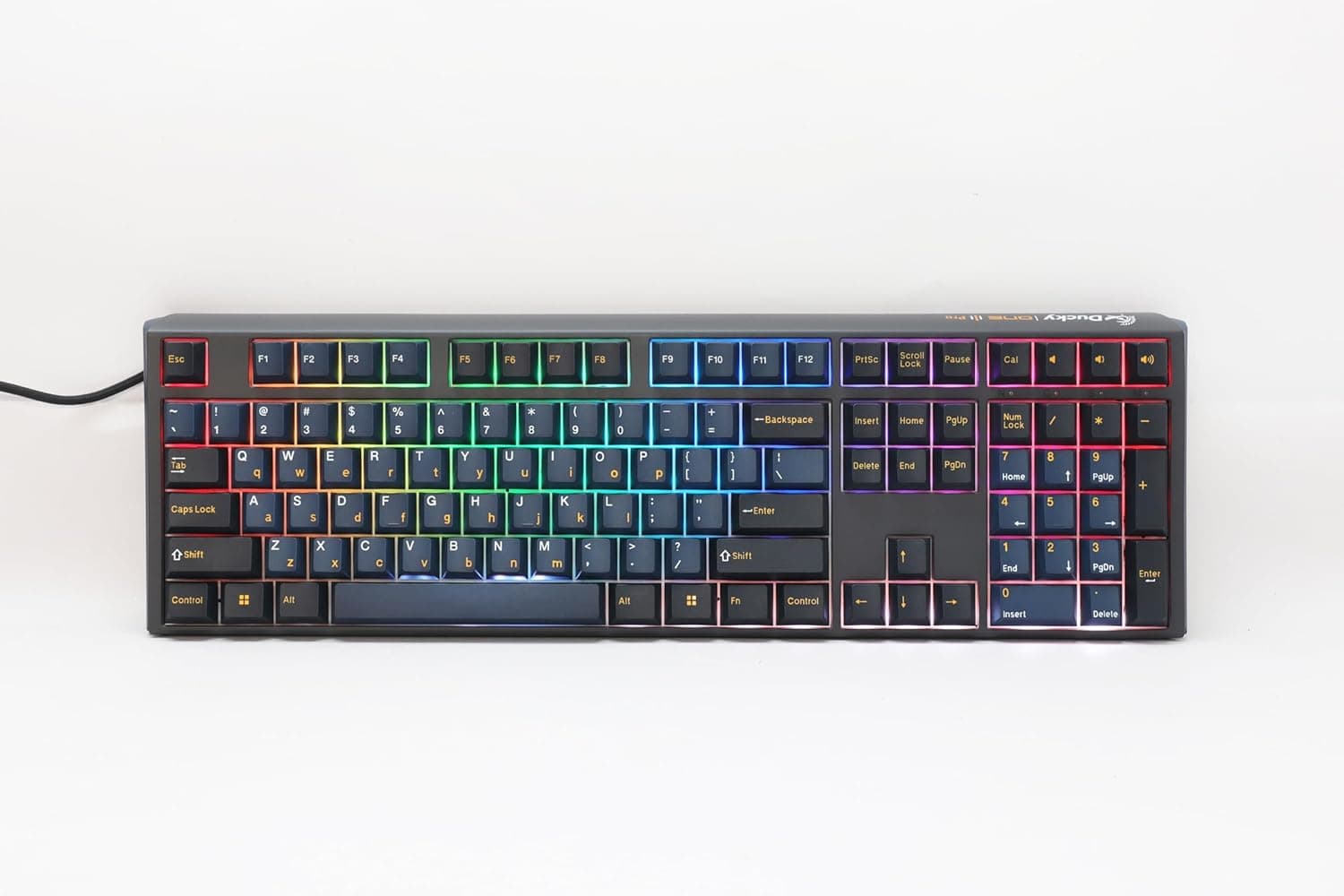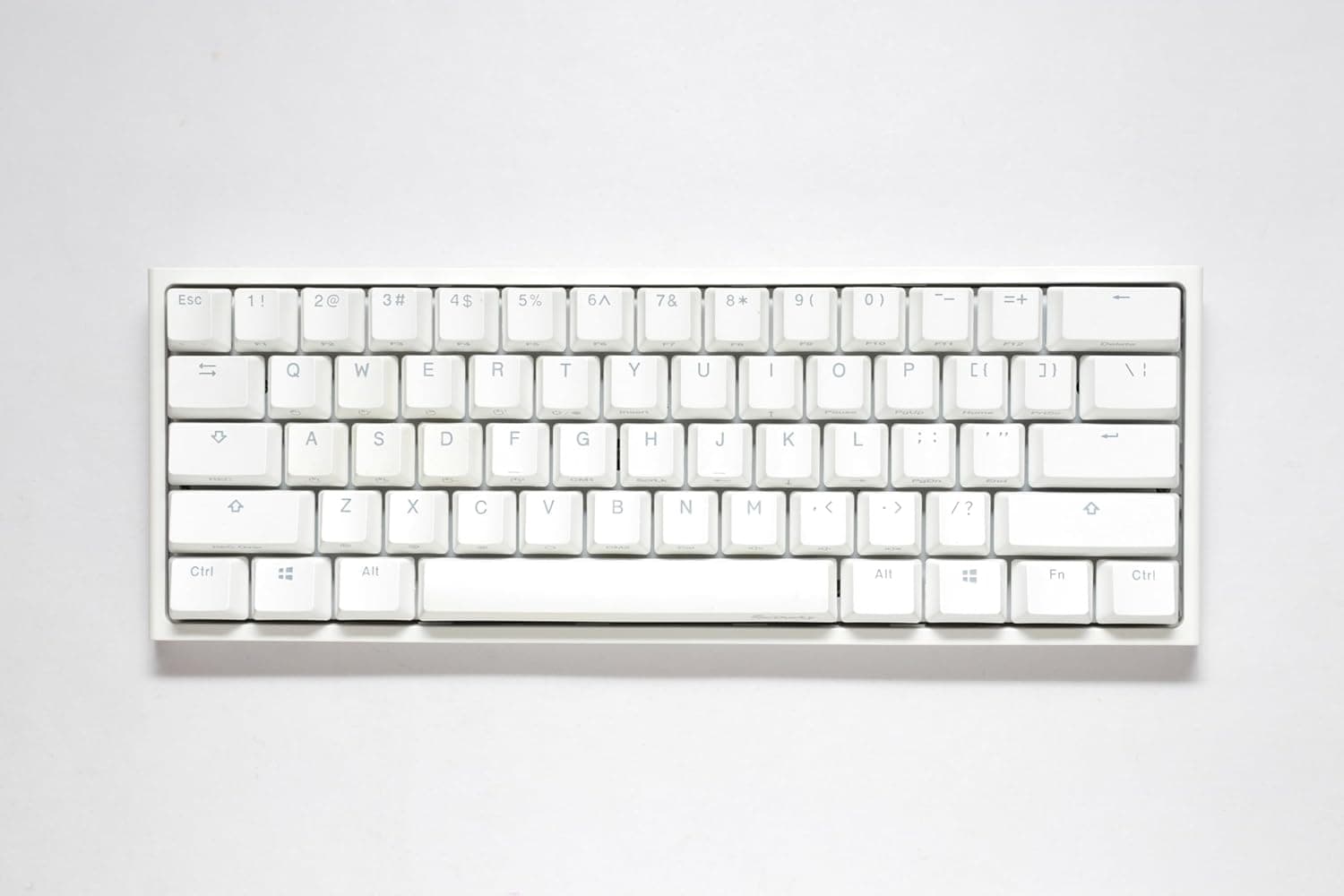
The Ducky One 2 Pro Mini White Edition is a keyboard that clearly picks its audience: if you can live with a 60% layout, it will serve you for years; if you can't, you will regret it within the first week. This article focuses on what the spec sheet doesn't tell you — where exactly you end up compromising.
Overview
The Ducky One 2 Pro Mini White Edition is a 60% mechanical keyboard from the Taiwanese brand Ducky. It uses Cherry MX Red (linear) switches, double-shot PBT keycaps, RGB LED backlighting, and a wired USB-C connection, in a US ANSI layout.
"60%" means the numpad, function row, arrow cluster, and navigation block are all removed. That leaves roughly 61 physical keys, down more than 40% from a 104-key full-size board.
Everything removed is reachable through Fn-layer combinations. In other words, the primary value here is desk space first, with honest materials — genuine Cherry MX and real PBT — layered on top.
As of the data captured on 27 May 2026, the Amazon listing showed 4.4 out of 5 stars across 31 reviews (about 88% positive).
The score is good, but 31 reviews is a very small sample. It should not be read with the same confidence as a mainstream gaming board with thousands of ratings — treat it as "no major landmines reported," nothing stronger.
Compatibility Guide
The keyboard connects over wired USB-C and behaves as a standard HID device, so no driver installation is required. It works on Windows, macOS, and Linux out of the box.
There is no wireless mode, so pairing it with a tablet or phone over Bluetooth is not possible.
The compatibility issue that actually bites is not the cable — it is the US ANSI layout. Coming from a Japanese JIS keyboard, nearly every symbol moves: @ sits on Shift+2, the : ; [ ] cluster shifts, and there are no dedicated conversion or half/full-width keys.
Switching Japanese input is normally handled through OS settings or a remapping tool. Decide how you will do that before you buy, or your first day with the board will be spent unable to type Japanese at all.
Switch compatibility matters too. There is no hot-swap support. The footprint is Cherry MX compatible, so in principle other switches fit, but changing them means desoldering and resoldering all 61 switches — not realistic without tools and experience.
The plan of "buy reds now, move to browns later if I don't like them" does not work on this board. Treat the switch choice as final at purchase time.
Keycap compatibility is a bright spot. The board uses standard Cherry MX cross-stem spacing, so most aftermarket sets fit.
Some sets use unusual right-Shift or spacebar sizes, so look for kits explicitly listed as 60%-compatible. Note that no keycap puller is included in the box, so buy one separately if you plan to swap caps.
Product Info
The specifications are as follows.
| Item | Detail |
|---|---|
| Switch | Cherry MX Red (linear) |
| Keycap material | PBT (double-shot) |
| Backlight | RGB LED |
| Connection | USB-C (wired) |
| Layout size | 60% (US ANSI) |
| Key rollover | N-key rollover (no further detail provided) |
Cherry MX Red is a linear switch: no tactile bump, just a straight travel to the bottom. Actuation force is generally quoted around 45g, which makes rapid repeated presses easy but also makes bottoming out likely.
In an office, expect "much quieter than a clicky blue" rather than "silent."
The double-shot PBT keycaps are a genuinely useful choice at this tier. Cheap ABS caps develop a greasy shine with use, and printed legends fade within a few years.
PBT keeps its slightly textured finish, and double-shot legends are molded plastic, so they physically cannot wear off. The longer you keep a keyboard, the more this matters.
On price: the Amazon listing showed ¥23,876 as captured on 27 May 2026, and an eBay listing showed $125.00 as captured on 9 July 2026.
Both are point-in-time figures that move with sales, exchange rates, and stock. Always check the current price on the product page before buying.
The Amazon listing is sold and shipped by NLC online, not by the manufacturer directly; warranty follows the maker's terms, but third-party or parallel-import sales can route support differently, so confirm warranty conditions on the listing first. The box contains only the keyboard and a USB-C cable.
How It Compares
Placing it next to other keyboards makes its character clear.
- If you want hot-swap, something like the Keychron Q1 V2 lets you change switches without a soldering iron. If your switch preference isn't settled yet, that flexibility is worth more.
- If you need wireless or Mac dual-use, a wireless model such as the Keychron K4 Pro is the more natural fit. The One 2 Pro Mini is wired only.
- If you want to keep arrows and a function row, a 75% or TKL layout is the practical middle ground — most of the desk-space benefit already arrives at TKL.
- If you like Ducky's feel but want a bigger layout, something like the Ducky Origin is the obvious alternative.
What this board clearly wins on is sheer smallness and honest materials. It is not the board you pick for features or expandability.
What Living With It Is Actually Like
The 60% experience is less about getting used to it and more about what kind of work you do. In games, you mostly live around WASD, so missing arrows barely register — and in FPS titles the narrow board actually frees up mouse-swing room.
But if you navigate cells in Excel, hit F5 to build and F12 to jump to a definition, or step frames with arrow keys in a video editor, you will be pressing Fn combinations constantly. Hundreds of two-key presses a day stay slower even after you adapt.
"You get used to it" often just means that reviewer rarely needed arrow keys.
On the RGB: it pairs well with the white case, but double-shot PBT caps do not transmit light. Unlike shine-through caps, the glow comes mainly from around and between the keys.
If you were expecting illuminated legends in a dark room, this is not that.
Things to Check Before Buying
1. Don't underestimate the missing arrow keys. This is where most 60% owners give up.
Count how often you press an arrow key in a normal day — if the number feels high, a 65% or 75% board will make you happier.
2. It is US ANSI. Symbol positions differ substantially from JIS and there are no conversion keys.
Setting up Japanese input switching is on you. That's the spec, not a defect.
3. No hot-swap. Your switch feel is locked in at purchase.
Cherry MX Red is light and easy to bottom out, which doesn't suit people who mistype on light switches or want tactile feedback. Try reds on a switch tester first if you can.
4. Sanity-check the price yourself. ¥23,876 as captured on 27 May 2026 is not cheap for a 60% board.
That bracket now includes hot-swappable, wireless, and gasket-mounted designs. Prices move a lot, so re-compare at the price you actually see.
5. Verify the listing details with your own eyes. Amazon listings sometimes carry manufacturer, model, or seller metadata that doesn't match the physical product, and the details in this article reflect the listing at capture time.
Before ordering, confirm from the images and title that it is the One 2 Pro Mini White Edition, with red switches, in US layout. On pages that bundle variants (switch color, case color), picking the wrong variant is the single most common mistake.
6. The review count is thin. 4.4/5 from 31 reviews as of 27 May 2026 is a good score, but too small a sample to judge unit variance or early-failure rates.
Check the return policy before you commit.
Best Use Cases
This board is a strong candidate if any of these describe you:
- You want maximum free desk space — FPS players who sweep a large mousepad benefit most.
- You already know you like the light, linear travel of Cherry MX Red.
- You keep keyboards for years and hate fading legends; double-shot PBT is exactly the fix.
- You are building a white-themed desk, where the White Edition plus RGB looks the part.
- You want a plug-and-play wired board with no resident software.
It is a poor fit if you hammer arrow keys and the function row daily in Excel or code, if you don't want to leave JIS layout, or if you want to experiment with switches later.
FAQ
Q. How do I type arrow keys? A.
Through Fn combinations, typically mapped near the bottom-right keys on 60% boards. Check the included manual for the exact assignments.
If you use arrows heavily, consider a 65% layout instead.
Q. Can I switch Japanese input? A.
There is no half/full-width key on US ANSI, so you assign a toggle through OS settings or a remapping tool. Once configured, Japanese input works normally.
Q. Can I change the switches later? A.
Not without soldering — there is no hot-swap socket. If swapping matters to you, buy a hot-swappable board instead.
Q. Does it work on a Mac? A.
Yes, as a standard wired USB-C keyboard. The modifier layout follows Windows convention, so most Mac users remap Command/Option in system settings.
Q. Do the keycaps light up? A.
Double-shot PBT does not transmit light, so the legends themselves are not illuminated. The RGB reads as underglow between the keys.
Q. Is it quiet? A.
Linear switches have no click, but bottom-out and stabilizer noise remain. For real quiet, choose silent switches or add dampening such as O-rings.
Product Disclosure (Amazon)
- Manufacturer: Ducky
- Seller: NLC online
- Fulfilled by: NLC online
- ASIN: B0DT12BMPW
- Note: This article covers a manufacturer-made product based on Amazon listing details.