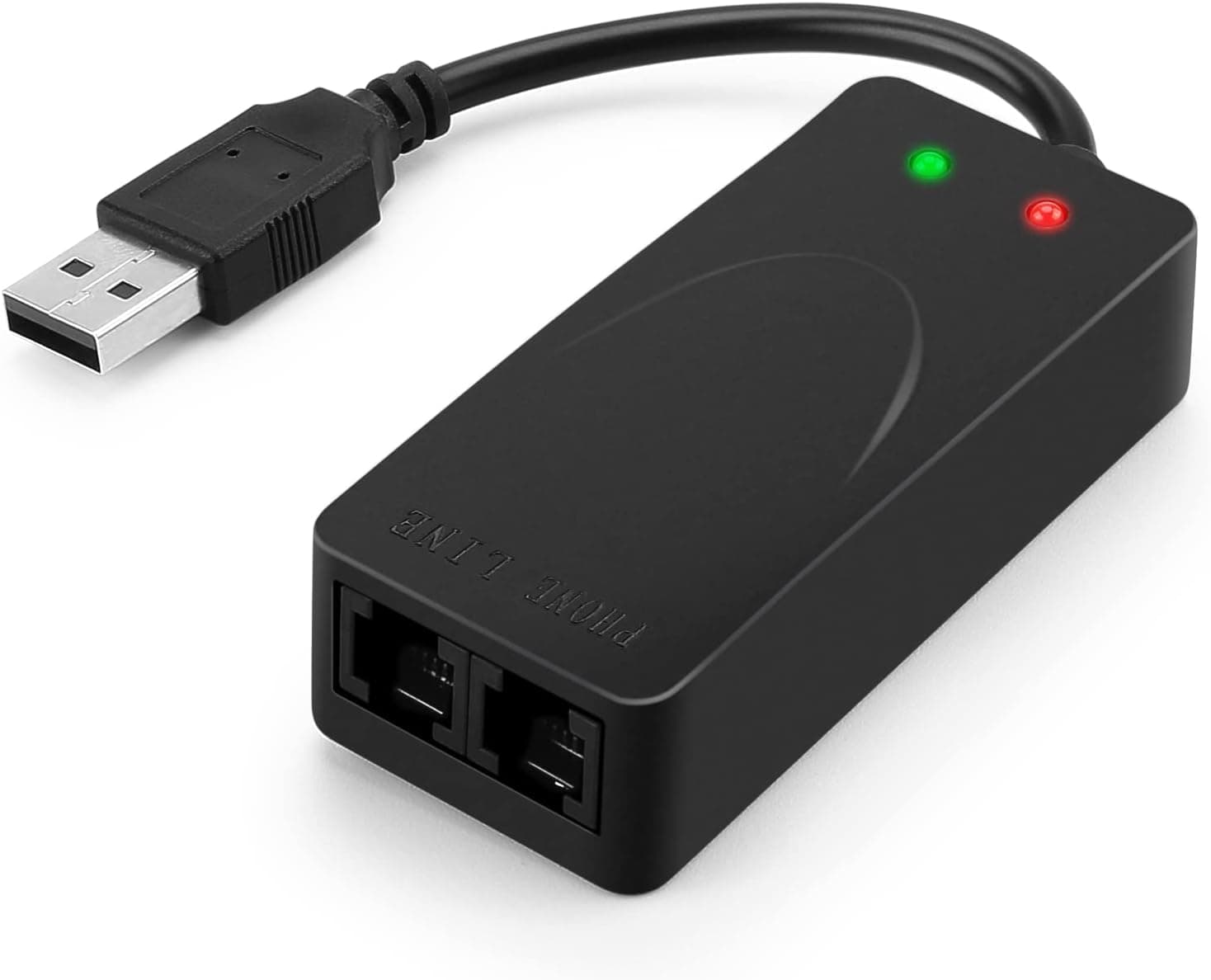
The AGPtek External USB2.0 FAX MODEM is an external analog modem that turns a PC into a fax machine over a standard telephone line.
This article goes beyond the spec sheet to answer the questions buyers actually have: will it work on my line, will it work on Windows 11, and what am I giving up at this price.
Overview
Built around the Conexant CX93010 chipset, this USB modem supports V.92 and V.90 with a maximum data rate of 56 kbps.
It is not a standalone device — it connects to a PC and is driven by fax software. The target user is someone who needs to send or receive a fax a few times a month and has no room or budget for a dedicated fax machine.
The short version: it suits people who already have an analog (PSTN) line, fax infrequently, and are comfortable troubleshooting drivers. It is a poor fit for high-volume fax work, for households on VoIP or fiber-based phone service, and for anyone who wants a guaranteed plug-and-play experience.
On Amazon.co.jp it holds 3.6 out of 5 across 582 reviews (roughly 72% positive), which is exactly the split you would expect from a device whose success depends on the buyer's environment.
Dual RJ11 ports (IN/OUT) let a single line serve both the modem and a telephone handset. Run the wall line into IN and your phone into OUT, and the handset works normally whenever the modem is idle — no splitter needed.
The compact black housing tucks away easily on a desk or inside a cable box.
Connectivity & Compatibility
Check your phone line before you check your OS. This is a PSTN modem: it expects an analog line delivered over RJ11, not a fiber internet connection.
| Item | Specification |
|---|---|
| Interface | USB 2.0 (backward compatible with USB 1.1; works on USB 3.x ports) |
| Line | Analog telephone line (PSTN), RJ11 |
| Ports | 2 (IN = line side / OUT = handset side) |
| Chipset | Conexant CX93010 |
| Standards | V.92 / V.90 |
| Max data rate | 56 kbps |
| Stated OS support | Windows 7 / Vista / XP |
Stated OS support stops at Windows 7. Whether it runs on Windows 10 or 11 depends on whether the OS picks it up with a generic modem driver.
When that works, the device appears under Modems in Device Manager and Windows Fax and Scan can drive it directly — but this is not guaranteed behavior. If a modern OS is non-negotiable, verify the listing details against your exact build and check the return terms before buying.
VoIP and fiber-based phone service are the classic failure mode for analog fax modems. Voice calls may be fine while fax tones fall apart under codec compression and packet loss, causing mid-transmission errors or failed negotiation.
The usual workarounds — forcing 14.4 kbps or 9,600 bps and disabling ECM — sometimes help, but there is no guarantee.
On a VoIP line, buy only if you can accept losing the purchase price.
Physically, plug it straight into the PC rather than through a hub. Bus-powered devices behave unpredictably on weak hubs and long extension cables.
Laptops with only USB-C ports will need an adapter.
Product Info
As captured on 28 August 2026, the Amazon.co.jp price was ¥3,799.
Against dedicated fax multifunction machines that start in the tens of thousands of yen, that is a cheap way to add fax capability. Prices move and sellers rotate on listings like this, so always confirm the current price on the product page.
Note that the reference data lists the same yen figure (¥3,799) in the overseas price field, which appears to point at the same Japanese listing — treat it as no guide to non-Japanese pricing.
Reviews stand at 3.6 out of 5 from 582 ratings, about 72% positive (captured 27 August 2026).
A large sample with a middling score signals polarization: it works well for the right setup and not at all for the wrong one. Almost all of the failures trace to three things — OS support, line type, and getting the fax software running.
Clear those three in advance and your odds improve sharply.
The product dates from around 2013 and has been in circulation for over a decade. In the box: the modem, a driver CD, an RJ11 cable, and a manual.
The CD is an obstacle on modern laptops without an optical drive (see the setup section). Warranty terms vary by seller.
Alternatives Compared
This modem is not the only way to fax from a PC:
- Internet fax services — no hardware, no line requirement, no OS constraints, but a recurring subscription and usually per-page charges. Better as volume rises.
- Fax multifunction machines — self-contained and accept paper originals directly, at the cost of desk space, a much higher upfront price, and consumables.
- USB analog modems like this one — a few thousand yen once, no monthly fee, but you must supply the line, satisfy the OS requirements, and scan paper documents separately.
The modem wins when you already maintain an analog line, fax a few times a month at most, and refuse a subscription. If you keep the line solely for faxing, an internet fax service is often cheaper once the line rental is counted.
Setup Outline
- Identify your line type first.
If it is VoIP, success becomes a gamble. 2.
Connect directly to a USB port on the PC and confirm detection in Device Manager. 3.
Install the driver. Without an optical drive, use an external one or copy the CD contents to a USB stick from another PC.
- Wall line to IN, telephone to OUT.
Reversing these breaks both fax and voice. 5.
Send a test page to a destination you can check yourself before relying on it.
Best Use Cases
- Home and small offices that fax occasionally. A few faxes a month does not justify a multifunction machine.
- Anyone going paperless. Incoming faxes save straight to the PC as images or PDFs — searchable, no filing.
- Households still on an analog line. You add fax capability with no new monthly cost.
- Users sharing one line with a handset. The IN/OUT ports handle pass-through without a splitter.
- People comfortable troubleshooting. If tweaking drivers and connection speeds does not bother you, the value here is strong.
Before You Buy
This is the section that matters most. The device is cheap, but if your conditions do not match it may not work at all.
1. The line is the main gate. Fiber-only or VoIP households frequently cannot pass fax traffic.
Speed reduction and disabling ECM sometimes rescue it; often they do not.
2. Stated OS support is Windows 7 / Vista / XP. Windows 10/11 operation is outside the manufacturer's claims and varies by machine.
macOS and Linux are not contemplated. Decide in advance what you will do if it does not enumerate.
3. The driver ships on CD. Modern laptops need an external drive or a copy staged on a USB stick.
4. Fax speed is not the 56 kbps figure. That number applies to data connections; Group 3 fax throughput tops out considerably lower.
Multi-page sends take time.
5. This is not an internet connection device. Dial-up is technically in scope, but almost no ISP still offers it.
Treat this as fax-only hardware.
6. Do not take the listing metadata at face value. Amazon listings for products like this can carry inconsistent manufacturer, model, or OS-support details depending on the seller, and information from a different product sometimes appears.
Confirm the product from the images and title, and read the review text to sanity-check the stated OS support against your own setup.
7. Sellers and prices rotate. Prices quoted here are point-in-time.
Even under the same ASIN, a different seller can mean different accessories and warranty terms — check the seller listing before ordering.
Product Disclosure (Amazon)
- Manufacturer: AGPTEK
- Seller: nicewealth-jp
- Fulfilled by: Amazon
- ASIN: B008RZTJC0
- Note: This article covers a manufacturer-made product based on Amazon listing details.
FAQ
Q. Does it work on Windows 11? A.
Not officially — stated support ends at Windows 7. It may enumerate with a generic modem driver, but results vary by machine.
Buy assuming it might not.
Q. Can I fax over fiber or VoIP phone service? A.
Often not. VoIP codecs and packet loss disrupt fax tones.
Lowering the connection speed and disabling ECM sometimes helps; an analog line is the intended setup.
Q. Can I share one line with a telephone?
A. Yes. Wall line into IN, handset into OUT. Reversing them stops both working.
Q. Can I get online with it? A.
Not practically. It is a V.92/V.90 modem, but dial-up ISPs are essentially gone.
Treat it as fax hardware.
Q. Can I feed paper documents directly? A.
No. Scan them to the PC first, then send from the fax software.
For paper-first workflows, a fax multifunction machine is the right tool.
Q. Do I need separate fax software? A.
Windows includes Windows Fax and Scan, which works once the modem is recognized. Bundled software is an alternative, but recognition as a modem is the prerequisite either way.