Overview
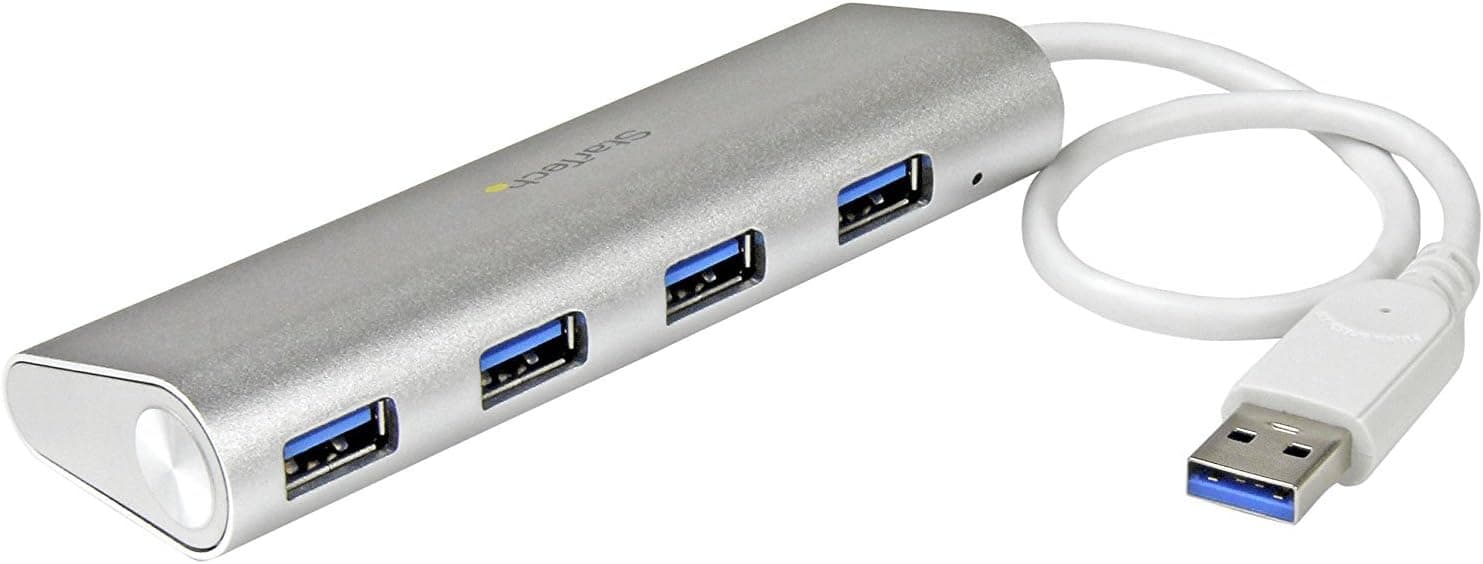
The USB 7-IN-1 HUB (P-LAB, model TC52) is a compact bus-powered hub that turns one USB-A port into seven. It measures roughly 12.3 x 3.4 x 1 cm and weighs 58.3 g, small enough to live permanently in a laptop sleeve.
No drivers are needed; it is plug-and-play.
The short verdict: this hub is for people who need to connect many low-power devices. Mice, keyboards, wireless receivers, flash drives, numeric keypads and gamepad dongles are exactly the workload seven ports were made for.
If instead you are picturing bus-powered external HDDs, fast SSDs or a capture device, the port count stops mattering — power and bandwidth become the limit. That dividing line is what this article is about.
On Amazon.co.jp the hub carried 1,726 reviews at a 3.8 out of 5 rating (76% positive) as of May 2026.
That is a lot of feedback for a budget hub, and the score lands where budget hubs usually land: usable for the money, with a meaningful minority of unhappy buyers.
Product Info
The published specifications are as follows.
| Item | Value |
|---|---|
| Model number | TC52 |
| Dimensions | 12.3 x 3.4 x 1 cm |
| Weight | 58.3 g |
| Ports | 7 (USB-A) |
| Power | Bus-powered, integrated cable |
A 1 cm thickness is genuinely slim for a seven-port hub — it lies flat on a desk instead of being lifted by cable tension, and it slides into a laptop sleeve without a bulge. At 58.3 g it weighs about as much as a single AA battery and a half.
Both numbers point to a device designed to be carried.
Prices differ sharply by storefront. All figures below are as captured on the dates given and will move with sales and stock.
- Amazon.co.jp: ¥17,712 (incl. tax), captured 19 May 2026
- Rakuten (Prime Plus store): ¥3,525, captured 12 Aug 2026
- eBay US: $25.99, captured 1 June 2026
That is close to a five-fold spread for the same model number. How to read it is covered under "Before You Buy".
At minimum, this is not a product to judge from a single listing.
Compatibility Guide
The hub exposes seven USB-A ports and needs no additional drivers. Windows, macOS and Linux all handle it with their built-in USB hub support.
Anything with a USB-A plug works: mice, keyboards, flash drives, printers, optical drives, wireless dongles.
The real compatibility constraint is not the OS — it is power. This is a bus-powered hub, meaning all seven ports share whatever the single host port supplies.
The USB standards generally cap that at about 500 mA (2.5 W) on a USB 2.0 port and about 900 mA (4.5 W) on USB 3.0 and later.
A mouse or keyboard draws only tens of milliamps, so seven of them are comfortable. A bus-powered external HDD often asks for 500 mA on its own, which consumes the entire budget immediately.
Read the spec as "connect as much as one host port can feed", not "connect seven devices". If high-draw devices are part of your plan, buy a self-powered hub that accepts its own power adapter.
Physical fit matters too. The cable is integrated and its length is not stated in the specifications, so if you plan to run it from the back of a desktop tower to your desk surface, confirm the length on the listing first.
Adding USB extension cables works, but each extension increases voltage drop and the risk of dropouts. Also, seven ports along a 12.3 cm body sit close together: wide flash drives or chunky dongles can physically block their neighbours.
If you use several wide dongles, keep one or two short extension cables on hand.
A Note on Transfer Speed
Importantly, the published specifications do not state the USB generation (USB 2.0, 3.0, 3.2 and so on).
Since that single detail decides real-world throughput, check the listing before buying if external storage is part of your use case.
For reference, USB 2.0 tops out at 480 Mbps in theory while USB 3.0 (5 Gbps class) is more than ten times faster, and hub bandwidth is shared across ports.
An external HDD on a USB 2.0 hub will feel noticeably slower than the same drive connected directly.
If you only ever attach input devices, the generation makes no perceptible difference. The importance of this spec depends entirely on what you plug in.
Best Use Cases
This hub is an easy recommendation for:
- Desktop users whose rear ports are full and who want accessible ports within arm's reach
- Anyone whose ports are consumed by wireless receivers — mouse, keyboard, headset, gamepad
- Laptop users who want a flash drive and a keypad available on the road; at 58.3 g it disappears into a bag
- Workloads centred on input devices and small flash storage, where port count is the priority
It is the wrong choice if per-port stability matters more than port count, or if you intend to hang video capture hardware or audio interfaces off it.
Before You Buy
Start with the price. The same model was listed at ¥17,712 on Amazon.co.jp in May 2026, ¥3,525 on Rakuten in August 2026, and $25.99 on eBay US in June 2026.
Nearly ¥18,000 is plainly expensive for a seven-port bus-powered USB-A hub. Gaps like this come from different sellers, parallel imports and opportunistic listings during stock shortages.
Compare several listings before ordering so you do not land on an inflated one. Every figure here is a captured price; check the current one on the storefront itself.
How to read a 3.8 rating. A 3.8 out of 5 across 1,726 reviews (captured May 2026) is normal for this class, but it also means a real share of buyers were unhappy.
Negative reviews for cheap hubs cluster into two themes: "one port never works" and "it gets unstable once I add devices". The first is likely a genuine defect, so when yours arrives, test every port with a device one by one while you can still return it.
The second is usually not a defect at all — it is the bus-power ceiling doing exactly what physics says it will.
Three things buyers discover too late. First, bus-powered external drives may fail to mount or drop out mid-transfer.
That is within spec, so it is a weak basis for a return — the use case simply does not match. Second, the cable is integrated: if it frays at the strain relief, the whole hub is finished.
That is what actually determines the lifespan of cheap hubs, so pull the body rather than the cable. Third, the USB generation is undocumented; buying this for speed is buying blind.
What to accept. This is a tool for cheaply increasing port count, not for delivering power, speed and durability at the same time.
If that trade matches your workload, carrying seven ports in 58.3 g is hard to beat.
Decide first whether your use is input-device-centric or storage-centric, then choose.
FAQ
Q. Can I connect an external HDD or SSD? A.
Self-powered drives with their own AC adapter are fine. Bus-powered drives are not recommended — expect failed detection or dropouts during transfers.
Q. Can all seven ports be used at once? A.
Yes, in practice, with low-draw devices such as mice, keyboards, dongles and flash drives. All seven share the host port's budget (roughly 2.5 W on USB 2.0, 4.5 W on USB 3.0 and later), so a single high-draw device can destabilise things regardless of how many are attached.
Q. Are drivers required? A.
No. Windows, macOS and Linux all use built-in drivers.
If a device is not detected, suspect the host port or a loose connection before drivers.
Q. How fast is it? A.
The published specifications do not state the USB generation, so no honest figure can be given here. Confirm it on the listing if speed matters to you.
Q. Why do prices differ so much between stores? A.
Different sellers and supply routes. Captured prices differ by nearly five times, so compare listings before ordering.
Q. Will it work with a USB-C laptop?
A. The host plug is USB-A, so a USB-C adapter is required on machines with USB-C ports only.