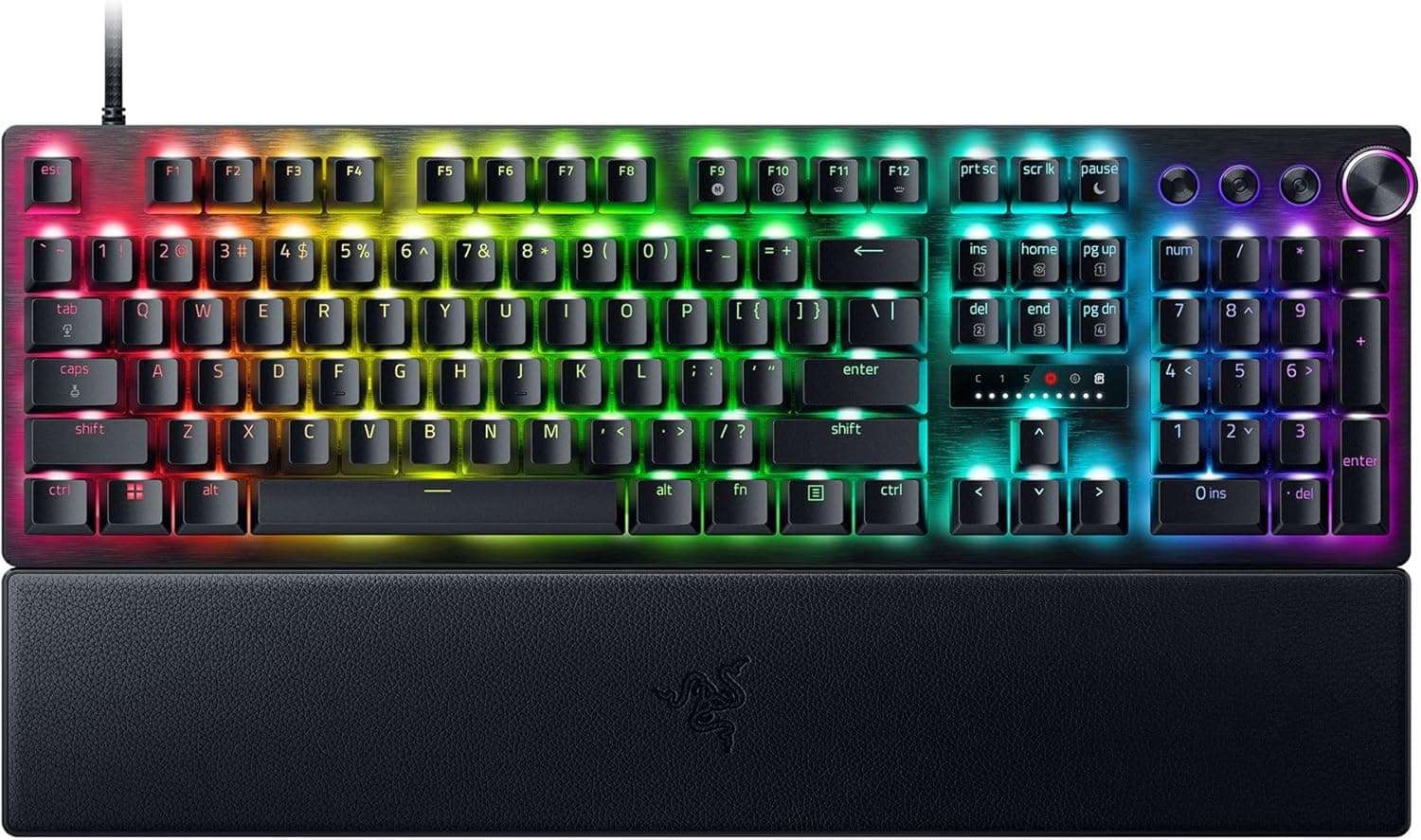
The SteelSeries Apex 7 Blue Switch 64772 pairs two loud statements of intent: audibly clicky switches and an OLED display built into the board. This article focuses on what the spec sheet does not tell you — who this keyboard actually suits, and who should walk away.
Overview
This is a full-size, 104-key Japanese (JIS) layout mechanical gaming keyboard built around SteelSeries' clicky QX2 Blue switches, with an OLED Smart Display in the top-right corner. In short, it suits people who want to hear and feel every keystroke and who want Discord or Spotify information without leaving a fullscreen game.
It is a poor fit for shared rooms, open-mic streaming, or anyone who wants wireless or hot-swappable switches.
The frame is 5000-series aluminium alloy, which gives a full-size body real rigidity, and a magnetic wrist rest is included, so there is no need to budget for a separate rest. On Amazon.co.jp the rating was 4.4 out of 5 across 58 reviews (88% positive) as captured in May 2026 — a small sample, but a consistently solid one.
Typing Feel and Noise — Read This First
QX2 Blue is a clicky switch: it produces a distinct tactile bump and an audible click partway through the travel. That feedback arrives through both your ears and your fingertips, which is why clicky switches are popular for long typing sessions as well as gaming.
Rated durability is 50 million keystrokes, so the switches are unlikely to be the limiting factor even under heavy daily use.
The trade-off is volume. Compared with linear (red) or tactile (brown) switches, a clicky board is measurably and unmistakably louder at the same typing force.
This is the single biggest decision point. If you share a room, type late at night, work in an office, or stream with an open microphone, this board will cause friction.
O-rings and a desk mat soften the bottom-out thud, but nothing removes the click mechanism itself. Buy a blue switch because you like the sound, not in the hope of quieting it down later.
A full-size board with an aluminium top plate also tends to resonate. A desk mat underneath changes the character of the sound noticeably, so consider buying one at the same time.
What the OLED Display Actually Does
The OLED Smart Display is the headline feature, but it needs realistic expectations. It broadly covers three things:
- Current profile name, macro assignments and settings state
- Notifications and playback info from supported apps such as Discord and Spotify
- In-game information from supported titles
The important caveat is the third item: in-game data only appears in titles that support it. Health bars and cooldowns do not automatically show up in every game.
Support depends on the software integration, so if you are buying specifically for one title, check the supported list first. Even without game support, the profile and media functions remain useful day to day.
Because the panel is OLED, a permanently static image carries some burn-in risk. Content that keeps changing — notifications, track names — is not a practical concern, but avoid pinning a fixed image on screen indefinitely.
Compatibility Guide
The connection is wired USB-A. The manufacturer lists compatibility with Windows and Mac plus PS4, PS5, Xbox One and Xbox Series X|S.
Here are the points people actually trip over.
- You need a USB-A port. Thin laptops and mini PCs with only USB-C will require an adapter or hub. Because the board offers USB passthrough, it is designed to occupy two host USB ports — one for the keyboard, one for the passthrough. Count your free ports before ordering.
- Passthrough is not a universal port. This class of passthrough is intended for low-power devices such as a mouse, a flash drive, or a wireless receiver. External hard drives or bus-powered audio interfaces are likely to drop out or fail to enumerate; plug those into the PC directly.
- Consoles get input only. On PS5 or Xbox the board works as a standard input device, but RGB and OLED customisation is done in the PC software. With five onboard profiles, the practical workflow is to configure on a PC, save to the board, then plug into the console.
- The layout is JIS, not ANSI. Key mappings written for a US layout will not line up with the symbol and conversion keys. On macOS you also need the OS to recognise the keyboard as JIS.
- Desk space. A 104-key board plus the wrist rest needs real depth. If your desk is shallow, or you play at low mouse sensitivity with wide arm sweeps, a tenkeyless board is usually more comfortable.
N-key rollover is supported, so simultaneous presses register reliably.
How It Compares
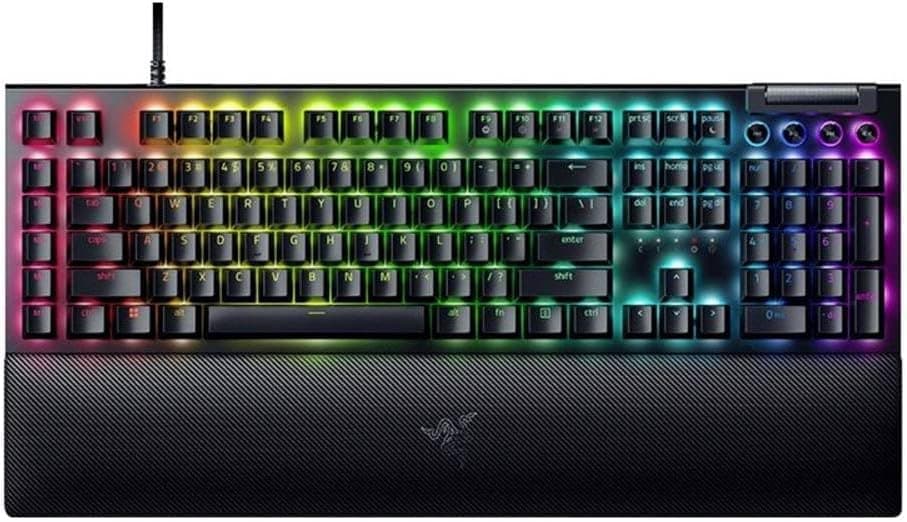
Among boards with an integrated display, something like the Razer BlackWidow V4 Pro 75% is the natural rival — newer, with wireless and hot-swap, and typically priced above this one. The Apex 7's appeal is that it delivers the display plus an aluminium frame one price tier lower.
If clicky feel is the priority, Razer's green-switch models are the closest character match. If you want mechanical feedback with less noise, a tactile board such as the Cherry MX Brown-equipped Ducky Origin will leave you happier.
If you want to tune switches yourself, a hot-swappable custom board like the Keychron Q1 V2 is the real target. This board is not hot-swappable, so your switch choice is locked in at purchase.
Product Info
Key specifications: QX2 Blue clicky switches, 50 million keystroke durability, full-size 104-key Japanese layout, per-key customisable RGB backlighting, and a 5000-series aluminium alloy frame. It adds a magnetic wrist rest, the OLED Smart Display, five onboard profiles and USB passthrough, over a wired USB-A connection.
| Item | Detail |
|---|---|
| Switch | QX2 Blue (clicky) |
| Durability | 50 million keystrokes |
| Layout | Full-size 104-key, Japanese (JIS) |
| Backlight | Per-key RGB |
| Frame | 5000-series aluminium alloy |
| Display | OLED Smart Display |
| Connection | Wired USB-A |
| Onboard profiles | 5 |
| USB passthrough | Yes |
| Wrist rest | Magnetic (included) |
Read that table this way: the 50-million-keystroke rating and the aluminium frame are long-service specifications, while hot-swap and wireless are simply absent. This is a keyboard you buy in a fixed configuration and keep, not one you expand later.
On pricing, Amazon showed ¥18,800 as captured in May 2026, and Rakuten (Rikyu Pudding) showed ¥18,207 as captured in August 2026. Both are point-in-time figures and move frequently with sales and stock; always confirm the current price on the product page.
Reviews stood at 58 with a 4.4/5 average (88% positive) as captured in May 2026.
The box includes the magnetic wrist rest, a USB cable and a manual, with a one-year warranty.
Best Use Cases
The strongest fit is someone who games alone in their own room and enjoys the sound of typing. The click and bump confirm every actuation audibly, which helps in long typing sessions as much as in games.
Next is anyone who wants information without alt-tabbing. Discord alerts and the currently playing track appear on the board itself, cutting the number of times you leave a fullscreen game.
With five onboard profiles you can separate gaming, work and streaming setups cleanly.
Finally, people who genuinely use a numpad daily — data entry, spreadsheets, MMO macro layouts — get the display and aluminium build without giving up the number pad, provided the desk has the depth for it.
Things to Check Before Buying
1. It is louder than you imagine. Clicky switches are designed to be heard, and there is no real retrofit for that.
If you have housemates, type at night, or keep a mic open for calls and streams, look at tactile, linear or silent switches first — and note you cannot swap out of it later.
2. No hot-swap. You cannot change switches to tune the feel.
"I'll try blue and change it if I hate it" does not work here. If you are unsure about clicky switches, try one in a store or with a switch tester first.
3. Wired, USB-A, and it wants two ports. You will be routing a cable, and passthrough consumes a second USB-A port on the PC.
It does not suit a desk built around wireless gear.
4. Game integration on the display depends on the title. As above, not every game feeds data to it.
Verify before buying for a specific game.
5. This is not a recent-generation board. It has no rapid trigger or analogue actuation.
Competitive players who want adjustable actuation points should be shopping a different category entirely. The upside is a mature product with settled pricing and plenty of user information.
6. Verify the listing yourself. Some of the pricing data referenced here carried a mismatched label — a seller tagged "Amazon US" pointing at a Japanese storefront in JPY.
Listing metadata (seller, layout, bundled items) can be wrong. Layout (JIS vs US) and whether the wrist rest is included are the two fields sellers most often state inconsistently, so check the product images, title and seller before ordering.
Parallel-import units may arrive with a US layout.
FAQ
Q. Can I make blue switches quiet? A.
O-rings and a desk mat reduce bottom-out noise and resonance, but the click mechanism itself cannot be silenced. If quiet is a requirement, choose a silent or tactile switch board instead.
Q. Can I replace the switches later?
A. No. This board is not hot-swappable; treat the switch choice as permanent.
Q. Does it work on PS5 or Xbox? A.
The manufacturer lists PS4, PS5, Xbox One and Xbox Series X|S support. RGB and OLED customisation still requires the PC software, so configure on a PC, save to one of the five onboard profiles, then connect.
Q. Can I plug an external hard drive into the passthrough port? A.
It is intended for low-power devices like a mouse or flash drive. Connect power-hungry devices to the PC directly.
Q. Is the wrist rest sold separately? A.
The specification lists a magnetic wrist rest as included, but bundle descriptions vary by seller — confirm on the product page before ordering.
Q. Will the OLED display burn in? A.
With changing content such as notifications and track names this is not a practical worry. Avoid displaying a fixed static image permanently.
Product Disclosure (Amazon)
- Manufacturer: SteelSeries
- Seller: アスラクショップ【インボイス対応】
- Fulfilled by: Amazon
- ASIN: B081HH1GGZ
- Note: This article covers a manufacturer-made product based on Amazon listing details.