Overview
The ROCCAT PURE SEL is a 49-gram wired gaming mouse from the German brand ROCCAT. The short version: it is for low-sensitivity FPS players who want the lightest wired mouse they can get for under roughly ten thousand yen.
It is not for people who need wireless freedom, extra MMO buttons, or a flagship-grade sensor.
It uses a PixArt PAW3318 sensor rated for up to 8,000 DPI and 200 IPS. The mechanical switches use a pre-tension mechanism and are rated for 20 million clicks.
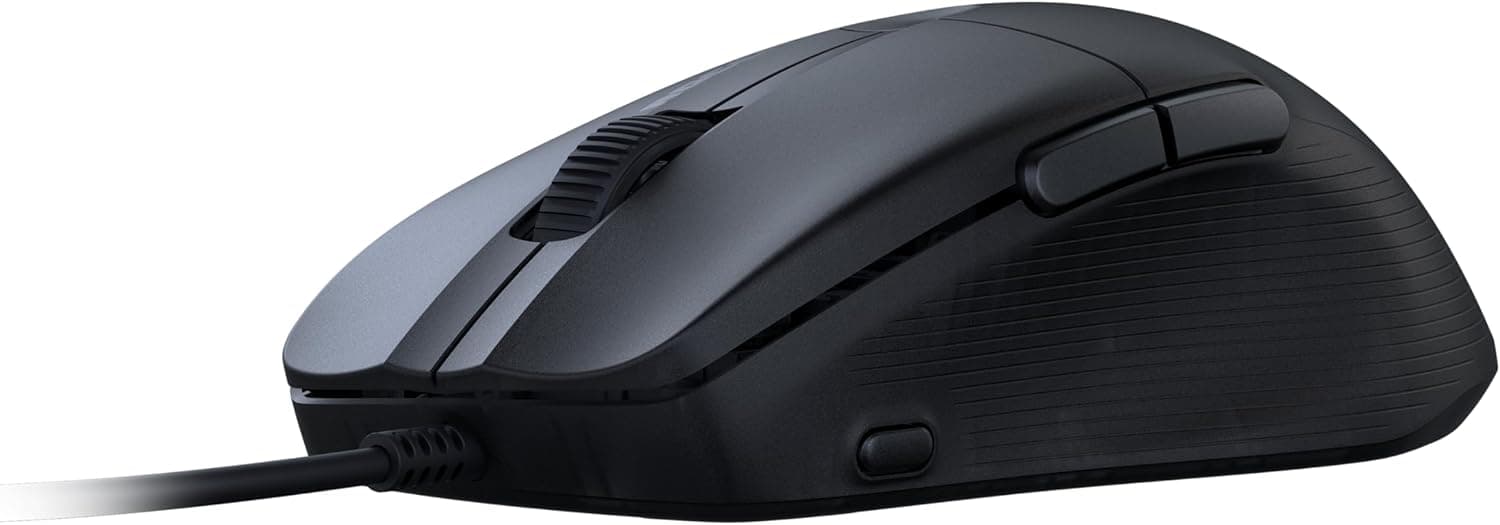
There are six buttons in total: left, right, wheel, two side buttons, and a DPI switch. The feet are pure PTFE.
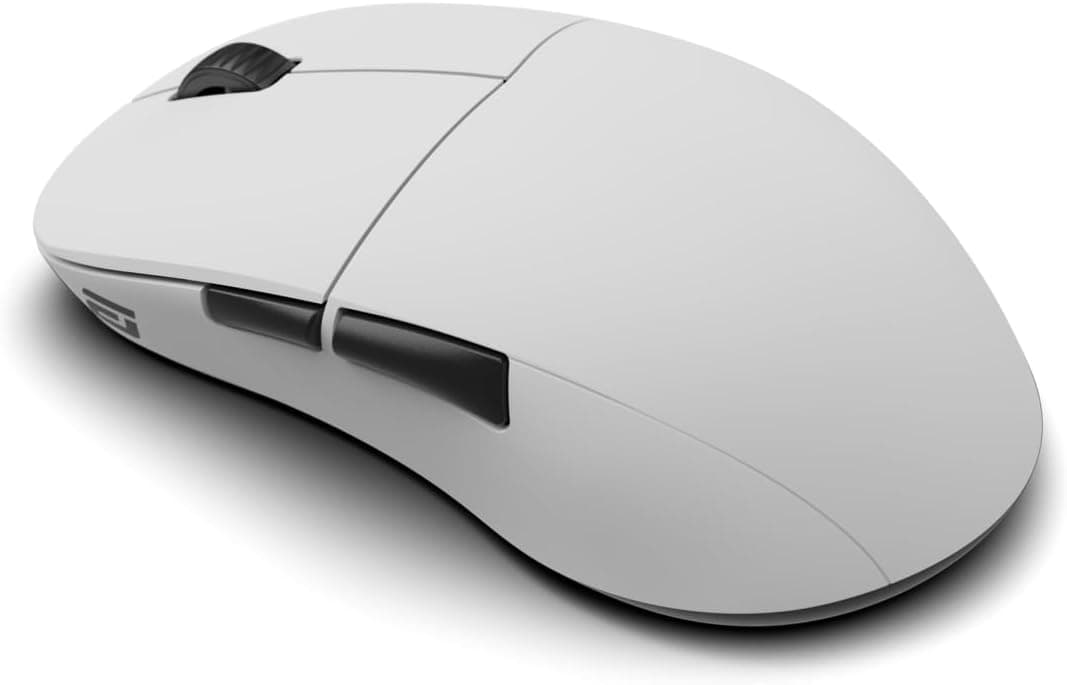
The shell is a small, asymmetric shape descended from the Kone Pure line, with RGB lighting glowing through a translucent top.
What 49 Grams Actually Means
Most mice marketed as "lightweight" land somewhere in the 60–70g range, so 49g sits a clear step below that. Coming from a typical 80g mouse, the difference is enough that arm-driven aiming stops feeling like work.
But light is not automatically better. A light mouse carries less inertia when you stop, which makes it easy to overshoot on micro-adjustments.
If your style is tracking-heavy, or if you rely on mass to steady your hand, 49g can feel twitchy rather than free. Think of it as trading stopping stability for flick speed, with your grip making up the difference.
Also note that 49g is the mouse body alone, without the cable. On a wired mouse, what your hand actually feels includes the cable's weight and tension — which leads directly to the bungee recommendation below.
Compatibility Guide
Connection is wired USB-A. Plug it into any Windows PC or laptop with a USB-A port and it works plug-and-play, no driver needed.
On a desktop, use a rear motherboard port rather than a front panel header or an unpowered hub; weak hubs are a common cause of dropouts.
Thin laptops and MacBooks without USB-A need a USB-C adapter or dock. That generally works fine, but avoid low-quality hubs without proper power passthrough.
On the OS side, the official compatibility note states that the Windows-only ROCCAT Swarm software is supported, while macOS gets basic functionality only. In practice that means clicks, wheel, and cursor movement work on a Mac, but DPI stages, button remapping, and RGB customization require a Windows machine.
If you are Mac-only, this is a real limitation. Check the product page for whether settings are stored in onboard memory — if they are, you can configure it once on a borrowed Windows PC.
Console support is not something we can guarantee: mouse handling on PlayStation and Xbox varies by title. Treat this as a PC mouse.
Product Info
| Item | Value |
|---|---|
| Sensor | PixArt PAW3318 |
| Max DPI | 8,000 |
| Max tracking speed | 200 IPS |
| Weight | 49g |
| Click durability | 20 million |
| Buttons | 6 (left, right, wheel, 2 side, DPI) |
| Connection | Wired USB-A |
| Feet | Pure PTFE |
The line worth examining is the sensor. The PAW3318 is an entry-to-mid PixArt part, a different grade from the PAW3395-class sensors (26,000–35,000 DPI) used in flagship mice.
In practice, though, those ceilings only matter at very high sensitivity and very fast swipes. If you play in the common 400–1600 DPI range, 8,000 DPI and 200 IPS will not be your bottleneck.
This is a mouse that competes on weight, not on spec-sheet numbers.
As captured on 27 May 2026, the Amazon listing price was ¥8,980 (ASIN B0CFQH9V88). Mouse prices move a lot with sales and stock, so treat that figure as a snapshot from that date and confirm the current price on the product page before buying.
The eBay side is a search link only, with no confirmed price captured.
As of the same capture date, the Amazon rating was 3.9 out of 5 stars from 25 reviews (roughly a 78% positive score).
Being honest about it: 25 reviews is a thin sample, and 3.9 is not the score of an established staple.
Compared with mice that have thousands of reviews, the confidence interval here is wide. Read the negative reviews yourself and check whether they touch on things you care about — coating, cable stiffness, unit variance.
How It Compares
Even within "lightweight," products aim at different targets.
- ROCCAT Burst Core (68g, wired) — that 19g gap is obvious the moment you pick it up. The heavier shell is easier to stop and usually cheaper. Burst Core for a first lightweight mouse; PURE SEL when you want to go lighter.
- Ultralight wireless (52–54g class) — options like the Pulsar X2H Mini or Razer Viper V3 Pro weigh about the same as the PURE SEL but have no cable drag at all. They also cost meaningfully more. If the budget stretches, wireless is the cleaner version of this experience; the PURE SEL's value is reaching 49g without paying that premium.
- Feature-rich wired mice (e.g. Logitech G402) — more buttons and more mature software, less weight savings.
PURE SEL spends its entire budget on one attribute. Sensor grade and accessories are trimmed to get there.
Whether that trade sits well with you is the whole decision.
Setup and Real-World Use
If you buy a light wired mouse, buy a mouse bungee with it. A 49g body cannot overpower a cable snagging on the desk edge — the lighter the mouse, the more the cable dictates the feel.
Lifting the cable with a bungee gets you most of the way toward a wireless feel for a small fraction of the mouse's price.
The pad matters too. PTFE feet pair well with cloth pads, and a control-oriented cloth surface helps rein in overshoot.
A fast, low-friction pad amplifies the lightness and can feel unruly at first.
On Windows, ROCCAT Swarm handles DPI stages and lighting. Avoid stacking sensitivity adjustments in two places: lock DPI at 800 or 1600, then tune sensitivity inside the game.
Best Use Cases
- Low-sensitivity FPS/TPS players who aim with the arm — this is where 49g pays off most directly.
- Claw and fingertip grips, and smaller hands — the compact Kone Pure-derived shell suits these grips.
- Long sessions where hand fatigue matters — less mass means less accumulated strain.
- First-time lightweight buyers unwilling to spend flagship money — reaching 49g under ten thousand yen is the clear pitch.
- Anyone who prefers wired simplicity — no charging, no pairing, no dongle to lose.
Things to Check Before Buying
1. It is likely too small for large hands and palm grips. The Kone Pure-derived shell is compact.
If you palm-grip with big hands, the rear will not fill your hand. Measure your current mouse and compare against size references before ordering — a shape mismatch hurts far more than a few grams.
2. The cable does not disappear. Expecting wireless-grade freedom from the 49g figure alone will disappoint you.
Treat a bungee as required equipment. Cable flexibility also varies and can stiffen with age.
3. Minimal accessories. Mouse and quick-start guide only — no spare feet.
Since feet are a consumable, check whether third-party replacement skates exist for this model if you plan to keep it for years.
4. The sensor is not top-tier. PAW3318 is fine in practice, but 8,000 DPI and 200 IPS are modest next to modern 26,000 DPI / 650 IPS parts.
If you run above 3,200 DPI or you simply want headroom, pay up for a flagship sensor instead.
5. No configuration software on macOS. Basic operation works, but customization assumes a Windows PC. A Mac-only setup is a poor fit.
6. The review sample is small. 3.9 stars from 25 reviews at capture time is weak evidence either way.
This is not a product with a settled reputation, so it is worth reading reviews from people who use it the way you will.
7. Listing data is sometimes wrong. Manufacturer names, model numbers, and categories on retail listings are not always accurate.
When you open the page, confirm from the product images and title that you are looking at the actual PURE SEL wired model in the color you want, not a similarly named variant.
FAQ
Q. Is 49g too light to control? A.
It depends on grip and sensitivity. Low-sensitivity arm aiming benefits clearly; wrist-heavy micro-adjustment players sometimes find it hard to stop.
Lightness takes some adaptation.
Q. Is there a wireless version?
A. This is the wired model. If wireless is a requirement, look at ultralight wireless mice instead.
Q. Can I use it for MMO or MOBA games? A.
You can, but it is not ideal. Six buttons with only two on the side limits how many skills you can bind.
Q. Does it work on a Mac?
A. Basic functions work plug-and-play, but DPI and RGB customization require ROCCAT Swarm on Windows.
Q. What does it cost?
A. ¥8,980 on Amazon as captured on 27 May 2026. Prices move often — check the listing for the current figure.
Q. Are replacement feet included?
A. No. The box contains the mouse and a quick-start guide only.