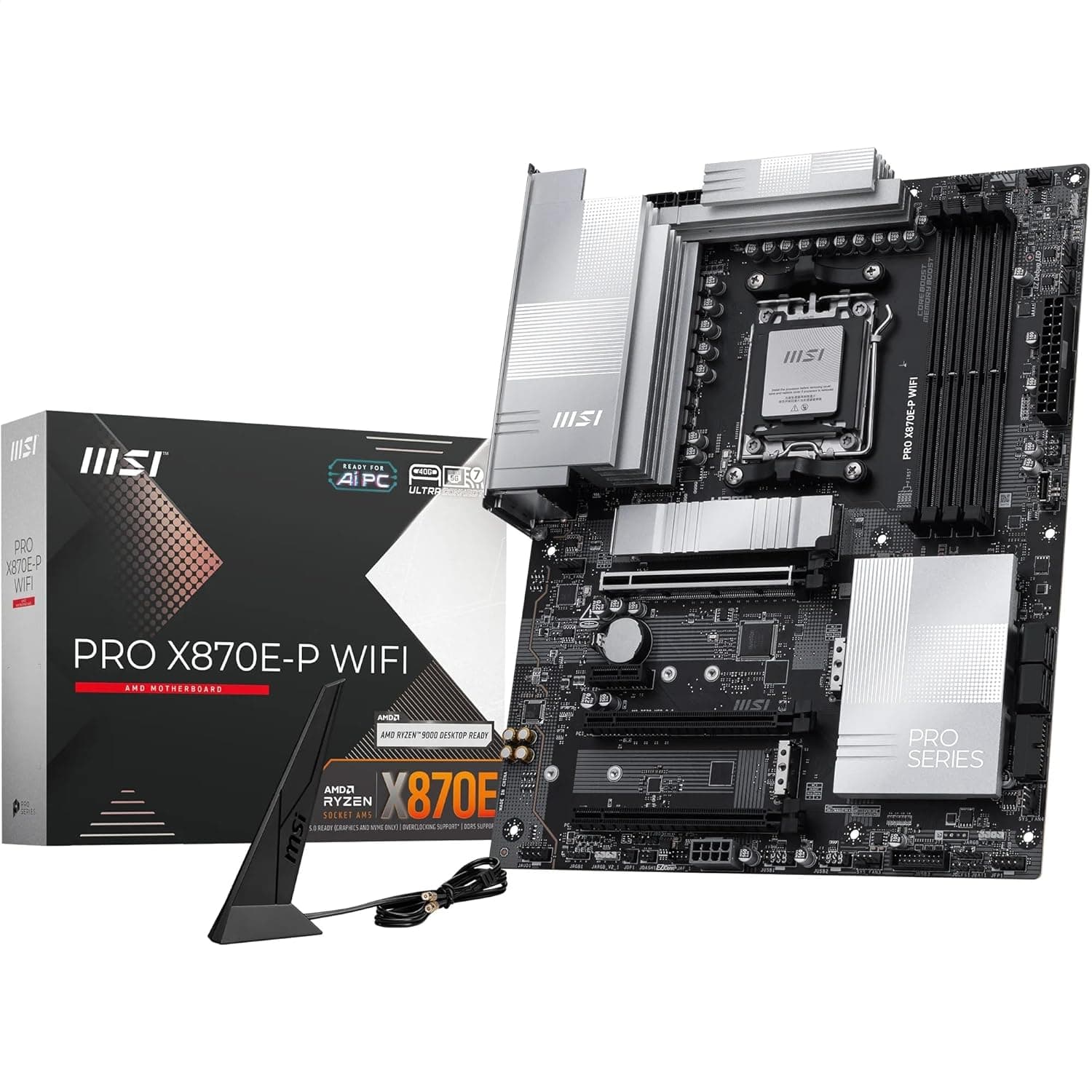
This article covers MSI PRO X870E-P WiFiマザーボード.
Overview
The MSI PRO X870E-P WiFi is an ATX motherboard built around the AMD X870E chipset, designed for Socket AM5 processors including Ryzen 9000, 8000, and 7000 series. Its 14-duet-rail (60A SPS) VRM delivers stable power even for the flagship Ryzen 9 9950X, making it a solid foundation for high-performance workstations and enthusiast builds. Memory support extends to DDR5 with four DIMM slots, reaching up to 8200+ MT/s in overclocked 1DPC 1R configurations. A single PCIe 5.0 x16 slot provides 128 GB/s bandwidth for the latest graphics cards, while storage options include one M.2 Gen5 x4 slot and two M.2 Gen4 x4 slots, all with dedicated heatsinks. Connectivity is future-proof with Wi-Fi 7 (including Bluetooth 5.4) and a 5 Gbps LAN port. The rear I/O features USB4 Type-C at 40 Gbps, multiple USB 3.2 Gen2 ports, and 7.1-channel HD audio. This motherboard targets professionals and power users who need reliability, expandability, and the latest standards without excessive gaming flair.
Compatibility Guide
CPU Socket: AM5 only — compatible with Ryzen 9000, 8000, and 7000 series desktop processors. Memory: DDR5 only, up to 192 GB (4×48 GB). Supports EXPO and XMP profiles. Form Factor: Standard ATX (305×244 mm) — fits most mid-tower and full-tower cases. PCIe Slots: 1× PCIe 5.0 x16 (reinforced), 1× PCIe 4.0 x16, 2× PCIe 3.0 x1. Multi-GPU is not officially supported, but a second x16 slot works for capture cards or NVMe adapters. Storage: 1× M.2 Gen5 x4 (CPU direct), 2× M.2 Gen4 x4, 4× SATA 6 Gbps. The Gen5 slot delivers maximum performance with Ryzen 9000 series. Power: Dual 8-pin CPU power + 24-pin main. Recommended PSU: 650W minimum, 850W+ for high-end GPU builds.
Product Info
Released in mid-2025, the MSI PRO X870E-P WiFi sits in the upper-midrange to high-end segment. It emphasizes stability and professional-grade features over aggressive overclocking or RGB lighting. Chipset: AMD X870E VRM: 14 duet-rail (60A SPS) Memory: DDR5, 4 slots, max 192 GB, 8200+ MT/s (OC) PCIe: 5.0 x16 ×1, 4.0 x16 ×1, 3.0 x1 ×2 Storage: M.2 Gen5 ×1, M.2 Gen4 ×2, SATA 6 Gbps ×4 Networking: Wi-Fi 7 (BT 5.4), 5 Gbps LAN Audio: Realtek ALC4080 (7.1ch HD Audio) Form Factor: ATX (305×244 mm) * Warranty: 3 years (standard)
Best Use Cases
Professional workstation builders: The robust VRM and server-grade PCB (2 oz copper, SMT soldering) ensure stability under sustained loads — ideal for video editing, 3D rendering, or CAD work with Ryzen 9 processors. Enthusiasts wanting future-proof connectivity: Wi-Fi 7, 5 Gbps LAN, and USB4 Type-C provide headroom for next-gen peripherals and high-speed NAS setups. The M.2 Gen5 slot also future-proofs storage. Long-term upgrade planners: AM5 platform longevity means you can drop in a future Ryzen CPU without changing the motherboard. DDR5 and PCIe 5.0 support also extend the usable life. Who should look elsewhere? Budget-conscious builders: B650 or B850 boards offer similar core features at a lower price. * Small form factor enthusiasts: ATX size won't fit Mini-ITX or most MicroATX cases.
Things to Consider
Price premium: X870E boards cost significantly more than B650/B850. Pairing with a Ryzen 5 or Ryzen 7 may be overkill unless you specifically need the extra PCIe lanes or connectivity. M.2 Gen5 cooling: The Gen5 SSD slot runs hot — always use the included EZ M.2 Shield Frozr II heatsink and ensure good case airflow. Memory overclocking limits: 8200+ MT/s is achievable only with 1DPC 1R (single-rank, one DIMM per channel). With four DIMMs, realistic speeds drop to 6000–6400 MT/s. Competition: ASUS ROG STRIX X870E-E and GIGABYTE X870E AORUS MASTER offer similar specs with more gaming-oriented features (RGB, better audio codecs, more USB ports). The MSI PRO series prioritizes stability and clean aesthetics. ## FAQ
Q: Can I use this motherboard with a Ryzen 5 7600? A: Yes, it works perfectly. However, the X870E chipset's full potential is best utilized with Ryzen 9 or high-end Ryzen 7 CPUs. For a Ryzen 5, a B650 or B850 board would be more cost-effective. Q: How much real-world benefit does PCIe 5.0 offer for GPUs? A: As of 2025, the difference between PCIe 4.0 and 5.0 for gaming is minimal — typically 1–3% even with an RTX 5090. The main advantage is future-proofing for next-gen GPUs and storage. Q: Do I need a Wi-Fi 7 router to use the onboard Wi-Fi? A: No, Wi-Fi 7 is backward compatible with Wi-Fi 6/6E and earlier standards. You'll get full performance with a Wi-Fi 7 router, but existing Wi-Fi 6E equipment works fine at lower speeds.
Product Disclosure (Amazon)
- Manufacturer: MSI
- Seller: keiayuストア
- Fulfilled by: keiayuストア
- ASIN: B0F97HZ5R1
- Note: This article covers a manufacturer-made product based on Amazon listing details.