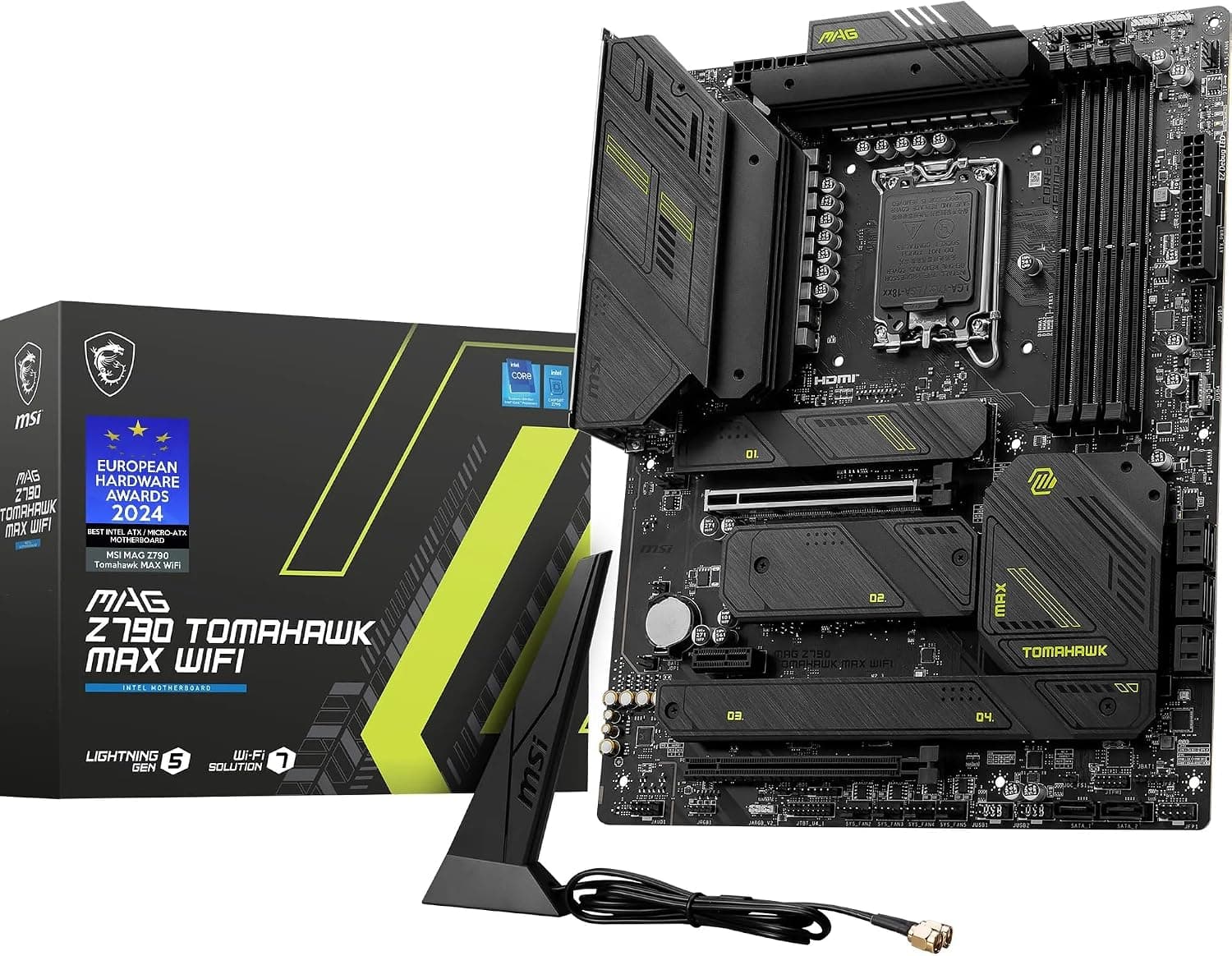
This article covers MSI MAG Z790 Tomahawk MAX WiFiマザーボード.
Overview
The MSI MAG Z790 Tomahawk MAX WiFi is an ATX motherboard built around the Intel Z790 chipset, supporting 12th, 13th, and 14th Gen Intel Core processors (LGA 1700). It features four DDR5 memory slots with overclocking support up to 7200+ MHz, a single PCIe 5.0 x16 slot for the latest graphics cards, and one M.2 Gen5 slot alongside three M.2 Gen4 slots for blazing-fast storage. Networking is handled by Wi-Fi 7 and a 2.5G LAN port, making it future-proof for high-speed connectivity. Positioned as a mid-to-high-end offering, this board packs a 16-phase (90A) VRM design that can comfortably handle an Intel Core i9-14900K under heavy loads. MSI’s Frozr AI Cooling automatically adjusts fan curves based on CPU and GPU temperatures, while the M.2 Shield Frozr heatsinks keep SSDs from throttling. It’s a well-rounded choice for gamers, content creators, and PC builders who want a feature-rich platform without stepping up to flagship pricing.
Compatibility Guide
CPU Socket: LGA 1700 – compatible with Intel Core 12th Gen (Alder Lake), 13th Gen (Raptor Lake), and 14th Gen (Raptor Lake Refresh). Memory: DDR5 only – four DIMM slots, max 192 GB, XMP 3.0 support, rated up to 7200+ MHz (1DPC 1R). Form Factor: ATX (305mm x 244mm) – ensure your case supports standard ATX. Expansion Slots: 1x PCIe 5.0 x16 (Steel Armor reinforced), 1x PCIe 4.0 x16 (runs at x4), 2x PCIe 3.0 x1. Multi-GPU (SLI/NVLink) is not supported. Storage: 1x M.2 Gen5 x4 (128 Gbps), 3x M.2 Gen4 x4 (64 Gbps each), 6x SATA 6Gbps. All M.2 slots come with Shield Frozr heatsinks. Power Connectors: 24-pin ATX main, 8-pin + 4-pin EPS. Recommended PSU wattage: 750W or higher for a high-end CPU + GPU build. * Networking: Wi-Fi 7 (Intel BE200), Bluetooth 5.4, 2.5G LAN (Intel I225-V).
Product Info
Released around October 2023, the MSI MAG Z790 Tomahawk MAX WiFi sits in the upper-mid-range segment of Z790 motherboards. It competes directly with models like the ASUS TUF GAMING Z790-PLUS WIFI and GIGABYTE Z790 AORUS ELITE AX, offering a strong VRM, ample M.2 slots, and the latest wireless standard at a competitive price. Key specifications include: Chipset: Intel Z790 Form Factor: ATX (305mm x 244mm) Memory: 4x DDR5 DIMM, max 192GB, 7200+ MHz OC PCIe: 1x PCIe 5.0 x16, 1x PCIe 4.0 x16 (x4), 2x PCIe 3.0 x1 M.2: 1x Gen5 x4, 3x Gen4 x4 (all with Shield Frozr) SATA: 6x 6Gbps LAN: 2.5Gbps Intel I225-V Wi-Fi: Intel BE200 (Wi-Fi 7), Bluetooth 5.4 Audio: Realtek ALC4080 with Audio Boost 5 USB: 1x USB 3.2 Gen 2x2 Type-C (20Gbps), 3x USB 3.2 Gen 2 Type-A, 4x USB 3.2 Gen 1, 4x USB 2.0 VRM: 16 phases (90A Dr.MOS) Warranty: 3 years (standard)
Best Use Cases
Gamers: Ideal for building a high-refresh-rate gaming rig with a PCIe 5.0 GPU (e.g., RTX 4090) and fast DDR5 memory. Wi-Fi 7 ensures low-latency wireless gaming. Not recommended for budget-conscious builders who could opt for a B760 board instead. Content Creators: Excellent for video editing, 3D rendering, and large file transfers thanks to the M.2 Gen5 slot and robust VRM. However, lacks Thunderbolt 4, so external storage workflows may require an add-in card. * PC Enthusiasts / Overclockers: The strong VRM and Memory Boost circuitry make it a great platform for CPU and memory overclocking. BIOS Flashback allows easy updates without a CPU. Not ideal for those who need dual PCIe 5.0 x16 slots (e.g., for multi-GPU compute).
Things to Consider
DDR5-only – if you have DDR4 memory, you’ll need to upgrade or choose a DDR4-compatible Z690 board. Only one PCIe 5.0 x16 slot – multi-GPU setups are not supported. Wi-Fi 7 performance in Japan may be limited until full spectrum allocation is completed; currently it operates similarly to Wi-Fi 6E. Large CPU coolers and thick graphics cards may interfere with M.2 heatsinks or the VRM heatsink – check clearances in your case. * Competitors like the ASUS TUF Z790-PLUS WIFI offer similar features but with slightly different VRM and audio implementations; compare before buying. ## FAQ
Q: Can I use a Core i5-13600K with this motherboard? A: Yes, it’s a great match. The i5-13600K offers excellent gaming performance, and the board’s VRM can easily handle it. You’ll also benefit from DDR5 overclocking. Q: Does this motherboard support BIOS updates without a CPU? A: Yes, it has BIOS Flashback. Just download the latest BIOS to a USB drive, insert it into the dedicated USB port on the rear I/O, and press the Flashback button. This is especially useful when using a 14th Gen CPU on an older BIOS. Q: Will an RTX 4090 fit in the PCIe slot? A: Yes, the PCIe 5.0 x16 slot is reinforced with Steel Armor to support heavy graphics cards. However, ensure your case has enough width and that the GPU doesn’t block other slots. A 850W or higher PSU is recommended for such a build.
Product Disclosure (Amazon)
- Manufacturer: MSI
- Seller: New Oriental Technology
- Fulfilled by: New Oriental Technology
- ASIN: B0CJY9MZXM
- Note: This article covers a manufacturer-made product based on Amazon listing details.