Overview
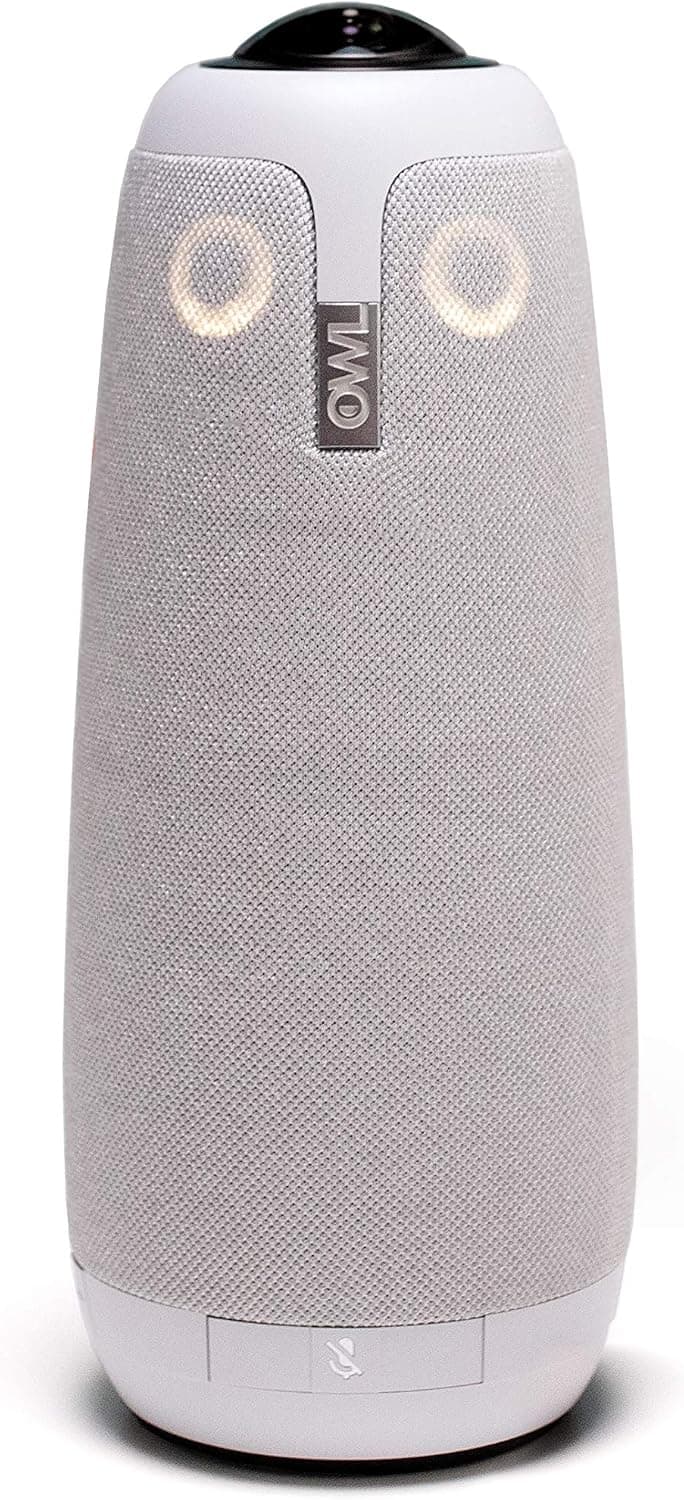
The Meeting Owl Pro from Owl Labs is an all-in-one smart video conferencing device that combines a 360-degree camera, microphone array, and speaker into a single unit. It captures 1080p panoramic video and automatically focuses on whoever is speaking, making remote meetings feel more natural and engaging. Designed for small to medium-sized meeting rooms (up to about 8 people), the Owl Pro connects via USB to any PC or Mac and works with all major video conferencing apps. It also supports Wi-Fi for firmware updates and configuration through the companion app.
Connectivity & Compatibility
The Meeting Owl Pro connects via USB (USB-A cable included) and Wi-Fi. It works with Windows, macOS, and Chrome OS, and is compatible with Zoom, Microsoft Teams, Google Meet, Webex, and other popular platforms. The included USB cable is approximately 2.5 meters long, giving you flexibility in room layout. Power is delivered over USB, but for stable operation, using the included AC adapter is recommended.
Product Info
Released in 2019, the Meeting Owl Pro sits in the high-end business conferencing category with a price around $1,000 USD (approximately ¥160,000 JPY). It comes with a 1-year manufacturer warranty. The package includes the Owl Pro unit, USB cable, AC adapter, and quick-start guide. In the market, it competes with devices like the Logitech Rally Bar and Poly Studio, but its key differentiator is the 360-degree camera with automatic speaker focus — a feature that truly enhances remote meeting experiences.
Best Use Cases
Hybrid teams with frequent meetings: If your team has a mix of in-room and remote participants, the Owl Pro ensures everyone can see and hear each other naturally. The auto-focus feature means remote attendees always know who is speaking. Small meeting rooms (4-8 people): The 360-degree camera captures everyone without needing to adjust the camera angle. For larger rooms (10+ people), consider using multiple Owl units with the Owl Connect feature. * Non-technical users: Plug-and-play USB connection with no driver installation required. The companion app is intuitive for firmware updates and basic settings. However, users who need fine-grained control over camera framing may find the app limited.
Things to Consider
First, this is a conference room device — it's overkill for a personal desk setup. The 360-degree camera and integrated speaker may pick up your own voice too prominently if placed too close. Second, the price is steep at around $1,000. If budget is tight, a standard webcam plus a separate microphone can work, but you'll lose the automatic speaker focus that makes meetings feel more natural. Third, Wi-Fi is only used for firmware updates and configuration — video and audio always go through USB. So even if your Wi-Fi is unstable, your meeting won't be affected, but you'll need Wi-Fi for initial setup. ## FAQ
Q: How many people can the Owl Pro handle? A: Owl Labs recommends up to 8 people in a typical meeting room. For larger rooms, you can use the Owl Connect feature to link multiple Owl Pro units. Q: Is the speaker good for music? A: No — the speaker is optimized for voice clarity in meetings. It's not designed for music playback or movies. Q: Does it work with all video conferencing apps? A: Yes, it works with Zoom, Teams, Google Meet, Webex, Skype, and others. It appears as a standard USB camera, microphone, and speaker, so no special drivers are needed.
Product Disclosure (Amazon)
- Manufacturer: Owl Labs
- Seller: Reg shop
- Fulfilled by: Reg shop
- ASIN: B07WNK4PHW
- Note: This article covers a manufacturer-made product based on Amazon listing details.