Overview
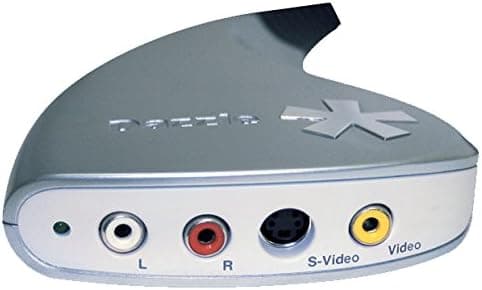
The Pinnacle Systems Mac USB2 Video Capture Hardware is an analog video capture device built for Macintosh computers. It connects over USB 2.0 and pulls video from analog sources such as camcorders, VCRs, set-top boxes, and older game consoles.
The short verdict: this is a single-purpose tool for digitizing VHS and Hi8 tape libraries on a Mac, and it is not suitable for modern game capture or streaming.
On Amazon.co.jp it carries 18 reviews and a 3.5-out-of-5 rating (roughly 70% positive, as of the May 2026 data snapshot).
With only 18 ratings, that number says more about how few people bought it than about consensus quality. Much of the gap from a perfect score likely traces back to the OS-compatibility issues described below.
Its headline feature was automatic import into iTunes, so captured clips synced straight to an iPod or Apple TV. That design belongs to the iTunes era.
Since macOS Catalina (2019), iTunes has been split into Music, TV, and Podcasts, so the original workflow is not guaranteed to work today. Know this before you buy.
Compatibility Guide
The device targets Mac OS X only; it is not a Windows product. It connects over USB 2.0, and the 480 Mbps of bandwidth that standard provides is more than enough for standard-definition analog video.
Bandwidth is not the problem — drivers and OS versions are.
| Item | Spec | Practical note |
|---|---|---|
| Interface | USB, USB 2.0 | Modern Macs need a USB-A to USB-C adapter |
| OS | Mac OS X | Verify the exact version with the seller |
| Input | Composite / S-Video | No HDMI or DisplayPort input |
| Dimensions | 21 x 14 x 7 cm | Package size; the unit itself is smaller |
| Weight | 0.5 lb (approx. 227 g) | Easily portable |
The first practical hurdle is the connector. This is a USB Type-A era product, while most MacBooks from 2016 onward and every Apple silicon Mac expose only USB-C/Thunderbolt ports.
A USB-A to USB-C adapter or a hub with a Type-A port is effectively mandatory.
The software side is the bigger issue. Apple dropped 32-bit app support entirely in macOS Catalina and tightened kernel-extension handling further during the Apple silicon transition.
Peripherals of this generation often depend on 32-bit bundled software or legacy drivers, so there is no guarantee they run on a current macOS. Even where a product is described as driver-free, that claim was made against the operating systems of its time.
If you still own an Intel Mac running an older OS, that is by far the safest host.
Check the input side too. Supported sources are RCA composite and S-Video — analog standard definition (NTSC or PAL).
Japanese VHS decks and Hi8 camcorders are NTSC; if you plan to capture PAL-recorded tapes, confirm format support on the product page. Also note that copy-protected signals generally cannot be captured.
That is not a defect specific to this unit but a standard constraint on devices of this class.
Product Info
rmation
The manufacturer is Pinnacle Systems, a brand later folded into Corel, and the product sits in the entry-level analog capture segment. The published specs cover the brand, the USB 2.0 interface, Mac OS X support, a weight of about 227 g, and package dimensions of 21 x 14 x 7 cm.
Capture resolution and frame rate are not stated in the listing data. Given an analog SD source, roughly 720x480 (NTSC) is the realistic ceiling.
One important caveat about price. The product has been discontinued for many years, so what circulates is leftover stock and used units.
Marketplace pricing on discontinued hardware often bears no relation to what the device actually does. The listing data referenced here showed a figure clearly out of proportion for an entry-level analog capture box.
Prices fluctuate heavily, so check the current price on the product page and compare it against current-generation equivalents before committing. With capable modern USB capture devices available cheaply, paying a premium here rarely makes sense.
The rating stands at 3.5 out of 5 across 18 reviews as of May 2026.
At that sample size, reading individual reviews beats reading the average — specifically, look for reviews that state which macOS version the reviewer got it working on.
Comparison With Alternatives
If your only goal is digitizing analog tapes, this is not your sole option. Several current USB capture devices still include composite and S-Video inputs, and many of them are recognized as standard UVC (USB Video Class) devices on recent macOS builds — which sidesteps the driver problem entirely.
That is a meaningful advantage.
If you want to capture an HDMI source (a console, a camera, a PC output), this device is out of the running. HDMI capture lives in the USB 3.0-and-later category, with models supporting 1080p60 and 4K passthrough.
Many readers searching for "Mac video capture" actually want that second category. Decide first whether you are digitizing legacy tapes or recording current gear.
On image quality, it is worth knowing that analog capture results depend more on the playback deck and cabling than on the capture box. The same tape looks noticeably better over S-Video than composite because luma and chroma stay separated.
If your deck has an S-Video output, use it. A higher-end deck with a built-in time base corrector reduces jitter and noise further.
Things to Check Before Buying
1. Assume it may not work on a current Mac. This is the single largest risk.
On Apple silicon Macs and recent macOS releases, the drivers and bundled software for this generation of hardware may simply fail. Do not buy without confirming the return policy.
2. There is no HDMI input. If console recording or streaming is your goal, buy a current HDMI capture device instead.
Buying the wrong category is the costliest mistake here.
3. Copy-protected video cannot be captured. Commercial video releases and some recorded content will stop the capture.
Home movies are fine; set expectations accordingly.
4. The listed price may be far removed from the product's real value. Discontinued hardware tends to spike on marketplaces.
Check what equivalent current devices cost before deciding whether the asking price is reasonable.
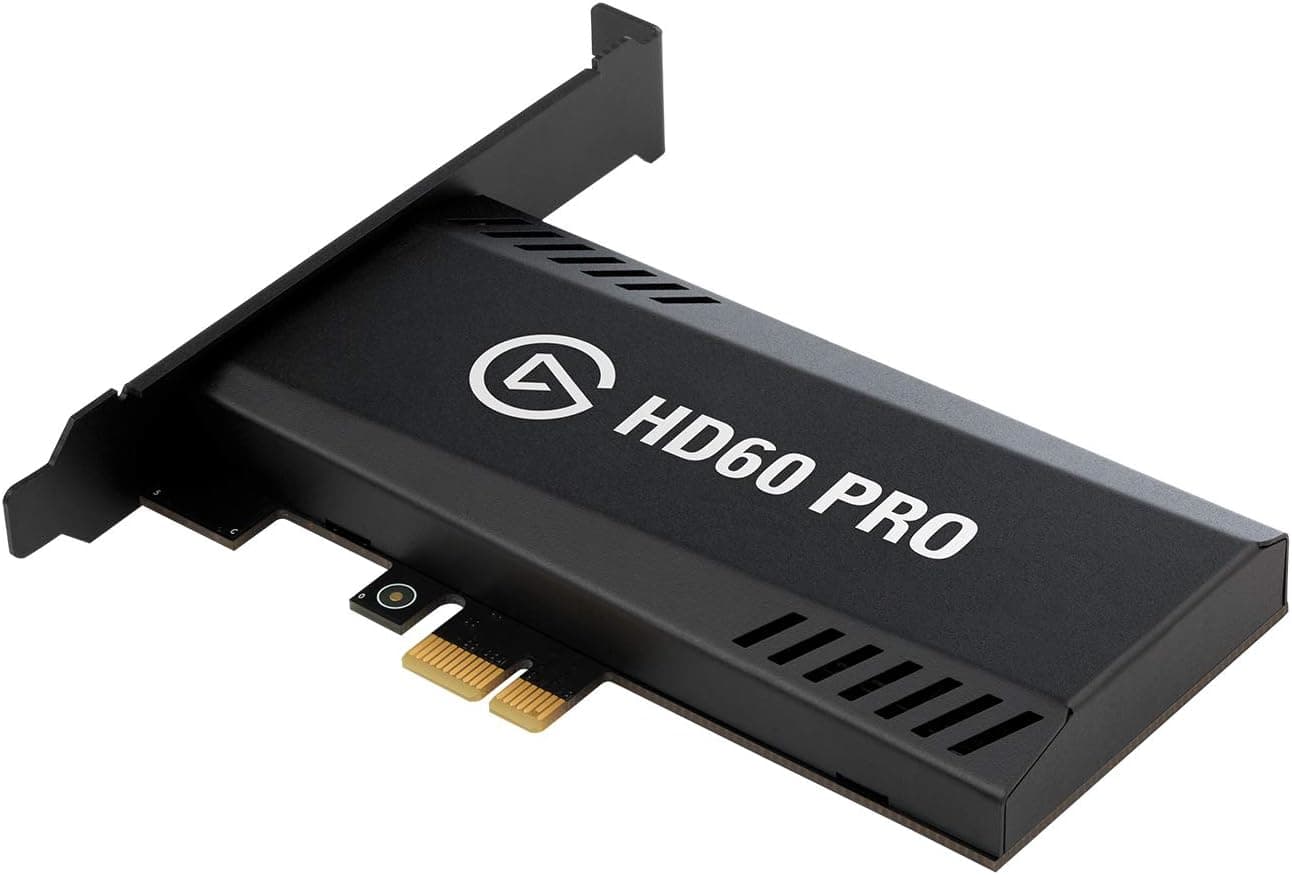
5. Listing metadata can disagree with the physical item. On discontinued products with multiple sellers, the manufacturer, model number, or accessory list on the page is sometimes carried over from a different product.
Do not trust the listing fields alone — confirm from the product photos and title that you are looking at the right device. Bundled cables and box condition also vary widely by seller.
6. Tape digitization is a race against time. Magnetic tape degrades, and working playback decks get harder to find every year.
If you have a large tape library, a professional transfer service may cost less overall than assembling your own setup. Do the math on tape count versus your hourly time.
Best Use Cases
This suits someone with VHS, Hi8, or 8 mm tapes who wants to digitize them on a Mac. It works best if you still have period-appropriate hardware — an Intel Mac running an older OS, or something older still.
The automatic conversion to iPod- and Apple TV-friendly formats is genuinely convenient if you would rather not touch encoder settings.
It is a poor fit if you are:
- Streaming or recording gameplay — no HDMI input, so it cannot meet the requirement.
- Running only an Apple silicon Mac — the compatibility risk is too high.
- Expecting HD quality — physically impossible from an analog SD source.
- A Windows user — this is Mac-only by design.
- Digitizing a large library quickly — capture runs in real time, so 100 tapes means hundreds of hours. Consider a transfer service.
FAQ
Q. Will it work on the latest macOS with Apple silicon? A.
No guarantee. It was designed in the Mac OS X era, and its drivers and bundled software may not run on current macOS.
Ask the seller about OS support or confirm return terms before buying.
Q. Can I record a Nintendo Switch or PS5? A.
No. Inputs are analog composite and S-Video only, with no HDMI.
Use a USB 3.0-or-later HDMI capture device for modern consoles.
Q. What capture quality can I expect? A.
Standard definition, around 720x480 (NTSC), as a guideline. The source tape simply does not contain more detail than that.
This is not an upscaling product.
Q. Can I copy commercial DVDs or video releases? A.
Copy-protected material generally cannot be captured, and duplicating copyrighted works can be legally problematic depending on use. Stick to footage you shot yourself.
Q. Any tips for better quality? A.
Use S-Video rather than composite if your deck offers it — separating luma from chroma visibly reduces color bleed. Clean the deck heads, and capture your most fragile tapes first.
Q. Can I connect it to a USB-C-only Mac? A.
Physically, yes, via a USB-A to USB-C adapter or a hub with a Type-A port. But physical connection and OS recognition are separate problems — the driver issue above still applies.
Product Disclosure (Amazon)
- Manufacturer: Pinnacle Systems
- Seller: DGMオンライン
- Fulfilled by: DGMオンライン
- ASIN: B000WR4BBU
- Note: This article covers a manufacturer-made product based on Amazon listing details.