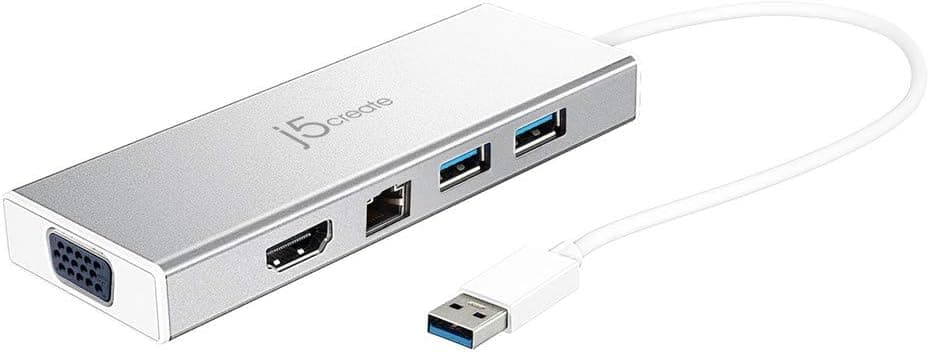
This article covers j5create USB 3.0 5in1 デュアルモニタ ドッキングステーション USB3.1 Type-Ax2 5Gbps フルHD 60Hz HDMI VGA ギガビット有線LAN Micro-B power in 最大QWXGA(2048×1152) 1080P 60Hz対応 Windows11.
Overview
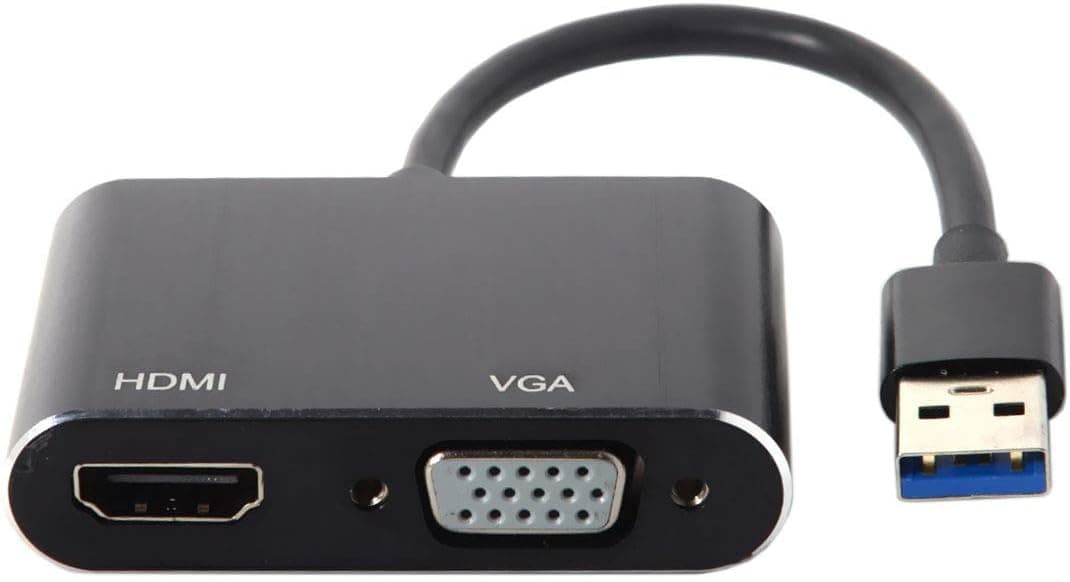
The j5create USB 3.0 5in1 Dual Monitor Docking Station JUD380-EJ is a compact mini dock that adds HDMI and VGA dual-monitor output, two USB 3.0 ports, and a Gigabit Ethernet port to any laptop or desktop with a USB 3.0 Type-A port. It supports resolutions up to 2048×1152@60Hz, making it suitable for productivity tasks beyond standard Full HD. Its palm-sized design is ideal for mobile workers who need to quickly expand connectivity at a desk, hotel, or co-working space. The dock can run on bus power alone, but also accepts an optional MicroUSB power input (AC adapter sold separately) for stable operation with power-hungry peripherals like external SSDs or optical drives.
Connectivity & Compatibility
The host interface is a USB 3.0 Type-A male connector, backward compatible with USB 3.1 Gen1. The expansion ports include: USB 3.0 Type-A ×2 (5Gbps) HDMI ×1 (up to 1920×1080@60Hz) VGA ×1 (up to 2048×1152@60Hz) Gigabit Ethernet ×1 (10/100/1000Mbps) * MicroUSB Power in ×1 (for self-powered mode) Supported operating systems are Windows 11/10/8.1/7 (32/64-bit) and macOS 10.8 or later. On Windows, drivers install automatically upon first connection. macOS users need to manually download drivers from the j5create website. Note that HDCP is not supported, so protected streaming content may not display on external monitors. Apple USB SuperDrive is also incompatible due to manufacturer restrictions.
Product Info
The JUD380-EJ launched around 2020 and remains widely available through Japan and other retailers. Its street price hovers around ¥9,000 (tax included), offering excellent value for a 5-in-1 dock. The manufacturer provides a 2-year warranty with domestic support via phone, email, and chat. Market positioning is entry to mid-range. This is a USB 3.0-based dock without DisplayLink, so it won't satisfy users needing 4K output or USB-C connectivity. However, for anyone seeking an affordable way to add dual Full-HD monitors and wired networking to a USB-A laptop, it's a solid pick.
Best Use Cases
Remote workers wanting to extend their laptop screen: A single laptop display can limit productivity. With JUD380-EJ, you can add two external monitors via HDMI and VGA for a triple-screen setup. Just be aware that if your monitor lacks VGA, you'll be limited to one HDMI display. Mobile professionals needing reliable wired LAN and extra displays on the go: The dock is small enough to slip into a laptop bag. When Wi-Fi is flaky, the Gigabit Ethernet port provides a stable connection. Mac users should download drivers before heading out. * Budget-conscious users testing the waters of multi-monitor productivity: Before investing in an expensive Thunderbolt dock or a monitor with a built-in hub, this mini dock lets you experiment with dual-monitor workflows at minimal cost. It's not suitable for 4K output or USB-C power delivery scenarios.
Product Disclosure (Amazon)
- Manufacturer: j5create
- Seller: j5create Direct
- Fulfilled by: Amazon
- ASIN: B085VJ586B
- Note: This article covers a manufacturer-made product based on Amazon listing details.