Overview
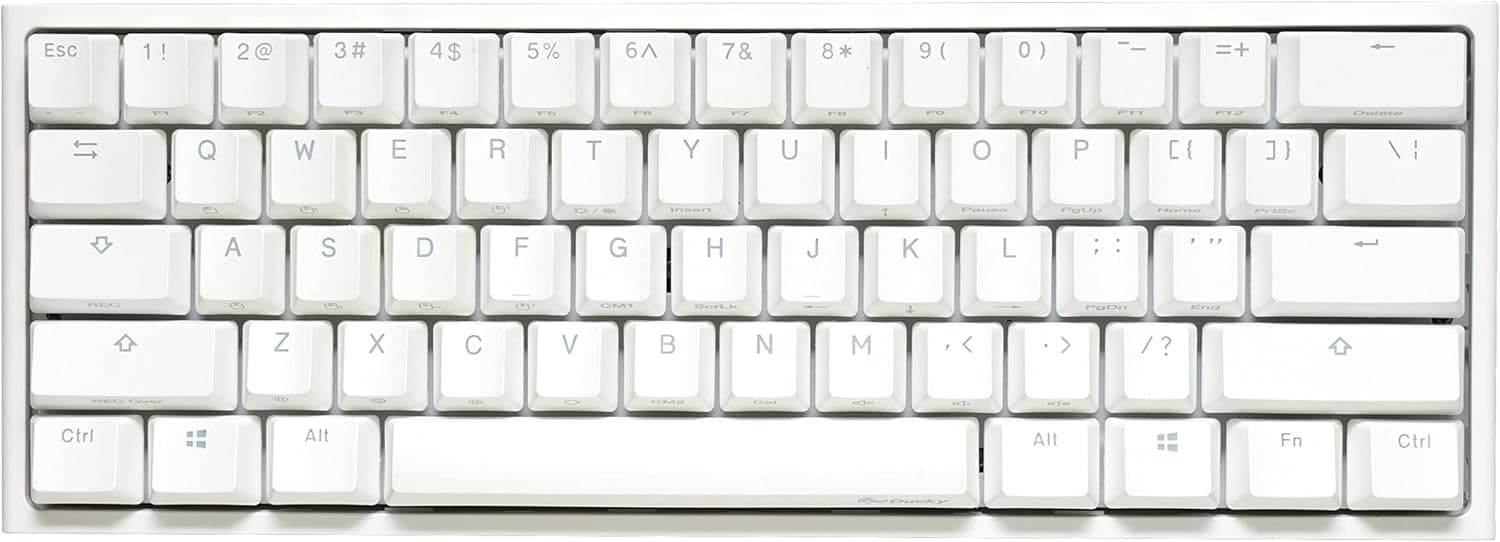
The Ducky One 2 Mini Pro Pure White is a 61-key, 60% mechanical keyboard from the Taiwanese brand Ducky. The short verdict: this is a board for people who will happily exile the arrow keys and F-row to an Fn layer in exchange for mouse room and typing quality — and a poor fit for anyone who lives in spreadsheets or needs dedicated arrows.
At 302 x 108 x 40 mm and roughly 590 g, it is about 50 mm narrower than a typical tenkeyless board and nearly 40% narrower than a full-size layout.
The switches are Cherry MX Brown (tactile): a light bump partway through the travel, without the sharp click of a blue switch or the straight-through drop of a red. That middle-of-the-road feel is why MX Brown is often the first switch people pick when one board has to cover both gaming and writing.
Keycaps are PBT double-shot seamless, so the surface resists the shine that ABS caps develop, and the legends are molded rather than printed — they cannot wear off.
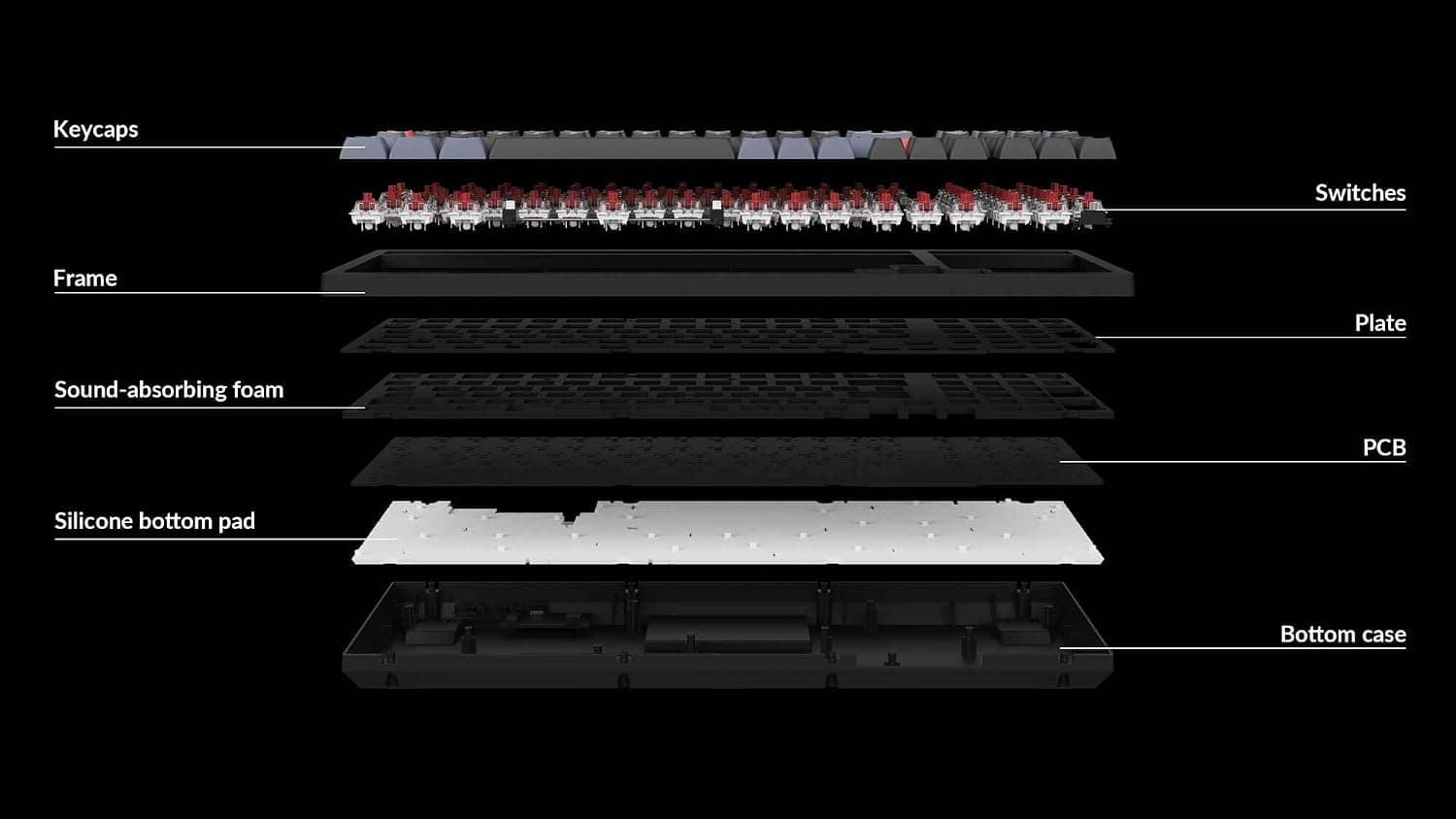
Internally, Ducky's QUACK Mechanics adds an EVA sound damper and a Q-Bounce composite pad, which cut the hollow metallic ring that empty cases produce. Polling runs at 1000 Hz (one report per millisecond), which is well past the point where input latency is a competitive concern.
Reading the Spec Sheet
| Spec | Value | Why it matters |
|---|---|---|
| Layout | 60% (61 keys) | Arrows, F-row, numpad all move to the Fn layer |
| Switch | Cherry MX Brown (tactile) | Not silent, but quieter than a clicky blue |
| Keycaps | PBT double-shot seamless | Resists shine and legend wear |
| Backlight | RGB LED (some keys not shine-through) | Lighting looks uneven in a dark room |
| Polling rate | 1000 Hz | Ample for competitive play |
| Connection | USB-C (detachable) | Easy to swap cables and pack |
| Cable length | approx. 1.5 m | May not reach a floor-standing PC |
| Dimensions | 302 x 108 x 40 mm | Fits a 13-inch laptop sleeve |
| Weight | approx. 590 g | Heavy enough not to slide while typing |
| OS support | Windows / macOS | No driver needed |
The numbers matter less than the trade they encode: 60% buys desk area with directness of operation. A 302 mm board angled on a desk still leaves roughly 40 cm of mouse space to its right — a real advantage for low-sensitivity FPS players, not a subjective one.
The cost is that every arrow-key move and every Alt+F4 becomes a two-key chord.
Compatibility Guide
Connection is a detachable USB-C cable, and the board works from either a USB-A or USB-C host port with the right cable. No driver installation is required: Windows and macOS both enumerate it as a standard HID keyboard.
Because configuration is done through on-board key combinations rather than software, settings persist on the board itself — useful on a locked-down work PC where you cannot install utilities.
The more practical concern is physical. The bundled cable is about 1.5 m.
That is generous on a desk-mounted PC, but a floor-standing tower eats most of it just traveling up a 70 cm desk. The USB-C connector means you can swap in a longer third-party cable, so this is fixable — it is just the kind of thing people discover after unboxing.
For keycap swaps, the Cherry MX cross stems are standard, but 60% boards vary in the width of the right Shift and bottom row, so a generic set may not fill every position. Choose a set that explicitly lists 60% compatibility, or check the product page for Ducky-specific fitment.
Note also that this is not a hot-swap board; if changing switches without soldering matters to you, start with a different model rather than planning to modify this one.
On macOS the 60% compromise bites slightly harder. The Fn layer is oriented around media keys, so macOS-specific functions like Mission Control or brightness may need to be reassigned in the system keyboard shortcut settings.
Product Info
Pricing, all as captured at specific moments: ¥16,980 on the Amazon listing as of 1 June 2026, and ¥16,982 as of 27 August 2026, with an overseas marketplace (eBay) listing at $69.99 as of 15 July 2026.
A ¥2 move across roughly three months suggests this model sits at a stable price rather than one that swings with sales. Prices still change with exchange rates, stock and promotions — check the product page before buying.
An overseas marketplace purchase also will not carry the Japanese authorized-distributor warranty, which is part of the price comparison.
The review score is 4.5 out of 5 (90% positive), but that comes from only 6 reviews.
With a sample that small the confidence interval is wide, and a 4.5 here should not be read the same way as a 4.5 backed by thousands of reviews.
Treat it as a weak signal about reliability or long-term durability, and weight warranty coverage more heavily instead.
In the box: a USB-C cable, a keycap puller, and 10 replacement colored keycaps in random colors. The included puller matters more than it sounds — cheap plastic pullers can scratch keycap sides, so start with the bundled one.
How It Compares
The 60% category also holds optical boards like the Razer Huntsman Mini and budget hot-swap boards like the Geeky GK61. Broadly: optical boards win on actuation speed and quiet operation, budget hot-swap boards win on switch-swapping freedom, and this one wins on getting keycap quality, internal damping and build together out of the box with no follow-up spending.
So the decision is fairly clean. Want to roll different switches for fun?
Buy hot-swap. Chasing the fastest possible actuation for competitive play?
Look at optical or magnetic (rapid-trigger) boards. Want one board you buy once, keep for years, and never see go shiny?
The PBT double-shot standard equipment here is exactly that case.
Living With the Fn Layer
Newcomers to 60% almost always stumble on the same three keys in week one: arrows, Delete, and F5. Honestly: whether you adapt varies a lot by person, and "you'll get used to it in a week" is not a promise anyone can make. The more your work involves cursor navigation in text or code, the more friction you will feel.
One thing worth trying is mapping arrows to a right-hand cluster such as Fn + IJKL instead of Fn + WASD, which keeps your hand closer to the home row.
As for sound, the EVA damper and composite pad do suppress the high-frequency ring you get from plate-mounted boards in this price range. But MX Brown is not a silenced switch.
If your voice-chat mic sits away from your mouth, your keystrokes will reach the other end of the call. If quiet is the top priority, look at a model with silent switches.
Best Use Cases
This board is an easy recommendation for:
- Low-sensitivity FPS/TPS players — the 302 mm width converts directly into mouse space.
- People who travel with a keyboard — 590 g and 302 x 108 x 40 mm fit a backpack laptop sleeve, and the detachable cable makes packing simple.
- Anyone who hates shiny keycaps — PBT double-shot holds up visually over years of use.
- Users on machines where they cannot install software — all configuration lives on the board.
- People who want one board for both gaming and writing — MX Brown is a deliberately middle-ground switch.
Things to Consider
First, who should not buy this. Accounting work with heavy numeric entry, large spreadsheet navigation, frame-by-frame video editing with arrow keys, CAD work — if any of those is your daily job, a 60% layout will cost you productivity.
Bolting on a separate numpad is possible, but that erases the one advantage you bought the board for. Get a tenkeyless or full-size instead.
Second, calibrate your expectations for the lighting. The RGB LEDs are there as specified, but some keys are not shine-through. In a dark room you will see a mix of glowing legends and keys lit only around the edges.
Durable PBT double-shot construction and bright shine-through legends pull against each other at the material level; this board chose durability.
Third, it is wired only — no Bluetooth, no 2.4 GHz dongle.
It will not serve a tablet, a living-room PC, or a cable-free desk. And as noted, it is not designed for hot-swapping, so it is a poor base for a board you plan to modify later.
Finally, a practical buying note. Amazon listing metadata (manufacturer, model number, included items) occasionally shows information belonging to a different product.
This article is about the Ducky One 2 Mini Pro Pure White with Cherry MX Brown. When you open the product page, confirm the target product and the switch color from the images and title, not just the spec text. Switch type is often a variation selector on a shared listing, and it can quietly reset to a different option before checkout.
Prices here are as-captured; if the page disagrees with this article, the page is authoritative.
FAQ
Q. Will I really be fine without arrow keys? A.
Depends on your use. Gaming rarely needs them; heavy text editing and coding do.
Adaptation speed varies a lot between people, and some never adapt.
Q. Is Cherry MX Brown quiet? A.
No click like a blue switch, but it is not a silent switch. Depending on mic placement, your typing will carry into voice chat.
Consider a silent switch if quiet is critical.
Q. Does it work on a Mac? A.
Yes — Windows and macOS are both supported with no driver. macOS-specific function keys may need reassigning in system shortcut settings.
Q. Can I use aftermarket keycaps? A.
Cherry MX stems fit most sets, but 60%-specific key widths (right Shift, bottom row) can mismatch. Pick a set that states 60% compatibility.
Q. Can I replace the cable? A.
Yes, it is detachable USB-C. The bundled cable is about 1.5 m, which can fall short with a floor-standing PC, so buy a longer one if needed.
Q. Can I swap the switches later? A.
It is not built around hot-swap. If switch-swapping freedom matters, choose a hot-swap model from the start.
Product Disclosure (Amazon)
- Manufacturer: Ducky
- Seller: Amazon.co.jp
- Fulfilled by: Amazon.co.jp
- ASIN: B0CL5DZPQV
- Note: This article covers a manufacturer-made product based on Amazon listing details.