Overview
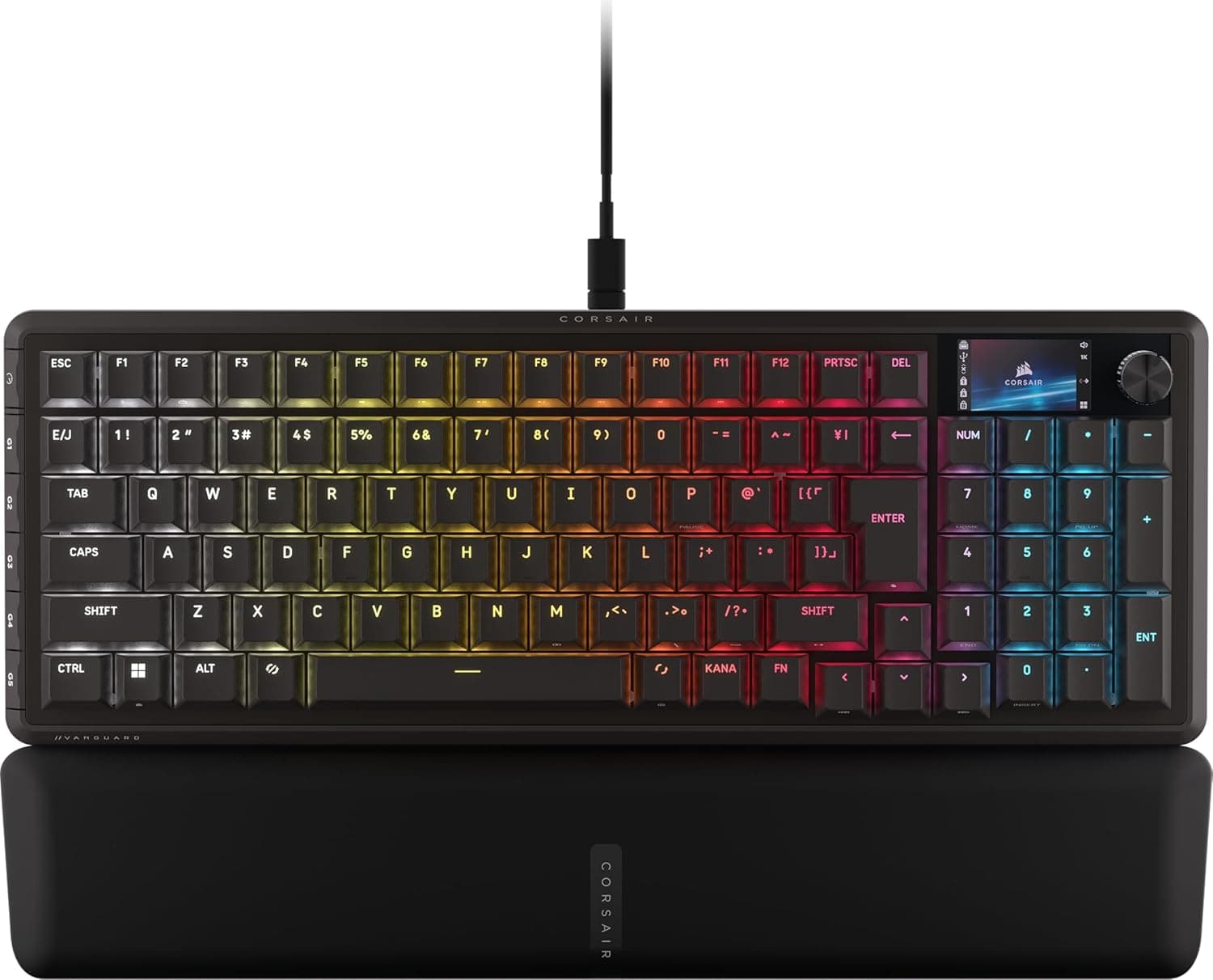
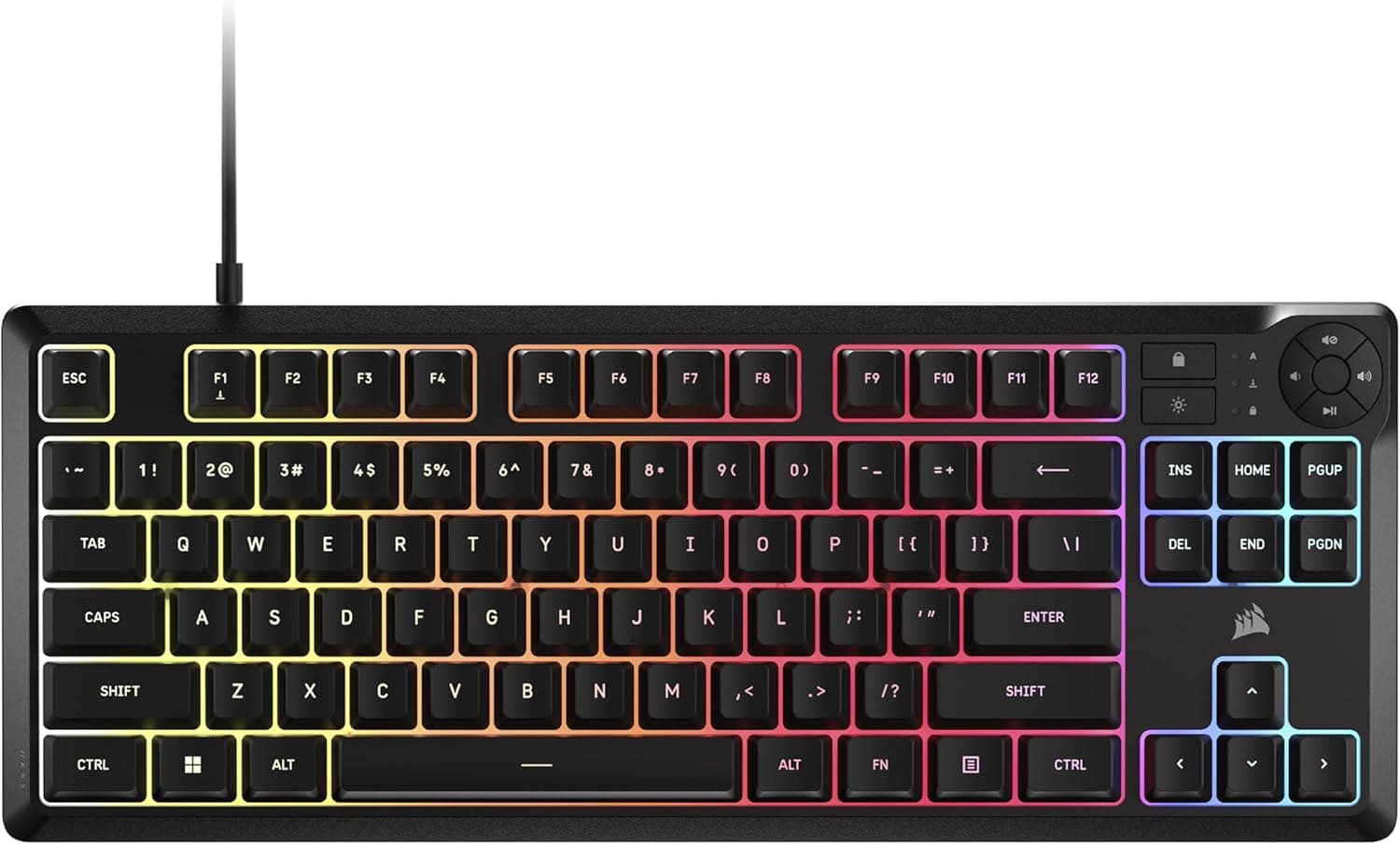
The Corsair K55 CORE TKL RGB is a tenkeyless (TKL) quiet membrane gaming keyboard. Put simply, it is built for people who need to game without the clack of mechanical switches while freeing up desk space for large mouse movements.
It covers the gaming basics — 8-zone RGB, a 1000Hz polling rate, 12-key rollover and spill resistance up to 300ml — at ¥7,349 as captured on Amazon.co.jp in May 2026 (prices move often).
The same listing showed 4.7 out of 5 stars from 63 reviews, a small sample but a consistent one.
What it is not is a keyboard for people chasing mechanical feel. Sorting that out first is what separates happy buyers from disappointed ones.
How to judge the membrane choice
Membrane keyboards use a rubber dome to return the key, so there is no distinct click or clearly felt actuation point. Input registers close to the bottom of the stroke, the sound is muted and the impact on your fingers is softer.
That is exactly why the K55 CORE TKL can call itself quiet, and it matters for voice chat, shared living rooms and late-night sessions.
The general trade-offs by switch type look like this. These are tendencies of each technology, not measured figures for specific products.
| Type | Noise | Feel | Price band | Main drawback |
|---|---|---|---|---|
| Membrane (this board) | Quiet | Soft and uniform | Low–mid | Vague actuation; no per-key swaps |
| Mechanical | Medium–loud | Distinct click/tactile | Mid–high | Audible; costs more |
| Optical / magnetic | Medium | Fast, adjustable actuation | High | Expensive, competition-focused |
In short, this board buys quiet operation and a low price by giving up feel and customisation. If that trade sits well with you, the value is strong.
Compatibility Guide
Connection is USB-A wired only, plug-and-play with no driver required. Windows is the supported OS; macOS is not officially supported, so modifier placement and media key behaviour may not work as intended even though the plug fits.
Any USB 2.0 or faster port works, but to keep 1000Hz polling stable it is wiser not to funnel keyboard, mouse and headset through a single unpowered hub or a monitor's built-in hub.
Plugging directly into a rear motherboard port is the safe default.
Physically the board measures 37 × 14.1 × 3.5 cm.
That is roughly 8–10cm narrower than a full-size layout, and that width is exactly what your mouse gains. However, 14.1cm deep and 3.5cm tall can be a tight fit on a sliding keyboard tray — measure your tray, including the extra height with the tilt feet extended.
No wrist rest is included, so budget for one if 3.5cm puts your wrists at an awkward angle.
12-key rollover handles WASD plus modifiers and skill keys without dropping inputs. It is not full NKRO, though, so rhythm games that demand many simultaneous presses may push you toward a higher-tier board.
Product Info
The price was ¥7,349 including tax as captured in May 2026. Keyboard street prices swing with sales and coupons, so always check the listing for the current figure.
The eBay marketplace entry returned no concrete amount and listing conditions vary, so buying through regular domestic retail is the safer route.
Key specifications: tenkeyless layout, USB-A wired connection, 1000Hz polling rate, 12-key rollover, 8-zone RGB backlighting and 300ml spill resistance. The lighting being zone-based rather than per-key is worth understanding before purchase — you cannot recolour a single key to make it stand out.
Dedicated media keys let you adjust volume and playback without leaving the game window.
On reviews, the Amazon.co.jp listing showed 4.7 out of 5 stars from 63 reviews (captured May 2026).
Sixty-three is not a large sample, so treat long-term durability claims with more caution than you would for models with thousands of ratings.
What matters in daily use
The 300ml spill rating covers a knocked-over mug, not a full 500ml bottle. Either way the drill is the same: unplug immediately, turn the board face-down and let it dry fully.
Note that no formal IP rating is stated.
Membrane construction also means you cannot swap individual keycaps or switches. If the spacebar alone wears out after a few years, partial repair is not an option — replacement is.
That is a fair trade at this price, but a poor fit for anyone who likes to tinker with a board over time.
Best Use Cases
This board suits:
- Players who cannot make noise — late nights, apartments, gaming while on voice chat. This is where quiet membrane keys earn their keep.
- Low-sensitivity FPS/TPS players — the width saved by going tenkeyless becomes mouse travel.
- First-time gaming keyboard buyers under ¥10,000 — 1000Hz polling plus 12-key rollover means input is rarely the thing holding you back.
- Anyone who keeps a drink on the desk — 300ml spill resistance is practical insurance.
It does not suit people who want satisfying key feel, plan to swap keycaps, want per-key lighting for streaming, or need full NKRO. Those buyers should look at mechanical or optical models instead — it works out cheaper than buying twice.
Before You Buy
The biggest caveat is the NA (US) layout. Symbol positions differ from a Japanese JIS board, and there is no 半角/全角 key, so Japanese input switching has to be remapped through IME settings or handled with Alt plus the grave key.
If you already use US layout this is a non-issue; if you have only ever used JIS, expect a rough first few days. Check this before you compare prices or specs.
Second, 8-zone RGB is a real constraint. The RGB in the name leads people to expect per-key lighting; what you get is colour bands across the board.
If you wanted per-key effects for streaming, this will disappoint.
Third, membrane keys age. Rubber domes lose rebound with use, and the keys you hit most — space, WASD — change feel first.
Since you cannot swap switches to extend its life, plan on a few years of service as a consumable. A standard two-year manufacturer warranty is generally cited, but terms differ by seller and region, so confirm coverage on the listing before buying.
Finally, a note about listing data. On the Amazon page referenced here the manufacturer reads CORSAIR, which matches this product, but listings of this type frequently carry seller, fulfilment or spec details that do not match the physical item, and parallel-import and domestic stock sometimes share one page.
Verify the product images, title and layout marking (NA/US versus JP) with your own eyes before ordering — layout in particular is a common reason for returns.
FAQ
Q. Can I type Japanese with it? A.
Yes, but the NA layout has no 半角/全角 key. Assign a switching shortcut in Windows IME settings, or use Alt plus the grave key.
Q. Does it work on a Mac? A.
Windows only, officially. It will physically connect over USB-A, but modifier placement and media key behaviour are not guaranteed.
For Mac use, pick a board that states Mac support.
Q. How quiet is it really? A.
There is no sharp click like a blue mechanical switch — mostly a muted thud from the rubber dome, quiet enough not to bother someone in the same room. It is not silent, and bottoming out hard still makes noise.
Q. Can I feel the 1000Hz polling rate? A.
Not dramatically on its own, but input tracking is more consistent than on cheap 125Hz boards. Think of it as meeting the baseline for competitive titles rather than being an advantage.
Q. Can I replace the keycaps? A.
Do not count on compatibility with standard mechanical keycaps given the membrane construction. If customisation matters, buy mechanical.
Q. Is it safe if I spill a drink? A.
It is designed for spills up to 300ml, so a mug's worth has a good chance of being survivable. It is not waterproof.
Unplug immediately and dry it thoroughly face-down.
Product Disclosure (Amazon)
- Manufacturer: CORSAIR
- Seller: Amazon US
- Fulfilled by: Amazon US
- ASIN: B0FG8DKV2N
- Note: This article covers a manufacturer-made product based on Amazon listing details.