Overview
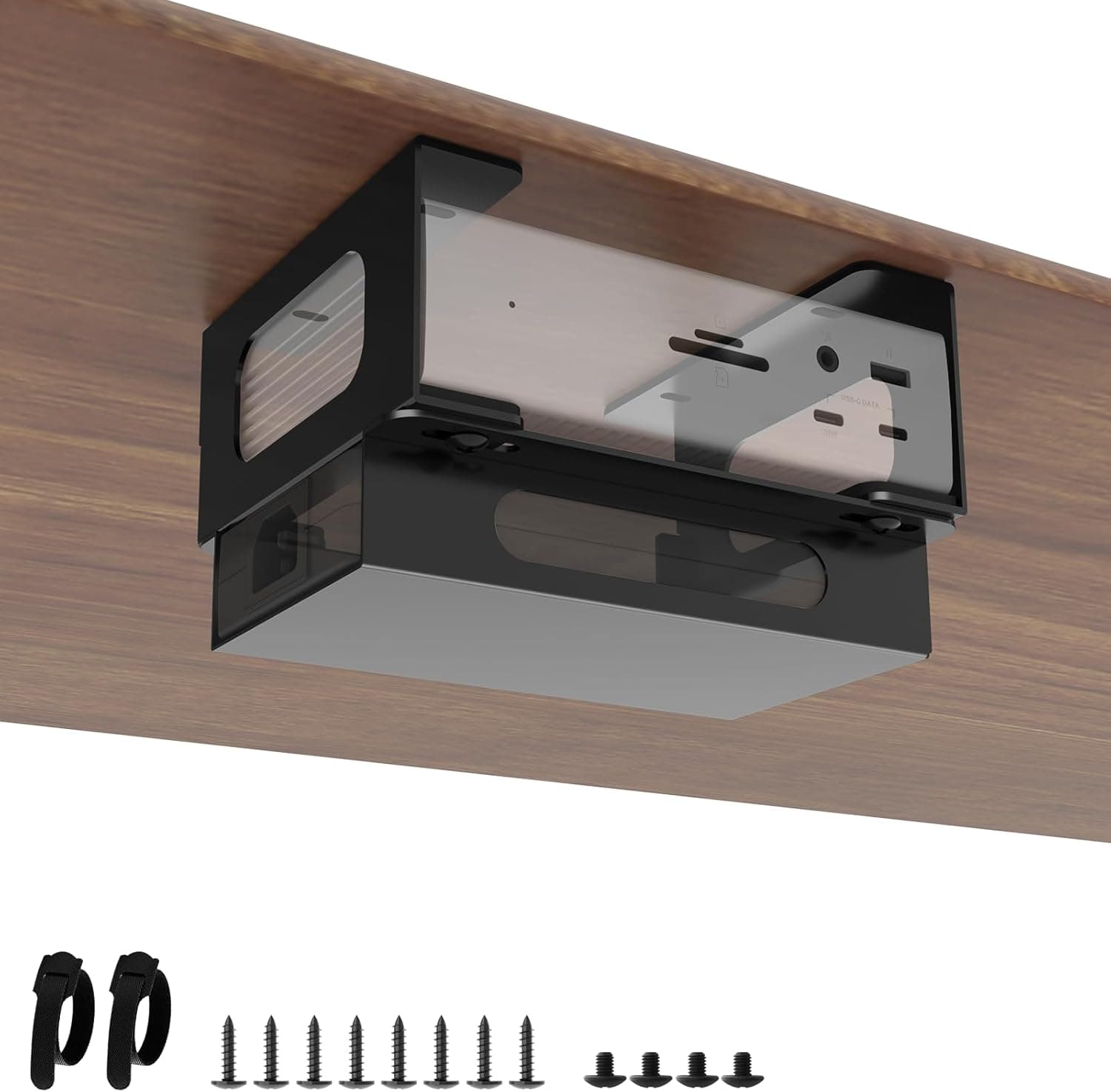
Bedycoon’s under-desk mount is a dedicated steel bracket designed to securely hold CalDigit TS4, TS3 Plus, and TS5 docks beneath your desk. By moving the bulky Thunderbolt dock and its power brick out of sight, you reclaim valuable desk real estate and reduce visual clutter—ideal for minimalist or compact workstations. Constructed from high-strength steel with a corrosion-resistant coating, the mount offers solid rigidity. It supports both combined and separated mounting of the dock and power supply, improving airflow and making dock insertion/removal easier. Included cable ties keep power cables neatly bundled, eliminating dangling wires under the desk.
Connectivity & Compatibility
This mount is engineered exclusively for CalDigit TS4, TS3 Plus, and TS5 docks. It does NOT fit the TS5 Plus, TS5+, or any other USB-C/Thunderbolt dock models. Always verify your dock’s model number before purchase. The mount itself is purely mechanical—no electronic circuits, ports, or cables. Installation requires screwing the bracket into a desk underside. It works best on wood or metal tabletops; glass or thin (<15mm) surfaces may not support secure attachment. The included self-adhesive positioning strips help align the mount before drilling.
Product Info
Released in late 2025, the mount is widely available through at around ¥4,186. It sits at an entry-to-mid price point, offering a cost-effective alternative to CalDigit’s own accessory. The package includes the steel bracket, two cable ties, a full screw set, positioning strips, and an instruction manual. Warranty coverage varies by seller; Bedycoon typically offers a 30-day return policy.
Best Use Cases
CalDigit TS4/TS3 Plus/TS5 owners short on desk space: Tidily tuck the dock and power brick under the desk, freeing up the surface for monitors, keyboards, or other peripherals. Pair with a monitor arm for a truly uncluttered setup. Cable management enthusiasts: The included cable ties keep thick Thunderbolt power cables organized and out of the way, making cleaning under the desk much easier. * Stationary setups that don’t require frequent dock relocation: Once mounted, the dock stays put. If you often carry your dock between locations, the fixed installation becomes a hassle?in that case, consider a desktop stand instead. Not recommended for desks with very thin tops or glass surfaces that cannot be drilled. The open design provides good ventilation, so thermal concerns are minimal even with sustained high-throughput use.
Product Disclosure (Amazon)
- Manufacturer: Bedycoon
- Seller: Amazon US
- Fulfilled by: Amazon US
- ASIN: B0FG27DZFC
- Note: This article covers a manufacturer-made product based on Amazon listing details.