Overview
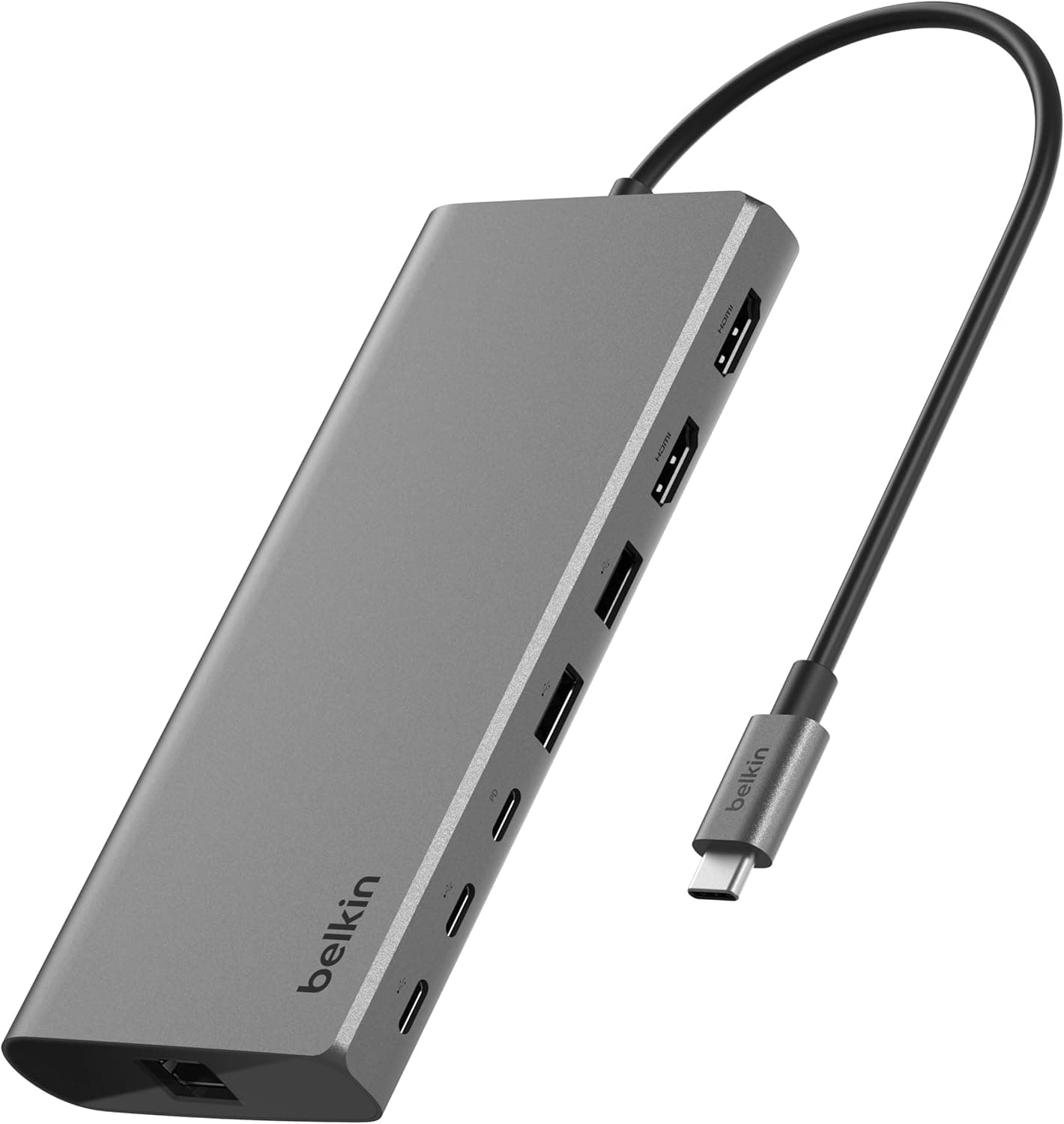
The Belkin Universal USB-C 8-in-1 Dual Display Core Hub (model INC015btSGY-CZ) is a compact docking station designed to add dual-monitor capability to modern laptops, especially Apple Silicon MacBooks that natively support only one external display. Measuring just 148×68×19mm and weighing 295g, it won't clutter your desk or your travel bag. The standout feature is the integration of Silicon Motion technology, which enables M1/M2/M3 MacBooks to drive two external monitors through a single USB-C connection — one at 4K/60Hz and the second at 4K/30Hz. Windows and Chromebook users can use it without additional drivers for dual 4K output as well.
Connectivity & Compatibility
The hub provides eight ports in total: Two USB-C data ports (up to 10Gbps) Two USB-A data ports (up to 10Gbps) Two HDMI ports (first at 4K/60Hz, second at 4K/30Hz) One 1Gbps Ethernet port * One USB-C PD input port (up to 100W pass-through charging) A 22cm USB-C cable is included to connect the hub to your laptop. The hub works with macOS, Windows, and ChromeOS devices that have USB-C or Thunderbolt 3/4 ports. For MacBooks, a free driver from Silicon Motion must be installed to enable dual-display output; Windows users may need the driver only in certain configurations. Compatible models include MacBook Pro/Air (Intel and M-series), Surface Pro, Dell XPS, and Chromebooks.
Product Info
Released around 2024, the Belkin 8-in-1 Dual Display Core Hub sits in the mid-range segment of USB-C docking stations. It is widely available on Japan for approximately ¥18,600. Belkin backs it with a 2-year manufacturer warranty and offers Japanese-language phone and email support. The package includes the hub, a 22cm USB-C cable, and a quick-start guide. The hub differentiates itself by its Silicon Motion chipset, a relatively rare feature in consumer docks that solves the single-display limitation of Apple Silicon Macs. Competing products from Anker, Cable Matters, or Ugreen offer similar port counts but typically cannot mirror or extend to two monitors on M1/M2/M3 MacBooks without workarounds.
Best Use Cases
MacBook users who need dual external monitors for productivity: If you work in video editing, coding, or data analysis, having two screens side-by-side significantly boosts efficiency. This hub makes it possible on MacBooks that normally restrict you to one external display. Windows users can achieve the same result with cheaper docks, so the premium here is mainly for the Mac ecosystem. Travelers and mobile workers: Lightweight at 295g and with a short tether cable, it slips easily into a laptop bag. At a hotel or co-working space, you can quickly connect to two available monitors and a wired network. The 100W PD input can charge most 13-14-inch laptops, but 16-inch MacBook Pro users (140W) will need the original charger for full-speed charging. * Minimalist desk setups: With a single USB-C connection, you get dual monitors, wired internet, peripherals, and charging — reducing cable clutter. The compact size lets you mount it under a desk or behind a monitor. However, gamers seeking high refresh rates beyond 60Hz should note the HDMI outputs are limited to 4K/60Hz (first port) and 4K/30Hz (second port).
Product Disclosure (Amazon)
- Manufacturer: Belkin
- Seller: Amazon.co.jp
- Fulfilled by: Amazon.co.jp
- ASIN: B0CZKXXK9V
- Note: This article covers a manufacturer-made product based on Amazon listing details.