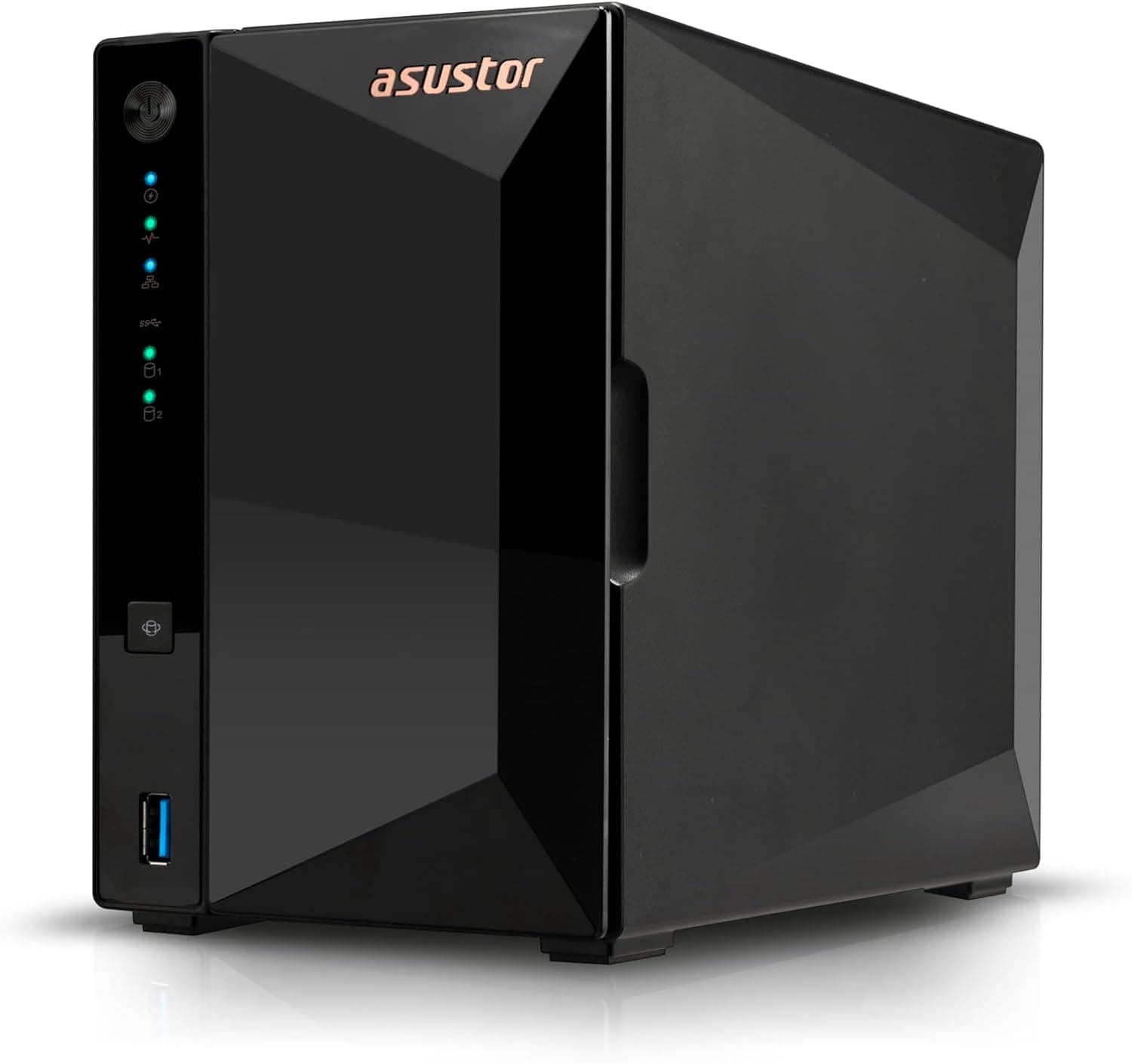
This article covers ASUSTOR ASUS子会社 NAS キット 2ベイ AS3302Tv2 Drivestor 2 Pro Gen2 クアッドコア CPU搭載 2.5GbE高速ポート DDR4 2GBメモリ搭載 メーカー3年保証 国内正規代理店品.
Overview
The ASUSTOR AS3302Tv2 Drivestor 2 Pro Gen2 is a 2-bay entry-level NAS from ASUSTOR, a subsidiary of ASUS. Powered by a Realtek RTD1619B 1.7GHz quad-core processor and 2GB of DDR4 RAM, it is designed for home users who need reliable file sharing and media streaming. Its standout feature is the built-in 2.5GbE port, offering up to 2.5 times the theoretical bandwidth of traditional Gigabit Ethernet — a rare find at this price point. The metal chassis features tool-free, hot-swappable drive trays accessible from the front, making initial setup straightforward even for first-time NAS builders. It supports Btrfs and iSCSI snapshots for data protection, and Wake on LAN/WAN enables remote access from anywhere.
Connectivity & Compatibility
The rear panel houses a single 2.5GbE RJ-45 port, which can deliver transfer speeds of approximately 250 MB/s when paired with a compatible switch and client adapter. Multiple USB 3.2 Gen 1 ports are available for connecting external drives for backup or expansion. Drive support covers two 3.5-inch SATA III (6Gbps) bays. While maximum capacity per drive is not officially stated, 22TB drives have been reported working, giving a total raw capacity of up to 44TB. 2.5-inch SSDs can also be mounted for quieter, lower-power configurations. The NAS runs ASUSTOR's ADM (ASUSTOR Data Master) operating system, which provides a clean web-based interface and companion mobile apps (AiMaster, ASUSTOR Portal) for remote management.
Product Info
The AS3302Tv2 launched in late 2023 as part of the Drivestor 2 Pro Gen2 lineup. It sits firmly in the entry-to-mid-range segment, offering 2.5GbE connectivity at a street price around ¥40,800 (approx. $280 USD). This makes it a compelling alternative to similarly priced competitors like the QNAP TS-233 or Synology DS223j, which typically max out at 1GbE. The unit comes with a 3-year manufacturer warranty and is sold as an official domestic product in Japan, including Japanese-language manuals and support. The package includes a 65W AC adapter, a CAT5e LAN cable, and a quick-start guide.
Best Use Cases
Home users with large photo/video libraries: Consolidate media from phones and cameras onto the NAS for family sharing. The 2.5GbE port ensures smooth transfers of 4K video files during editing or playback. NAS beginners: Tool-free drive installation and the intuitive ADM interface lower the barrier to entry. Running RAID 1 (mirroring) provides basic data redundancy without complex configuration. * Budget-conscious upgraders: If you're moving beyond Gigabit Ethernet but don't want to spend a fortune, this NAS is one of the few affordable 2.5GbE options on the market. It's an excellent stepping stone. However, if you need real-time 4K transcoding for Plex or similar applications, the entry-level CPU may struggle. Consider stepping up to the AS5402T or a model with an Intel Celeron processor for heavier media workloads.
Things to Consider
With only two bays, you cannot use RAID 5 or RAID 6 for parity-based redundancy. The maximum protection is RAID 1 (mirroring). If you need higher capacity and fault tolerance, look at 4-bay models. The 2GB of RAM is soldered and not upgradeable. Running multiple Docker containers or virtual machines may lead to memory pressure. This NAS is best suited for file serving and light media streaming rather than heavy multitasking. To fully utilize the 2.5GbE port, your network switch and client PC must also support 2.5GbE. Connecting to a legacy Gigabit network will work but cap speeds at 1Gbps. A USB 3.0 to 2.5GbE adapter (e.g., ASUSTOR AS-U2.5G2) can upgrade a PC lacking a 2.5GbE port. ## FAQ
Q: What is the maximum HDD capacity supported? A: Official specs do not list a maximum, but 22TB SATA HDDs (Seagate IronWolf Pro, WD Red Pro) have been reported working. Two drives give up to 44TB raw capacity. Q: Can I access the NAS from my smartphone? A: Yes. The AiMaster app (iOS/Android) allows file browsing and uploads. You can also install the ASUSTOR Portal app on the NAS for web-based remote access. Q: What do I need to achieve 2.5GbE speeds? A: Both the NAS and your PC must have 2.5GbE capability. If your PC only has 1GbE, add a USB 3.0 2.5GbE adapter. A 2.5GbE switch is also required between them.
Product Disclosure (Amazon)
- Manufacturer: ASUSTOR
- Seller: XPRICE
- Fulfilled by: XPRICE
- ASIN: B0CHYPGX1M
- Note: This article covers a manufacturer-made product based on Amazon listing details.
![DS218 [DiskStation 2ベイ NAS クアッドコアCPU 2GBメモリ SATA対応]](/_next/image?url=https%3A%2F%2Fm.media-amazon.com%2Fimages%2FI%2F51zAM3rUO8L._AC_SX300_SY300_QL70_ML2_.jpg&w=1920&q=75)