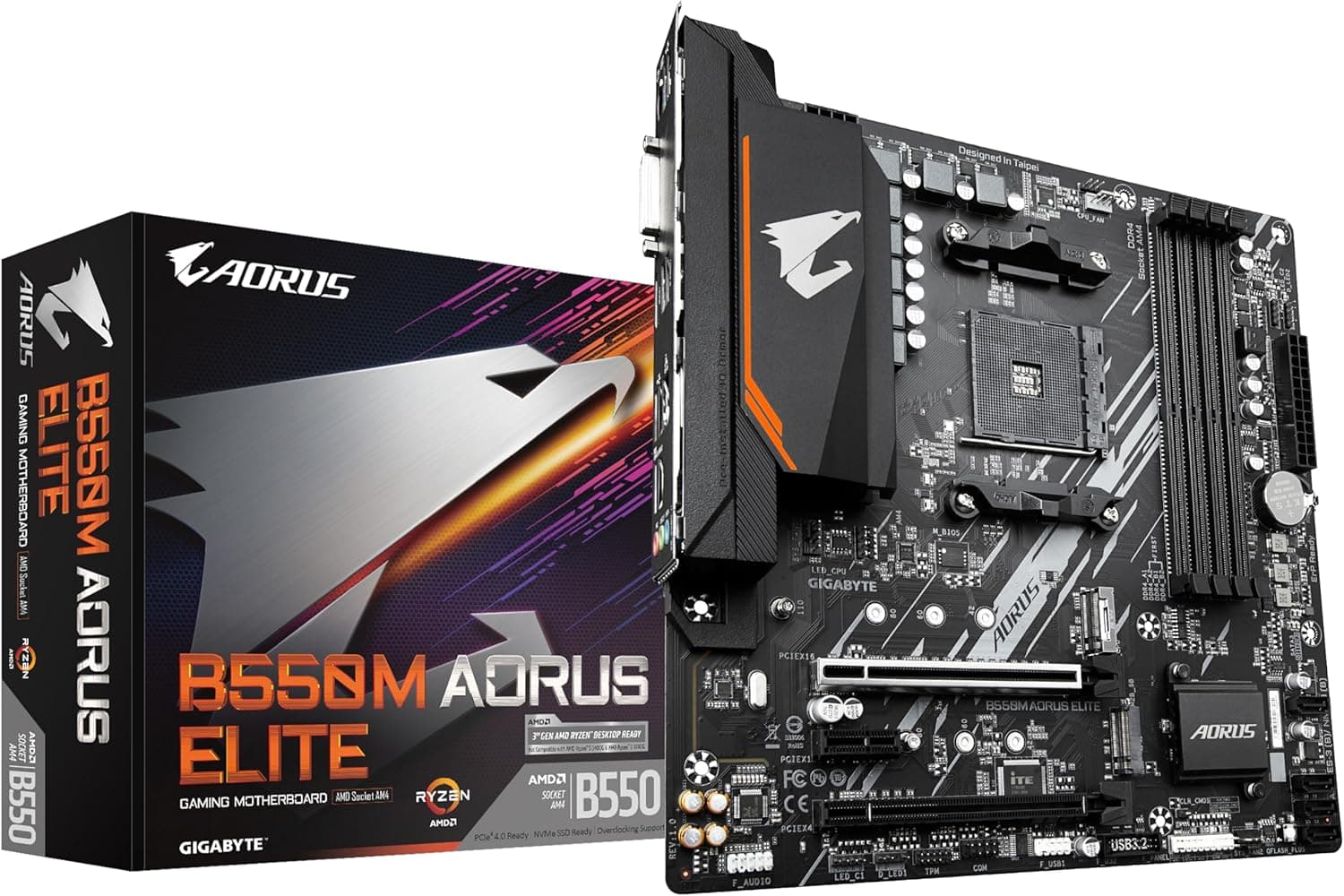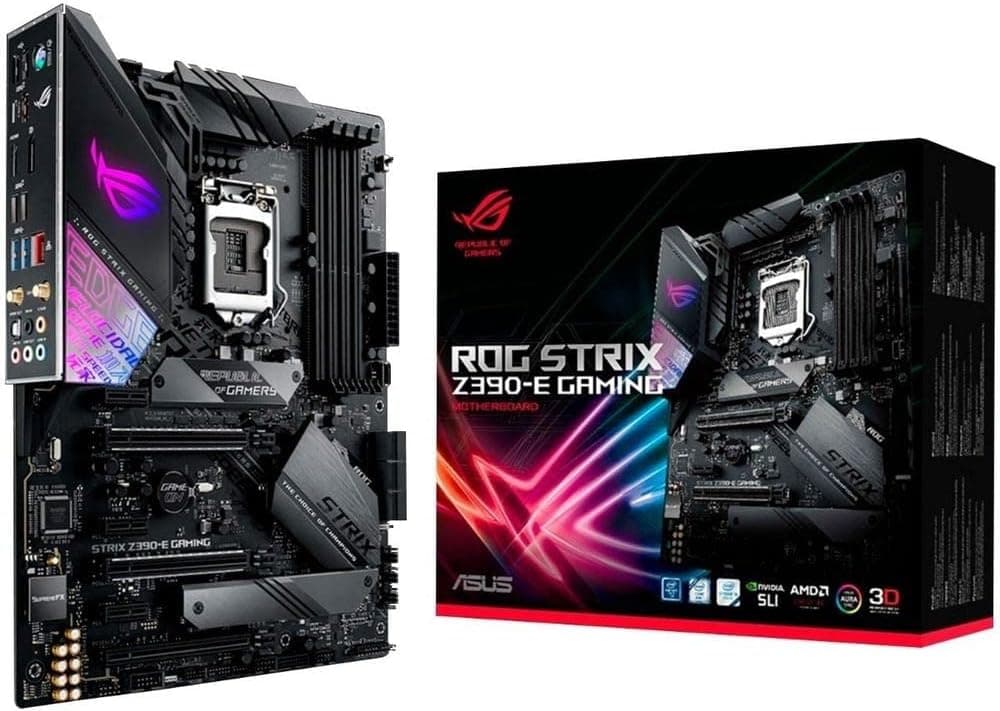
This article covers Asus ROG Strix Z390-E ゲーミングマザーボード LGA1151 (Intel 第8世代第9世代) ATX DDR4 DP HDMI M.2 USB 3.1 Gen2 802.11AC Wi-Fi.
Overview
The Asus ROG Strix Z390-E Gaming is an ATX motherboard built around the Intel Z390 chipset, supporting 8th and 9th generation Core processors on the LGA1151 socket. It was a popular mid-to-high-end choice for gamers and enthusiasts when it launched in 2018, and it remains a viable option for budget-conscious builders who can find a good deal on used components. This board comes with integrated 802.11ac Wi-Fi and Bluetooth 5.0, eliminating the need for a separate wireless card. Storage connectivity is handled by two M.2 slots (one with a heatsink) and six SATA 6Gbps ports, while rear I/O includes USB 3.1 Gen2 Type-A and Type-C ports. ASUS's 5-Way Optimization suite provides automated overclocking and fan tuning, making it accessible even for less experienced users. In today's market, the Z390-E Gaming sits in a strange position: it's old enough that newer platforms offer better performance per dollar, but it can still be a smart choice if you already own a compatible CPU or find one at a bargain price. Its feature set—dual M.2, Wi-Fi, robust audio, and overclocking support—holds up well for everyday use and moderate gaming.
Compatibility Guide
CPU socket: LGA1151, compatible with Intel 8th Gen (Coffee Lake) and 9th Gen (Coffee Lake Refresh) processors. It does not support 6th/7th Gen CPUs. Memory: 4x DDR4 DIMM slots, dual-channel, max 64GB with support for speeds up to DDR4-4266 (OC). XMP profiles are supported. Form factor: ATX (305 x 244 mm). Ensure your case supports ATX motherboards. PCIe: 2x PCIe 3.0 x16 (first runs at x16, second at x4 via chipset), 4x PCIe 3.0 x1. Supports 2-way SLI/CrossFireX. Storage: 6x SATA 6Gbps, 2x M.2 (both support PCIe 3.0 x4 and SATA modes). One M.2 slot has a dedicated heatsink. Power: 24-pin ATX main connector, 8-pin EPS CPU power. A 650W+ PSU is recommended for a typical gaming build with a high-end CPU.
Product Info
Released in October 2018, the ROG Strix Z390-E Gaming originally retailed for around $250–$300. As of this writing, new stock on Japan is listed at approximately ¥62,931. The motherboard carries a standard 3-year manufacturer warranty (for official Japanese market units). It is still available through some retailers and second-hand markets. Market positioning: Mid-high tier. The Z390 chipset itself is a premium overclocking platform, and the Strix series adds gaming-oriented features like SupremeFX audio, GameFirst net optimization, and RGB lighting. It was a strong partner for the i7-9700K and i9-9900K.
Best Use Cases
Budget LGA1151 build: If you already own a 9th-gen Core i5 or i7 CPU, or can pick one up cheaply, this motherboard offers a solid foundation. However, buying a new one at current prices may not be cost-effective compared to modern platforms. Gaming PC with wireless connectivity: The integrated Wi-Fi and Bluetooth keep the build clean without extra add-in cards. Ideal for desks without easy Ethernet access. Entry-level overclocking: The automatic tuning tools make it easy to get extra performance from a K-series CPU, while the BIOS still offers full manual control for those who want to tweak further. Who should skip it: Anyone needing PCIe 4.0 or 5.0, DDR5 memory, or support for Intel 12th Gen or newer CPUs. Also, if you're building a strictly new system from scratch, a modern B760 or Z790 board with a 12th/13th Gen CPU will deliver better performance and upgrade potential.
Things to Consider
At over ¥60,000 new, this board is expensive for its age. For the same budget, you could buy a modern B760 motherboard and an Intel Core i5-13400F, which would outperform an older i7-8700K in most tasks. Used units are a more sensible choice, but check for BIOS updates, physical damage, and warranty coverage. The M.2 slots are limited to PCIe 3.0 speed; if you have a PCIe 4.0 SSD, it will run at reduced bandwidth. The rear USB-C is only 10Gbps (Gen2), not Thunderbolt. For VR or high-speed external storage, this may be a bottleneck. Power delivery is adequate for the i9-9900K at stock, but heavy overclocking may stress the VRM under prolonged workloads. A well-ventilated case and a quality 650W–750W PSU are recommended. The board lacks a BIOS flashback button, so updating the BIOS may require a compatible CPU. ## FAQ
Q: Can I use an Intel Core i7-9700K with this motherboard? A: Yes, the 9700K is a 9th-gen LGA1151 CPU and is fully supported. Ensure the BIOS is updated to the latest version for optimal compatibility and stability. Q: Does this motherboard support two M.2 SSDs simultaneously? A: Yes, both M.2 slots can be used at the same time. However, if you install a SATA-mode M.2 drive in the M.2_1 slot, it will disable one of the SATA ports. Check the manual for details. Q: Can I run DDR4-3600 memory on this board? A: The board officially supports up to DDR4-4266 (OC), so DDR4-3600 should work wit
Product Disclosure (Amazon)
- Manufacturer: ASUS
- Seller: LIFEFIRST
- Fulfilled by: LIFEFIRST
- ASIN: B07HCPLQ2H
- Note: This article covers a manufacturer-made product based on Amazon listing details.

![CC-9011189-WW [ATXミドルタワーケース 465X RGB White]](/_next/image?url=https%3A%2F%2Fm.media-amazon.com%2Fimages%2FI%2F71jpy2deITL._AC_SL1500_.jpg&w=1920&q=75)