Overview
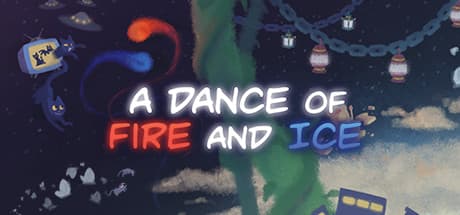
A Dance of Fire and Ice is a one-button rhythm game in which two planets — one fire, one ice — orbit each other while you tap on every beat. There is no directional input and no variable press strength. Each tap swings one planet past the other, advancing you one tile along a single winding path.
What sets it apart from other rhythm games is that the screen never tells you when to press. Most music games drop notes toward a judgment line; here, the angle of the path itself encodes the timing.
A straight run means even beats; a sharp turn means a longer wait. The chart is laid out as a map, not as a scrolling cue — which forces you to count beats with your ears rather than your eyes.
It was released on January 25, 2019 by 7th Beat Games, published by 7th Beat Games and indienova. It supports Steam Achievements, Steam Cloud, and Steam Workshop for sharing and subscribing to custom levels.
Features and Systems
The core rule is simple: tile angle equals wait time. A right-angle turn is one beat; sharper angles are shorter, wider ones longer. Internalizing that geometry-to-rhythm mapping is the skill curve. Early stages use plain 4/4 with intuitive shapes. Later ones change time signature, swap triplets against duplets, and shift tempo mid-track.
The game also deliberately makes your eyes unreliable. Paths run off-screen, backgrounds swing violently, and tile spacing sometimes contradicts your visual sense of rhythm.
Chasing the screen in these moments guarantees failure, so eventually you must switch to learning the song and anticipating by ear. Forcing that switch is the design's whole point.
Failure handling is strict. One missed beat restarts you, and checkpoint granularity is not generous.
Since a stage can run several minutes, dropping near the end and starting over is a routine experience. The flip side is that a clean run feels earned across the entire stage.
Workshop levels are the main endgame. Community charts often go well beyond the base campaign, with odd meters and high tempos.
The editor uses the same rules as the campaign, so you can bring in your own track and build a chart.
System Requirements
Steam lists the following minimum requirements:
| Item | Minimum |
|---|---|
| OS | Windows 7 or later |
| Graphics | Intel Graphics 4000 / 2GB VRAM |
| Memory | 2 GB RAM |
| Storage | 1500 MB available |
In practice this means "if it runs Windows, it runs this." Intel Graphics 4000 is the integrated GPU generation from around 2012, so a game targeting it is extremely light by today's standards.
2GB of RAM and 1.5GB of storage fit within the range of a decade-old office laptop.
Gaming rigs are obviously fine; thin-and-light notebooks on integrated graphics should be too.
But for a rhythm game, what matters more than framerate is latency, and that isn't on the spec sheet. Two practical points:
- Audio latency: Bluetooth earbuds and headphones add tens of milliseconds through wireless buffering. Since this game demands on-the-beat input, wired headphones are strongly recommended. Even low-latency codecs are at a disadvantage versus wired.
- Display latency: Playing on a TV can add processing lag. Enable the TV's game mode if it has one. Audio leads here, but you still read the path visually.
The game includes a calibration (offset) setting. If everything feels consistently early or late, adjust that before blaming your reflexes.
Practicing on a wrong offset trains a skewed sense of timing that is harder to unlearn later.
Given the tiny install size, an SSD isn't required for comfortable loading. The small footprint suits a play pattern of short daily sessions.
Reception Trends
The game has sustained strong community standing since launch. Positive comments repeatedly cite the same things: a rule you can explain in one sentence but never fully exhaust, tight integration between music and stage presentation, and the tangible sense of getting better through practice. Many players note that being denied visual cues actually trains their underlying sense of rhythm. The steady stream of Workshop charts is another commonly cited reason people stay.
Critical feedback concentrates on one thing: the difficulty spike. The opening stages are gentle, then required precision and rhythmic complexity jump sharply, and some players stall there permanently.
"It looks beginner-friendly but isn't" is an accurate read of its character. Instant-restart-on-miss and the intentionally disorienting visual effects also divide opinion; some players read those sections as unfair.
Our take: the split isn't about quality, it's about mismatched expectations. Bought as a casual music game, it will hurt.
Bought as something to practice and improve at, the hours it can absorb are substantial.
Getting Started
- Learn the song, not the screen. When stuck, listen to the track until you can hum it. Visual practice fails exactly where the game hides the path.
- Identify where you drop. Most people fail on the same two or three bars, not the whole stage. Naming that spot changes how efficient your practice is.
- Balance your volume. You need to hear your own tap against the music to self-correct drift.
- Stop after repeated failures. Fatigue degrades timing. Ten misses in the same spot means tomorrow will be faster than tonight.
Who It's For
- Players tired of falling-note rhythm games who want a different angle
- People who enjoy short daily sessions with measurable improvement
- Fans of minimalist visuals synced tightly to music
- Anyone who wants an endless supply of community charts, or wants to build their own
- Players without a gaming PC who need something that runs on integrated graphics
Caveats and Who Should Skip It
The difficulty completely betrays the presentation. Calm shapes and a one-button pitch suggest something casual; the midgame will disabuse you of that. It is not a relaxing background game.
Failure tolerance is low. One miss restarts the stage, so losing a multi-minute run near the end stings.
If grinding the same passage dozens of times sounds miserable, you will likely bounce off.
Some sections are visually intense. Rotating backgrounds and flashing colors appear.
If you're sensitive to flashing lights or prone to motion sickness, be cautious — some effects can be reduced in settings, but check gameplay footage first.
Wireless-only audio is a real handicap. As noted, latency directly hurts accuracy.
"It's the gear, not you" is a genuine possibility in this genre, so whether you can set up wired audio belongs in your buying decision.
No story or collectathon payoff. The content here is the skill itself; narrative rewards are minimal.
Check the store page's supported-languages list before buying. Text volume is low so the language barrier is small, but supported-language listings change over time.
More broadly, store listings and feature tags can shift, so confirm the title and features (Workshop support and so on) with your own eyes before purchasing.